The Kindest Thing You Can Do for Your List Is Make It Smaller.
When to remove inactive subscribers, as a six-step worksheet: define engagement beyond opens, pick a window, ask the quiet group, then suppress rather than delete. With re-engagement emails you can copy.
Remove inactive subscribers once they have ignored a set number of your emails, usually twelve to twenty in a row, and only after asking them first. Define "inactive" by signals machines cannot fake, such as clicks, replies and purchases, rather than opens. Send the quiet group two or three re-engagement emails. Then stop mailing anyone who does not respond, but suppress them rather than delete them, so a later import cannot bring them back. For a weekly newsletter, that means roughly a 120-day window. Repeat every quarter. This is called a sunset policy, and it protects your deliverability, cuts your platform bill and gives sponsors a number they can trust. It also feels wrong the first time, because your list gets smaller.
This guide works as a worksheet. Follow the six steps with your own numbers, and you will end up with a policy you can run four times a year in under an hour.
Why keeping silent subscribers hurts you
A subscriber who never opens looks harmless. They do not complain, and they cost a little on your platform bill. The real cost is less visible, and there are four parts to it.
Deliverability. Mailbox providers watch how people respond to your mail. If a large share of recipients ignore everything you send, that tells Gmail, Yahoo and Outlook your email is not very wanted, and it affects how your mail is treated for everyone, including your best readers. Silent subscribers do not only fail to read. They make it less likely that others will get the chance. The post on email deliverability explains how providers judge senders.
Dead mailboxes. Inboxes get abandoned, and then they get closed. Google's inactive account policy allows it to delete accounts unused for two years, so an old Gmail subscriber may one day become a hard bounce. Some abandoned addresses are also recycled into spam traps, which exist to catch senders who keep mailing people who never respond. Hitting them is far more damaging than a bounce.
Numbers that mislead. Every silent subscriber lowers your open and click rates, which makes it harder to see what is working. Sponsors look at those rates too. A growth chart that never goes down can hide a list that has been dying for a year, as the post on the growth ceiling shows.
Money. Most platforms charge by list size. You are paying each month to email people who are not reading.
Step 1: decide what "engaged" means
You cannot find the disengaged until you have a definition of engaged that you trust. That is harder than it used to be, because the obvious signal is broken.
Opens are not reliable. Apple Mail Privacy Protection loads images automatically for many readers, so they can show an open for every email whether or not they read it. A subscriber who has not looked at your newsletter in a year can appear perfectly active. The post on how Apple broke open rates explains the mechanics.
Clicks are better, but they are not clean either. Corporate email scanners visit links automatically, often within a minute of delivery, as our post on bot clicks explains. A dormant address at a company can look active because a machine keeps clicking for it.
So rank your signals by how hard they are for a machine to produce:
| Strength | Signal | Note |
|---|---|---|
| Strongest | Replied to an email | A person, without doubt |
| Strong | Bought, booked or signed up for something | Worth keeping even if they rarely click |
| Good | Clicked a link, more than a few minutes after delivery | Excludes most scanner visits |
| Weak | Clicked within the first minute or two | May be a scanner |
| Weakest | Opened | May be automatic |
Write down which of these your platform can show you for each subscriber. Your definition of engaged should rely on the strongest ones available. If your platform shows only opens and clicks, use clicks.
Step 2: choose your window
How long without a signal before someone counts as quiet? The right unit is emails, not days. Someone who has ignored twelve to twenty emails in a row is telling you something. Someone who has ignored three monthly emails may have been on holiday.
| You send | Suggested quiet window | Emails ignored |
|---|---|---|
| Daily (weekdays) | 60 to 90 days | about 40 to 65 |
| Twice a week | 90 days | about 25 |
| Weekly | 90 to 120 days | about 13 to 17 |
| Fortnightly | 120 to 180 days | about 9 to 13 |
| Monthly | 180 days or more | 6 or more |
These are starting points, not rules. Lean towards the longer end if much of your audience reads on Apple Mail and rarely clicks, because some loyal readers never click anything. Lean towards the shorter end if you have had deliverability trouble. Very frequent senders get a longer email count on purpose: a daily reader may skip a lot and still be very much a reader.
If your newsletter has seasonal readers, such as a sports or gardening list, set the window long enough to cover the off-season.
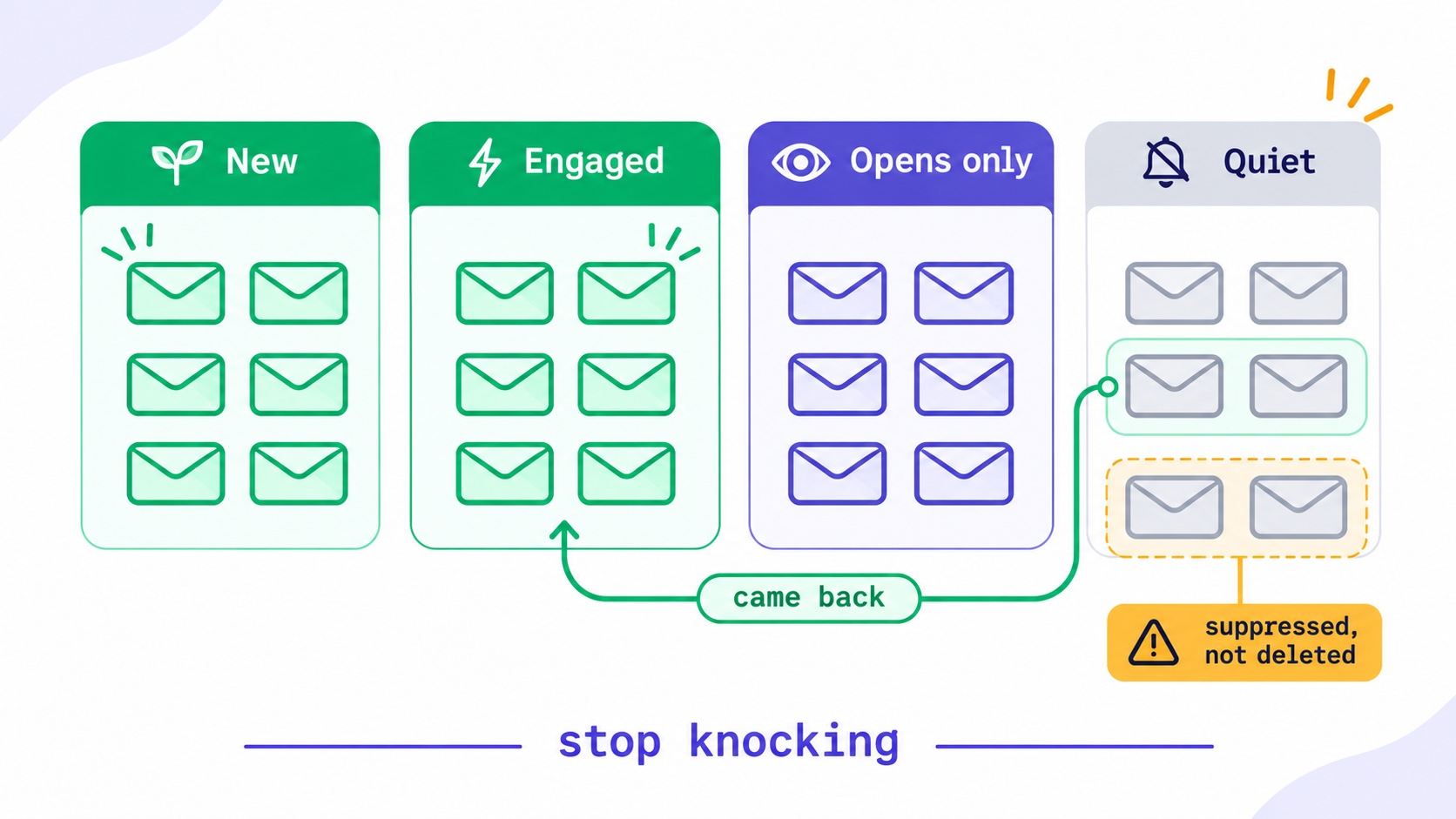
Step 3: sort your list into four groups
Using your definition and window, put every subscriber into one of four groups. Most platforms can do this with segments based on signup date and activity. The segmentation guide shows how to build them, and the segmentation glossary entry has the short version.
| Group | Definition | Action |
|---|---|---|
| New | Joined within the window | Leave alone |
| Engaged | Strong signal within the window | Leave alone |
| Opens only | Opened within the window, nothing stronger | Watch, do not remove |
| Quiet | No signal at all within the window | Re-engage, then decide |
Write down how many subscribers fall into each group. If Quiet is more than a third of your list, this exercise will probably make a visible difference to your deliverability.
The Opens only group needs care. Some are real readers on Apple Mail who never click, and removing them would lose people who value your work. Some are dormant mailboxes whose images are loaded automatically. You cannot tell them apart from your data alone, so leave them for now. If you need a tighter list, a single "still reading?" email to this group, with one button, separates them quickly.
Two more exclusions. Anyone who has paid you should not be sunset automatically. A customer who stopped clicking may still expect receipts and access emails. Handle them separately. And never count people who joined in the last few weeks, however quiet they look. The welcome sequence guide covers how to build early engagement in that group instead.
Step 4: ask the quiet group before you remove them
Do not remove anyone without asking. A short re-engagement series, sent only to the Quiet group, usually brings back a small but meaningful share, and those readers are often glad to have been asked. The win-back campaign guide goes deeper on this. Three emails over two or three weeks is plenty:
Email 1 (day 0): plain and direct
  Subject: Still want these?
  It's been a while since you clicked anything I've sent. That's fine,
  but I don't want to fill your inbox with something you don't read.
  If you'd like to keep getting these, click here and I'll know.
  [Yes, keep me on the list]

Email 2 (day 7): your best recent work
  Subject: The one issue I'd want you to read
  If you only read one thing from me this year, make it this. [Link]
  One line on why it's worth their time.

Email 3 (day 14): the honest last call
  Subject: Last one from me
  I'm taking people who haven't clicked in a while off my list.
  This is the last email you'll get, unless you tell me otherwise.
  [Keep me on the list]
Some practical points. Send these as plain, personal emails, not designed campaigns. Make the button the only link in emails one and three, so a click can mean only one thing, and count clicks only after the first few minutes, so scanners do not "save" subscribers who are gone. Anyone who clicks moves back to Engaged.
Send the series to a small batch first if your Quiet group is large. Mailing thousands of dormant addresses at once is exactly the pattern you are trying to end, and it can produce a burst of bounces. Split it across several days, in the same spirit as warming up a domain. And do this before your deliverability suffers, not after. A long-dormant list mailed in one go can do real harm.
If a subscriber has been silent for several years, it is usually safer not to email them at all. Old addresses are the most likely to bounce or to have become spam traps. Suppress them directly.
Step 5: stop mailing the rest, but do not delete them
Everyone in the Quiet group who did not respond should stop receiving your emails. The important word is stop, not delete.
If you delete them, the next time you import a list from another source, whether a giveaway, a course platform or an old export, the same addresses can come straight back as new subscribers. You would then be mailing people who ignored you for a year as though they had just joined. Instead, mark them as suppressed, archived or unsubscribed, depending on what your platform offers, so that they cannot be re-added without someone deciding to. The post on subscribers who sign up twice explains how platforms handle returning addresses.
Check how your platform treats suppressed subscribers for billing. Some still count them towards your plan. If yours does, export the list first and keep it somewhere safe, then remove them from the platform. A list of addresses you have decided not to mail is worth keeping for exactly that reason.
What if a suppressed subscriber signs up again later? Good: they have told you they want to hear from you. Let them back in through your normal form, ideally with a confirmation step, and treat them as new.
One distinction matters. Someone you stopped mailing is not the same as someone who unsubscribed. An unsubscribe is their decision, and it is permanent unless they reverse it. A sunset is yours. Keep them apart in your records, as the post on resubscribing after an unsubscribe explains.
Step 6: make it a habit, not an event
Doing this once helps. Doing it on a schedule helps more, because a list's silent tail grows back. Every quarter, run steps 3 to 5 for anyone who has crossed into the Quiet group since the last time. After the first big clean-up, each round is small and takes well under an hour.
Better still, automate it. If your platform can start a sequence when a subscriber has had no clicks for a set period, the re-engagement emails can run for each person at the right moment rather than in quarterly batches. Our guide to email automation sequences covers how to set one up. Remember to test it: the post on automations that do not send shows why an active automation is not always a working one.
What it looks like in numbers
An illustration, not anyone's real data. Imagine a weekly newsletter with 10,000 subscribers, using a 120-day window.
| Group | Before | After |
|---|---|---|
| New | 800 | 800 |
| Engaged | 4,700 | 5,000 |
| Opens only | 1,500 | 1,500 |
| Quiet | 3,000 | 0 (2,700 suppressed) |
| List size | 10,000 | 7,300 |
| Engaged share | 47% | 68% |
After the re-engagement series, suppose 300 of the 3,000 quiet subscribers click and return to Engaged. The other 2,700 stop receiving email. The list falls from 10,000 to 7,300, and that feels like a loss. But the share with real engagement rises from 47% to over 68%, a click rate worked out over the same clicks rises by more than a third, and every send now goes almost entirely to people who have recently shown they want it.
Then look at the bill. Moving from a 10,000-subscriber tier to a lower one can pay for a good part of a year's tools. Check your own plan on your platform's pricing page; on InfluencersKit that is our pricing page. The email list revenue calculator shows what each engaged subscriber is worth, and the post on subscriber value explains the arithmetic.
What to watch after the clean-up
Give it four sends, then compare with the four before. A clean-up should show up in a few specific places.
- Click rate per delivered email should rise, mostly because the denominator shrank. That part is arithmetic, not new interest, so do not credit it to your subject lines.
- Total clicks should stay about the same. If they fall noticeably, you removed real readers. Lengthen your window next time.
- Hard bounces and spam complaints should fall. Silent addresses are where both come from.
- Inbox placement may improve over several weeks. Check Google Postmaster Tools for your domain's reputation and spam rate, and watch a few seed addresses of your own.
- Revenue and replies should hold steady. If they do, you have proved the removed readers were not contributing.
The second line is the one that tells you whether you got it right. A sunset removes people who were not clicking anyway, so total clicks barely move. Keep the before-and-after numbers with your worksheet, because next quarter they will tell you whether your window is too short, too long or about right. The newsletter metrics guide and the open rate benchmark checker help you read the change, and our list hygiene entry covers the routine work around it.
Cases that need a different rule
Seasonal lists. A fantasy football or wedding-planning newsletter has readers who vanish for months on purpose. Set the window across a full season, or pause the sunset during the off-season.
Long buying cycles. If you sell something people think about for a year, such as a high-priced course, a quiet subscriber may still be a future buyer. Keep the window long, and send fewer emails rather than none.
Business audiences. Security scanners can keep dormant work addresses looking active, and people change jobs without unsubscribing. A company address that has had only early, every-link clicks for months is usually a gone reader.
Paid subscribers. Never sunset someone who is paying you. A paying subscriber who has stopped reading is a churn risk, and the free-to-paid post covers what cohorts reveal. Talk to them instead.
Your worksheet
Fill this in once, keep it with your other newsletter documents, and update it each quarter.
I send:                      ____ emails a week
Engaged means:               ________________________
My quiet window:             ____ days (____ emails)
Excluded from sunset:        paying customers, joined in last ____ days

This quarter
  New:            ______
  Engaged:        ______
  Opens only:     ______
  Quiet:          ______   (____% of list)

Re-engagement sent on:       ________
Came back:                   ______
Suppressed:                  ______
List size after:             ______
Next review date:            ________
What to tell sponsors, and yourself
Most creators' first objection is the sponsor conversation: "My list size is what they pay for." That is less true every year. Sponsors who look at results rather than size get better results from the smaller list, and a clean list holds up when a sponsor measures its own response.
If you have already told sponsors your list size, tell them about the clean-up before they notice. It makes a good story: "We removed 2,700 inactive readers this quarter so your ad reaches people who are paying attention." Update your media kit with active subscribers, and date it. The rate card guide and the sponsorship rate calculator help you price on engaged audience rather than headline size. A list worth selling is also worth more if you ever sell it, as the post on newsletter valuation explains.
The other objection is emotional. It feels like giving up on people. It is the opposite: you are asking them directly whether they want to hear from you, and respecting the answer, including the answer that comes as silence.
Mistakes to avoid
- Judging by opens alone. You will keep dormant Apple Mail addresses and may remove real readers who use image blocking.
- Sending a re-engagement email to the whole list. It confuses engaged readers and invites them to leave.
- Deleting instead of suppressing. The next import brings everyone back.
- Mailing a very old list all at once. That is a bounce and spam-trap risk. Split it, or suppress without mailing.
- Forgetting paying customers. Keep transactional and access emails separate from this process.
- Doing it once. The silent tail grows back within a year.
- Treating it as a cost. It is the cheapest deliverability work you can do.
The short version
Define engagement by what machines cannot fake. Choose a window based on how often you send. Sort your list, ask the quiet group, and stop mailing those who do not answer. Suppress rather than delete, and repeat each quarter.
Your list is not a trophy. It is a set of people who at some point asked to hear from you. Continuing to email those who have moved on does not keep them. It only makes it harder to reach the ones who stayed.
InfluencersKit's list management and segments and sequences cover each step here, and you can start a trial to try it on your own list.
Frequently asked questions
When should you remove inactive subscribers?
After they have ignored twelve to twenty of your emails in a row and have not responded to a short re-engagement series. For a weekly newsletter, that is about 120 days. Use clicks, replies and purchases to judge activity rather than opens.
What is a sunset policy in email marketing?
A sunset policy is a rule for when you stop emailing subscribers who no longer engage. It defines what inactive means, tries to re-engage those subscribers, and then stops sending to the ones who do not respond. Run regularly, it keeps your list roughly the size of your real audience.
Should I delete or suppress inactive subscribers?
Suppress them. A deleted address can return through a later import and be treated as a new subscriber. A suppressed address cannot be mailed by accident. If your platform charges for suppressed contacts, export them to a safe place first, then remove them.
Does removing inactive subscribers improve deliverability?
Usually, yes. Mailbox providers consider how recipients respond, and a large silent share signals unwanted mail. Removing dormant addresses also lowers the risk of bounces and spam traps. The effect builds over several sends rather than appearing at once.
Are opens a good way to measure inactive subscribers?
Not on their own. Apple Mail Privacy Protection can record opens for readers who never looked at the email, so dormant subscribers can appear active. Use clicks made more than a few minutes after delivery, replies and purchases where you can.
How do I write a re-engagement email?
Keep it short, personal and honest. Say it has been a while, ask whether they still want your emails, and offer one button to stay. Follow up with your best recent piece, then a final notice. Send it only to the quiet group, never the whole list.
What happens if a removed subscriber wants to come back?
Let them. If they sign up through your form, they have shown they want your emails. Use a confirmation step, treat them as a new subscriber, and do not resume mailing anyone who has not actively returned.
Stay Updated
Get the latest insights, strategies, and tips delivered directly to your inbox. Join thousands of creators who are building their email communities with our weekly newsletter.
No spam, unsubscribe at any time. We respect your privacy.
Related Articles
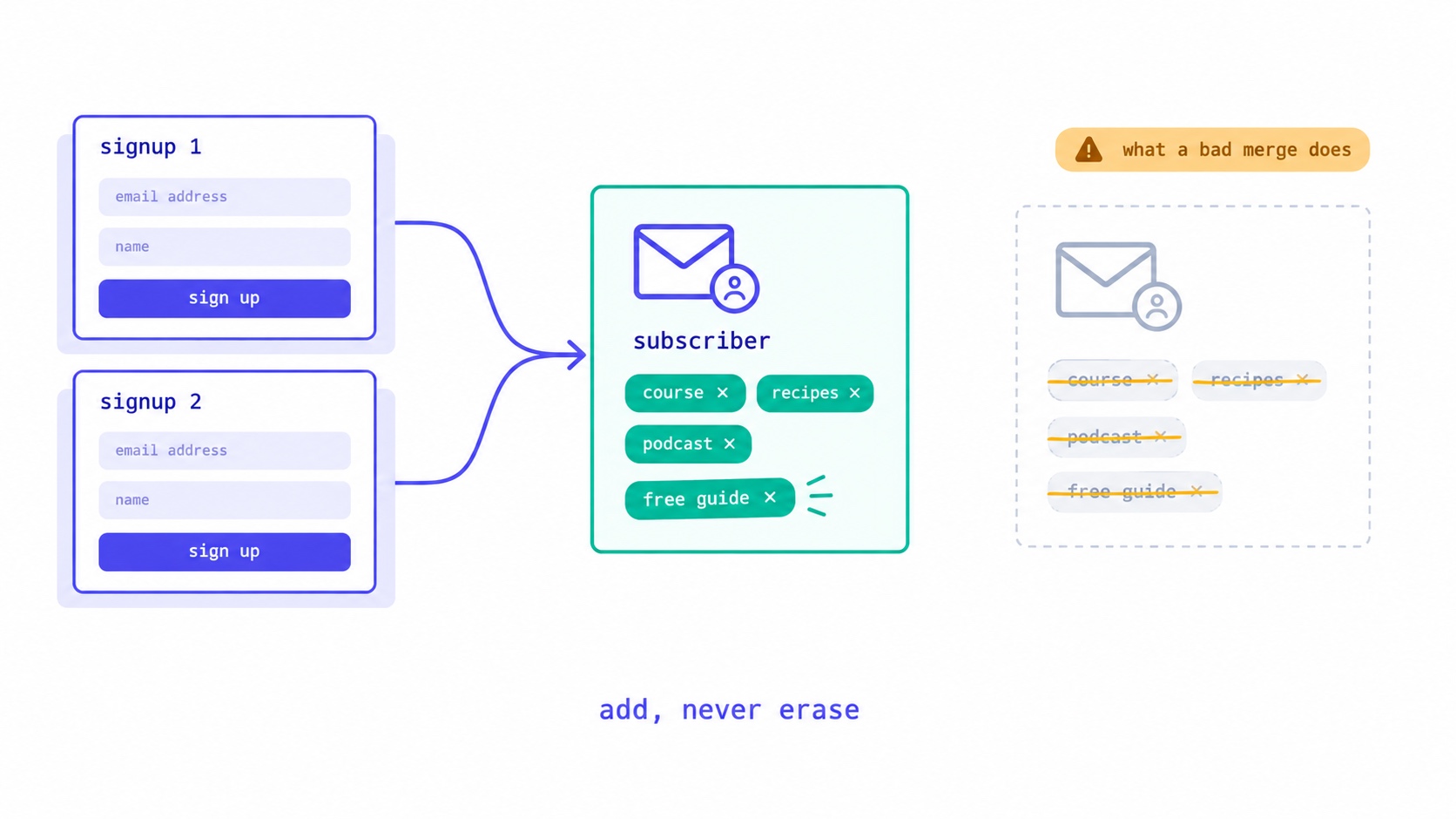
They Signed Up Again. Did Your Platform Just Delete Their Tags?
What should happen when a subscriber signs up twice: one record, add but never erase, unsubscribed readers confirm before returning. The form bug that wiped our subscribers' tags, and five tests for your own platform.
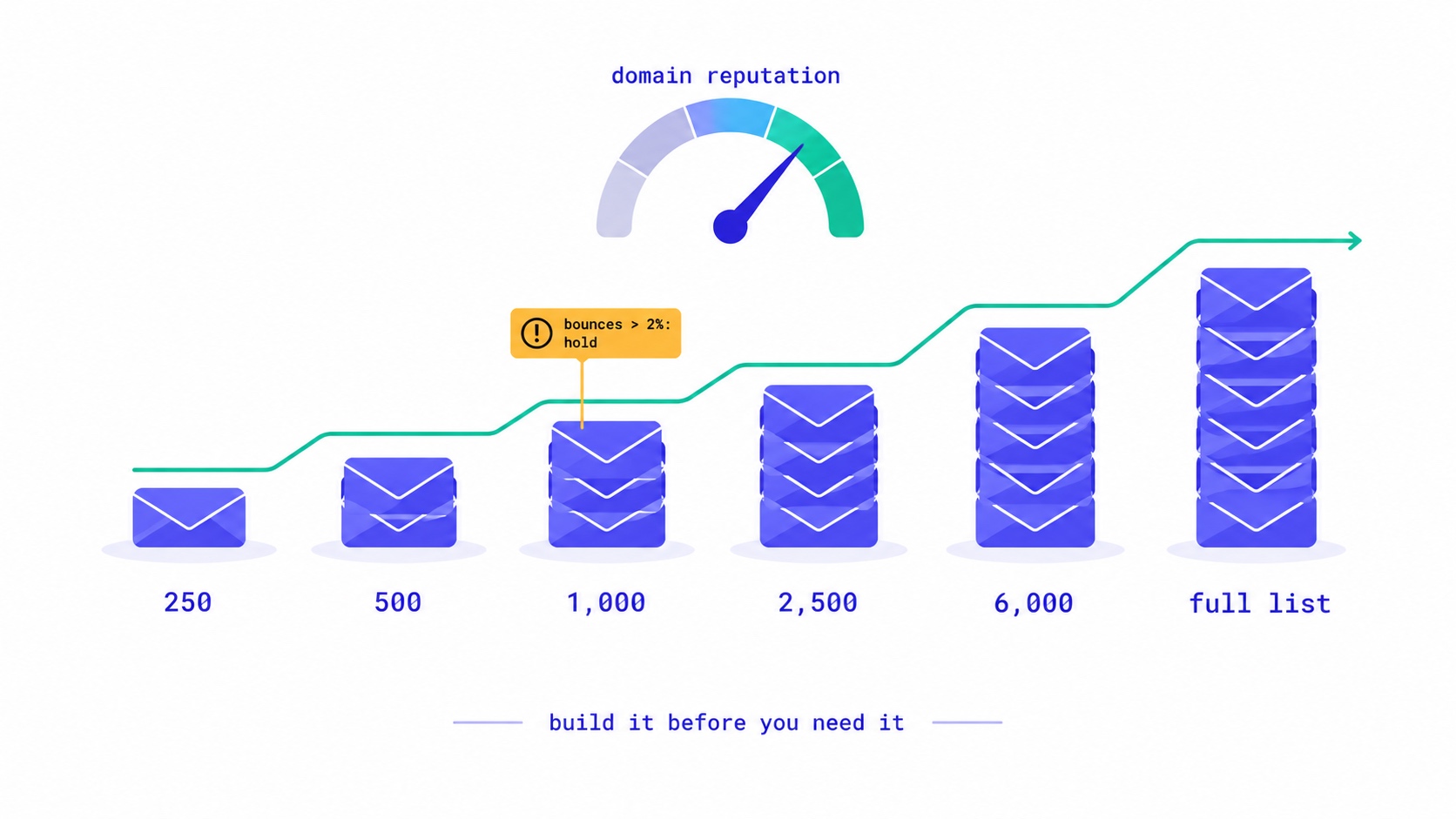
A New Domain Has No Reputation. Here Is How to Build One.
How to warm up a new email domain for a newsletter: authenticate first, send to recent clickers in small batches, and grow only while bounces stay under 2% and complaints under 0.1%. A 20,000-subscriber schedule, the numbers to watch, and what happened when an account skipped it.

They Unsubscribed, Then Signed Up Again. Now What?
Only the reader can reverse an unsubscribe. A fresh signup is a request, not proof. Why imports, forms and bulk edits quietly resubscribe people, and how to build a confirmation step that a link scanner or a stranger cannot trigger.

Newsletter Reactivation: How to Win Back Inactive Subscribers (With Templates)
Every newsletter has inactive subscribers silently dragging down deliverability. A well-designed reactivation campaign recovers 8–20% of them while identifying the truly unrecoverable. The four-part reactivation sequence, subject lines that break through inbox habituation, the list hygiene logic that improves metrics after removal, and the onboarding system that prevents inactivity from accumulating in the first place.
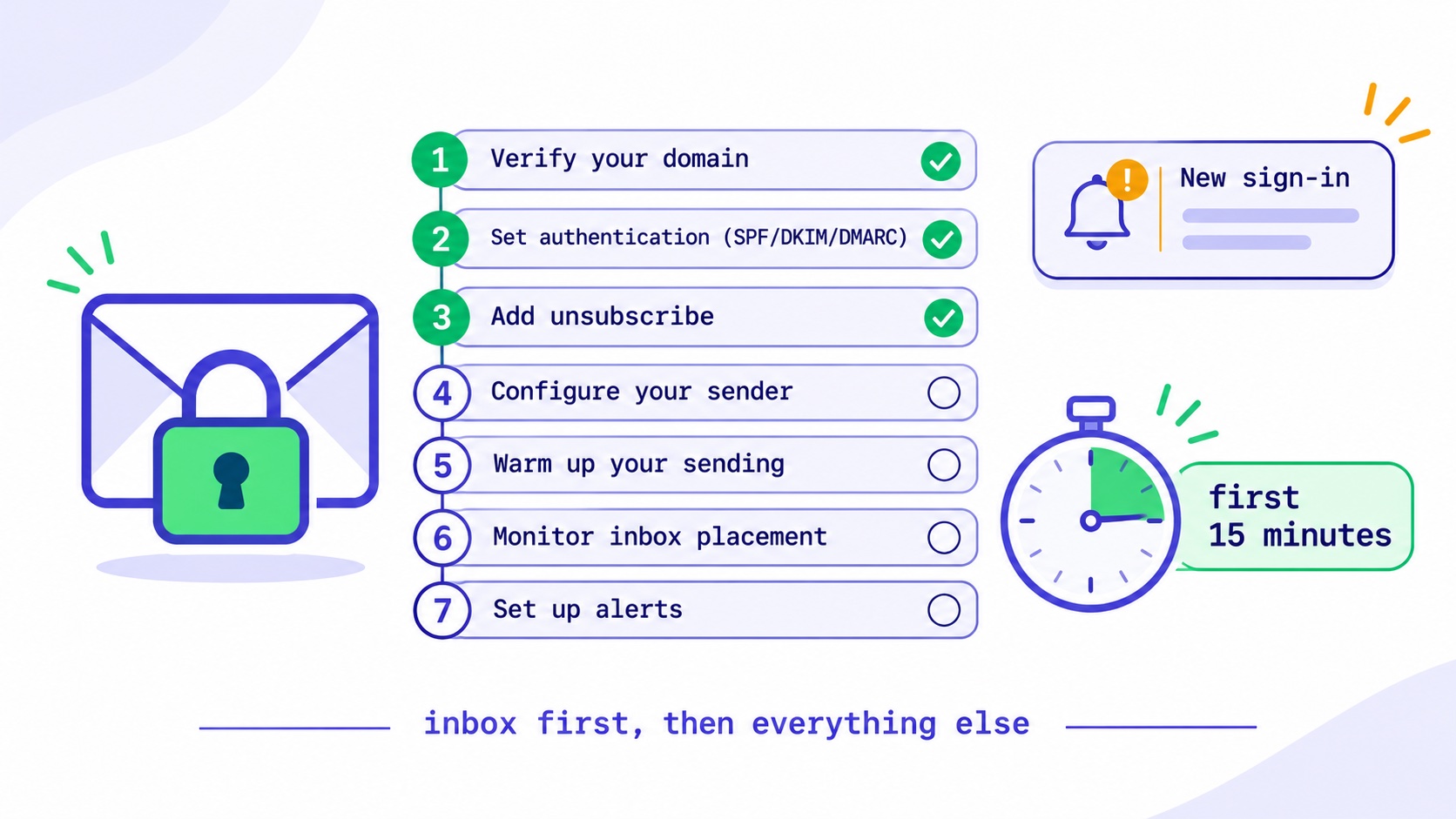
Your Newsletter Account Was Hacked. Do These Things in This Order.
An attacker with your newsletter account holds your list and your sender reputation. What to do in the first 15 minutes, what to check in the first hour, how to tell readers, and when you must report it.
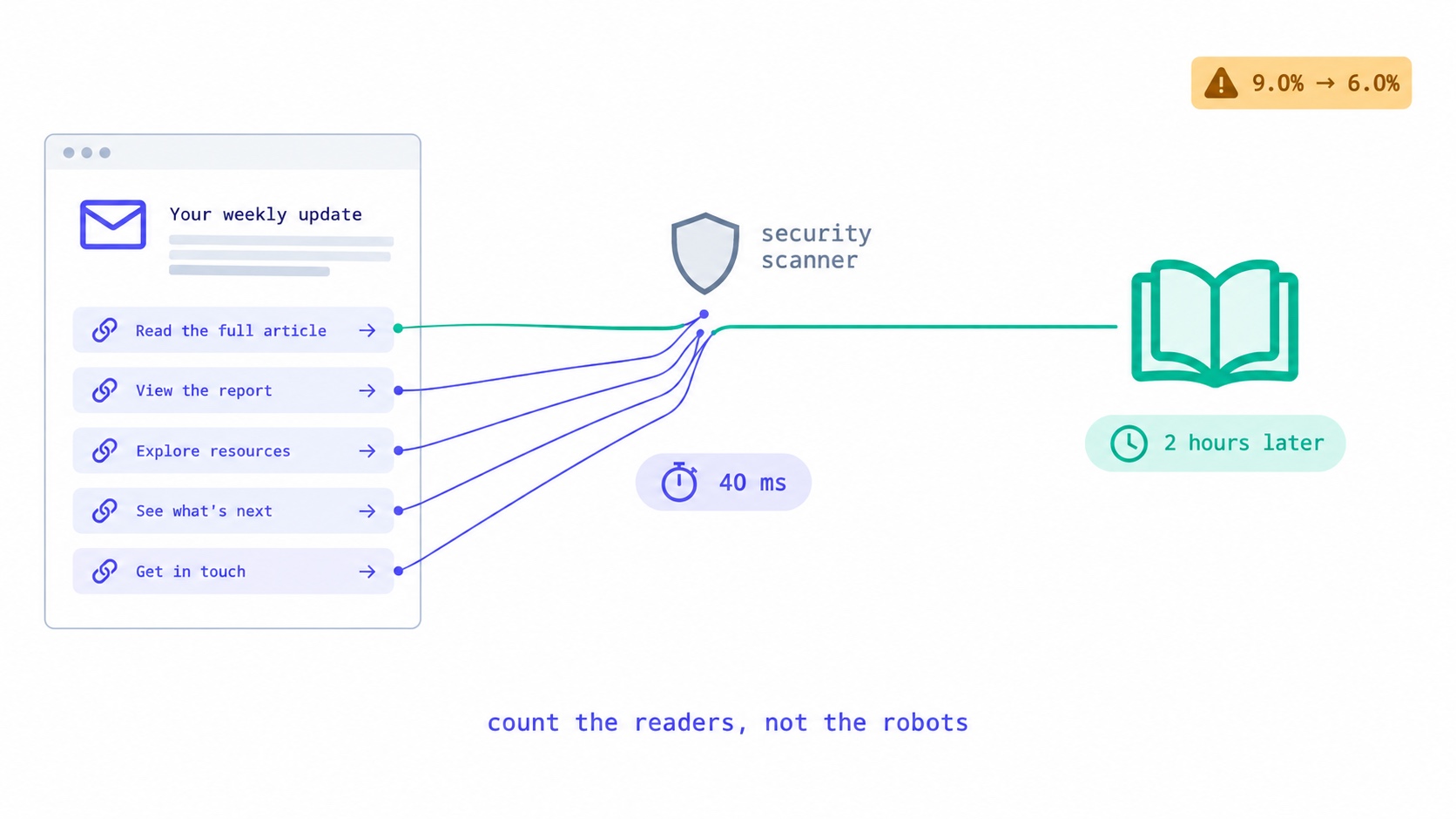
Something Clicked Every Link in Your Newsletter in 40 Milliseconds.
Corporate email security scanners click every link at delivery, inflating newsletter click rates. How to recognise them, the two counting bugs we fixed, the problem we have not solved, and what to tell sponsors.
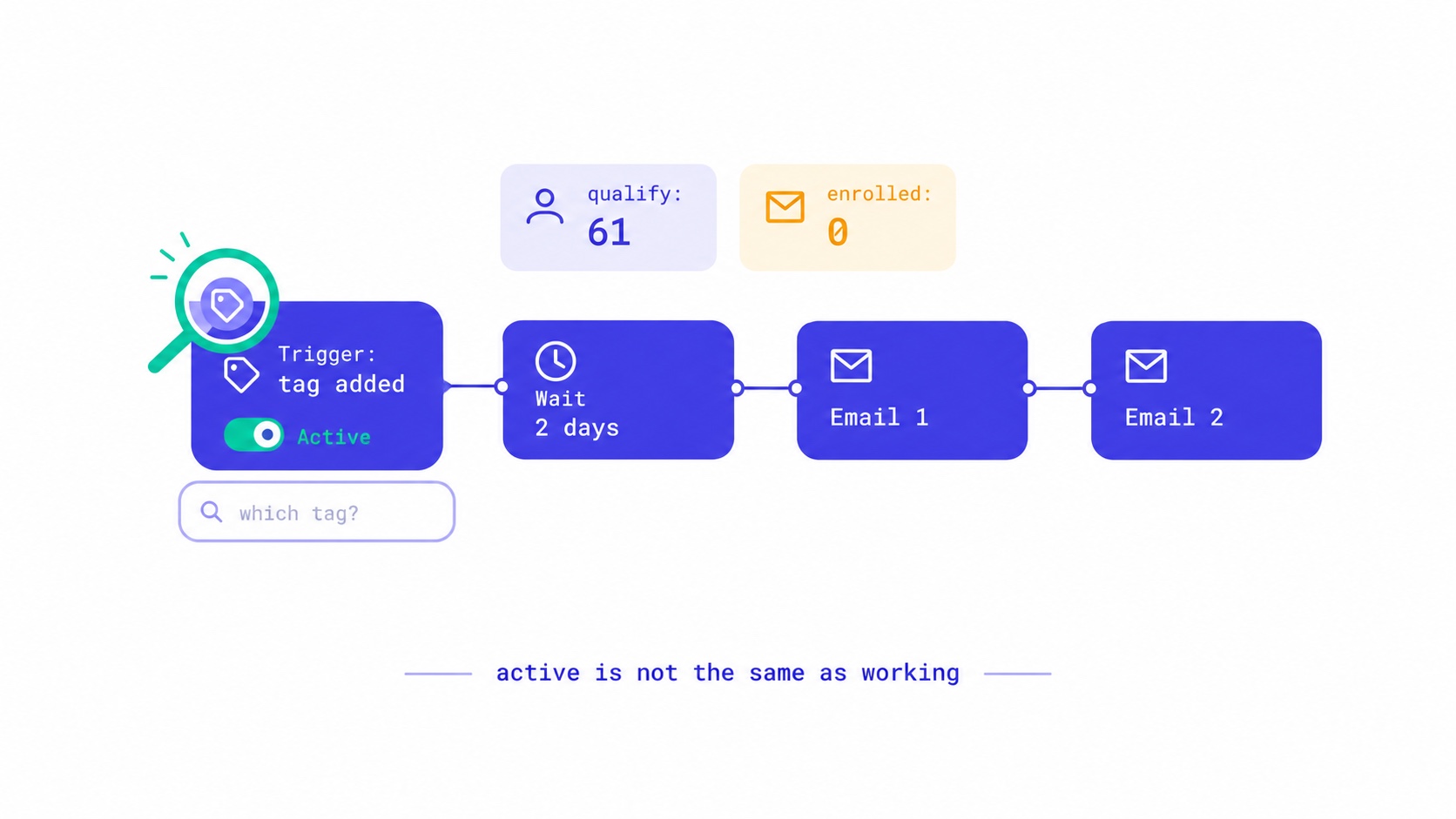
Your Automation Says Active. Nobody Has Received It.
Seven reasons an email automation is switched on but sends nothing, from triggers that ignore existing subscribers to tag triggers with no tag. The qualify-versus-enrolled check that found 28 of our own sequences silent, and a fifteen-minute monthly audit.
Your Readers Can Leave Without Ever Seeing Your Page.
Since 2024, Gmail and Yahoo require one-click unsubscribe. A mail-app button removes the reader instantly, with no page, no options and no reason. Your preference centre now reaches only footer-link leavers, so the 'less, not none' options belong inside the email.

Your List Grew 1,500 Overnight. None of Them Are Real.
A signup spike with no launch behind it is usually list bombing. Fifteen hundred fake signups can push a welcome stream to six times Gmail's complaint limit and overstate your list by 30% to sponsors. How to spot them, why Apple Mail hides some, and how to clean up without making it worse.

Moving Your Newsletter? The List Is the Easy Part.
The CSV moves in five minutes. Sender reputation, unsubscribes, paid subscriptions, automations and old signup forms do not. The order that gets a newsletter to a new platform without losing inbox placement or emailing people who opted out.
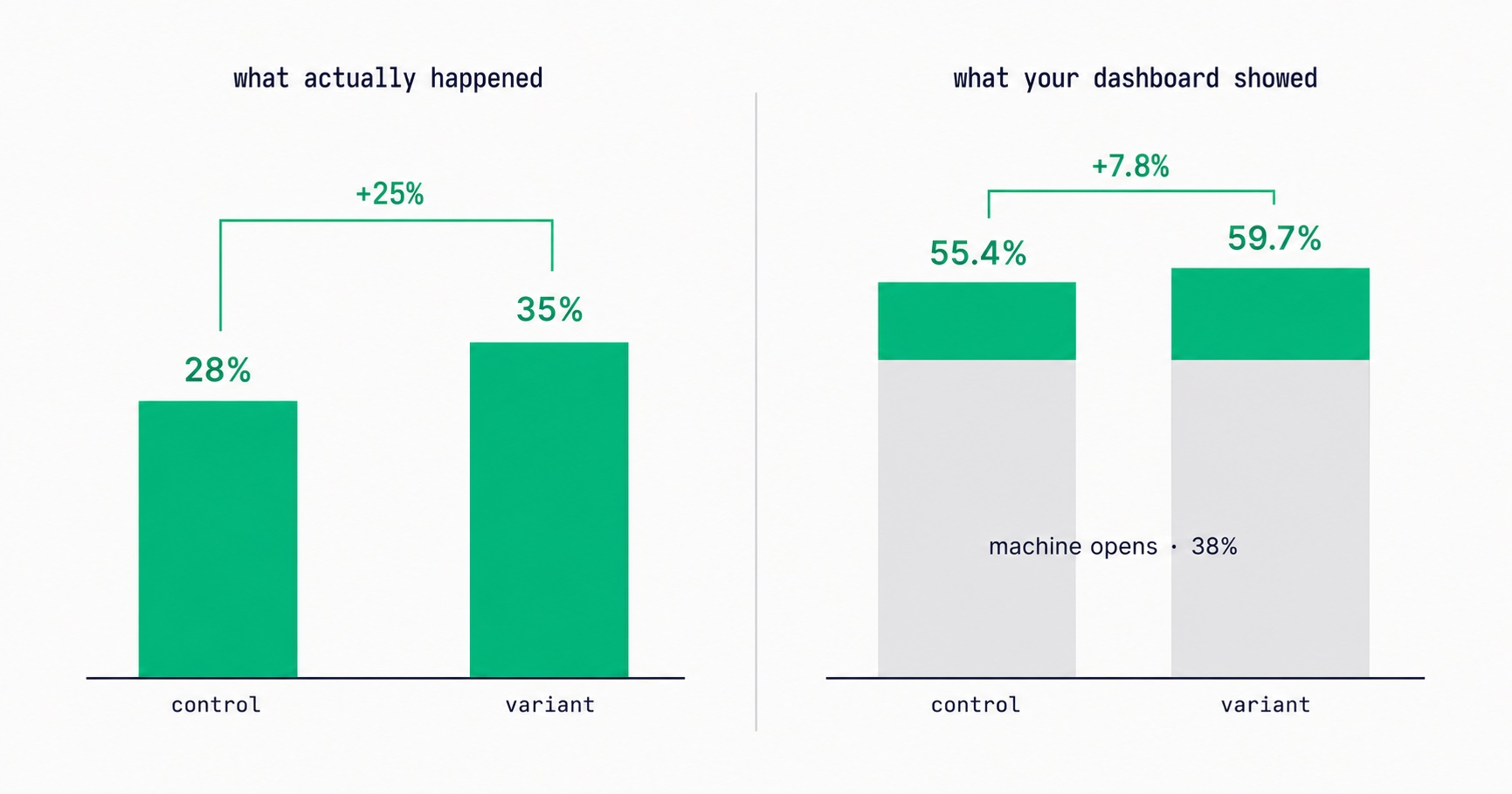
Apple Broke Your Open Rate. And Your Subject Line Tests.
Every article about Apple Mail Privacy Protection says open rates are unreliable. None of them explain the part that actually changes your decisions: MPP doesn't add random noise, it systematically compresses the measured gap between two subject lines by roughly 3x — which is why so many creators ran good tests, saw flat results, and concluded subject lines don't matter.

Newsletter Viral Loops: How to Make Your Subscribers Your Growth Engine
Most newsletter growth requires proportional effort. A viral loop changes this: each new subscriber creates a mechanism that brings in additional subscribers. The viral coefficient math, four loop architectures (referral, forward, access gate, social proof), stacking strategy, re-promotion system, and the content quality foundation that makes viral growth compound rather than spike.