Moving Your Newsletter? The List Is the Easy Part.
The CSV moves in five minutes. Sender reputation, unsubscribes, paid subscriptions, automations and old signup forms do not. The order that gets a newsletter to a new platform without losing inbox placement or emailing people who opted out.

Exporting your subscriber list takes five minutes. That is the part every migration guide focuses on, and it is the part that almost never goes wrong. What goes wrong is everything the CSV does not carry: your sending reputation, the people who unsubscribed, the paying subscribers, the automations your readers were halfway through, and every signup form and link still pointing at the old platform.
The safe order is: tag engagement before you export, authenticate your sending domain on the new platform, carry your unsubscribes as a suppression list rather than as contacts, import only active subscribers, warm up over three or four sends starting with your most engaged readers, move paid subscribers deliberately, redirect every form, and keep the old account open for at least 30 days to catch late unsubscribes.
Done in that order, a move usually costs no more than a small, temporary dip in engagement. Done in the usual order (export, import, send to everyone) it can cost weeks of inbox placement and, in the worst case, a legal problem with people you were no longer allowed to email.
What moves with the CSV, and what does not
Before planning anything, be clear about what a platform export actually contains. Most export email addresses, names, and some combination of tags, signup date and status. Almost everything else stays behind.
| Item | Moves with the CSV? | What to do instead |
|---|---|---|
| Email addresses and names | Yes | Export active subscribers only |
| Unsubscribes, bounces, complaints | Sometimes, as a status column | Keep as a separate suppression file; never import as contacts |
| Signup date and source | Often lost on import | Keep the original export as your consent record |
| Open and click history | No | Tag engagement tiers before export |
| Position in an automation | No | Decide who re-enters which sequence |
| Paid subscriptions | Depends on who holds the billing | Plan separately; move last |
| Sender reputation | Partly, if your domain stays the same | Authenticate your domain; warm up |
| Post archive and URLs | Content yes, URLs often not | Redirects, or a custom domain from the start |
The rest of this post takes those rows in order. If you are still choosing where to move, our platform comparisons, including beehiiv vs Substack and Kit vs InfluencersKit, cover the choice itself. This post assumes you have made it.
Step 1: tag engagement before you export
Your old platform knows who opens and clicks. Your new one will not, because engagement history does not travel in a CSV. On day one of the new platform, every subscriber looks identical: an address with no history.
That matters because the warm-up in step 4 depends on sending to your most engaged readers first. So build the tiers while you still can. In the old platform, create segments by last engagement, add a tag or a column for each, and export with that column included.
| Tier (example 20,000 list) | Definition | Subscribers |
|---|---|---|
| A | Opened or clicked in the last 30 days | 8,000 |
| B | Last engaged 31 to 90 days ago | 5,000 |
| C | Last engaged 91 to 180 days ago | 3,000 |
| D | No engagement in 180 days | 4,000 |
Prefer clicks over opens where the old platform lets you filter by them. Apple Mail Privacy Protection registers opens automatically for many readers, so an "opened in the last 30 days" tier contains people who have not read anything in months. Our post on how Apple broke open rates explains why. A tier built on clicks is smaller and more honest.
Tier D deserves a decision before the move rather than after. These addresses are where most future bounces, spam traps and complaints live. A migration is the natural moment to run one last re-engagement campaign from the old platform, whose reputation is established, and to leave behind anyone who does not respond. Moving 4,000 silent addresses to a new sending setup is one of the commonest ways a migration goes wrong.
Step 2: authenticate your sending domain before the first send
Mailbox providers judge mail partly by the domain it claims to come from and partly by the infrastructure that sends it. A platform move changes the infrastructure. Whether it also changes the domain is up to you, and it is the single biggest factor in how much reputation you carry across.
If you send from your own domain and keep sending from it, authenticated properly on the new platform, the reputation attached to that domain comes with you. If you move from your own domain to a platform subdomain, or the other way round, the new domain starts with no history and has to earn it.
Authentication is no longer optional at any meaningful volume. Since February 2024, Gmail and Yahoo have required bulk senders, defined by Gmail as those sending more than 5,000 messages a day to Gmail addresses, to authenticate with SPF and DKIM, publish a DMARC policy, support one-click unsubscribe, and keep spam complaint rates below 0.3% (Google's sender guidelines). Smaller senders are held to the authentication basics too. Set up the DNS records on the new platform and confirm they verify before you send anything to real subscribers.
On InfluencersKit, every creator gets a sending domain on a subdomain of ours, yourhandle.ikpages.com, which is already authenticated, so you can send on day one without touching DNS. Plans that include custom domains let you verify your own domain instead: you add three DKIM records that the platform generates, and sending switches over once they verify. If you were sending from your own domain before, use that option and keep the continuity. The pricing page shows which plans include it.
One more setting to carry across: keep the same From name and, where possible, the same From address. Subscribers recognise a sender before they read a subject line, and a newsletter that suddenly arrives from a new name gets reported more often than one that looks unchanged.
Step 3: carry your unsubscribes as a suppression list
This is the step with legal consequences, and it is the one most often skipped.
Everyone who unsubscribed on your old platform is still unsubscribed. Moving platforms does not reset their choice. In the United States, CAN-SPAM requires honouring an opt-out within 10 business days and keeping it honoured; the FTC's CAN-SPAM compliance guide sets out the rules. Under GDPR the position is at least as strict. Emailing people who opted out because their addresses came along in an export is exactly the failure those rules exist to prevent.
The trap is that many importers treat every row in a CSV as a new, active subscriber. If your export includes unsubscribed or bounced addresses with a status column, the new platform may simply ignore that column and add everyone as active. So:
- Export two files from the old platform: active subscribers, and everyone else (unsubscribed, bounced, complained, cleaned).
- Import only the active file as subscribers.
- If the new platform supports a suppression or blocklist import, load the second file there. If it does not, keep that file safe and check any future import against it before uploading.
To be specific about our own importer: InfluencersKit's CSV import reads email, first_name and last_name columns and adds each row as an active subscriber. It does not read a status column. So import only your active file, and keep your unsubscribes out of any file you upload. The importer offers a sample CSV with the expected headers, and the help centre covers the rest of the import process.
Also keep the original full export somewhere safe. It is your record of when and how each subscriber joined, which new platforms typically overwrite with the import date. If anyone ever asks when they consented, that file is your answer.
Step 4: warm up by engagement tier
With the domain authenticated and the list clean, send to your subscribers in stages rather than all at once. Mailbox providers are watching how recipients react to mail from this new sending setup. Early sends to readers who open, click and never complain build the case that your mail is wanted. Early sends to silent addresses build the opposite case.
| Send | Audience | Recipients (20,000 example) |
|---|---|---|
| Issue 1 | Tier A | 8,000 |
| Issue 2 | Tiers A and B | 13,000 |
| Issue 3 | Tiers A, B and C | 16,000 |
| Later | Tier D, only if kept, in small batches with a re-permission message | Up to 4,000 |
For a weekly newsletter this takes three weeks, and it means tiers B and C miss one or two issues. That is the price, and it is small. You can soften it by holding the issues they missed on the web archive and linking to them when those readers are added.
Between each step, check three numbers before widening: hard bounces (should be close to zero on engaged tiers; a spike means bad addresses made it into the file), spam complaints (stay well under 0.1%), and click rate compared with your old baseline. If any of them moves the wrong way, hold at the current tier for another send before adding more. The same ramp logic appears in our post on returning after a newsletter break, because a new platform and a long gap look similar to a mailbox provider: a sender without recent history.
Expect your open rate to look different on the new platform even if nothing is wrong. Platforms count opens differently, handle machine opens differently, and some filter Apple prefetch while others do not. Compare clicks and replies across the move; treat opens as a rough guide.
Step 5: decide what happens to automations
On the old platform, some subscribers were in the middle of a sequence: day three of a welcome series, halfway through a course, one email away from a sales pitch. None of that position moves.
You have three options, and which is right depends on the sequence:
- Welcome sequences: do not re-enrol existing subscribers. Rebuild the sequence on the new platform for new signups only, and make sure importing does not trigger it, or 20,000 established readers receive "welcome to the newsletter" on the same morning.
- Course or educational sequences: finish them on the old platform if the account will stay open long enough, or tag subscribers with their current step and start them at that step on the new platform.
- Sales sequences: let them lapse. Anyone mid-sequence can be reached with the next launch.
Check the new platform's import settings for anything that fires on subscriber creation before you import. It is much easier to switch a trigger off first than to apologise to a whole list afterwards. Our guide to email automation sequences covers how to rebuild the core ones, and the welcome sequence guide is worth rereading, since a migration is a good moment to improve it.
Step 6: move paid subscribers last and deliberately
Paid subscriptions are the only part of a migration where a mistake costs money directly, in both directions: subscribers who stop paying because the move confused them, or subscribers charged twice because two systems both think they own the subscription.
What you can do depends on where the billing lives.
If billing runs through your own Stripe account, the customers and subscriptions are yours, and they live in Stripe rather than in the newsletter platform. Substack, for example, connects each writer's own Stripe account. In that case the subscriptions can in principle continue while the newsletter moves. The practical work is making sure the new platform recognises who has paid, so paying readers receive paid content, and that the old platform is no longer managing renewals, so nobody is charged by both.
If billing ran through the platform's own merchant account, the subscriptions belong to the platform's payment setup, and subscribers will usually need to subscribe again. Plan for some loss. As an illustration, if 500 paying readers at $8 a month must resubscribe and one in five does not, that is $800 a month of recurring revenue gone, or $9,600 a year. Give generous notice, offer the remaining period free on the new platform, and send the resubscribe link more than once.
On InfluencersKit, payments for anything you sell run through your own payment account, Stripe or PayPal, connected with your own keys, so the customer relationship stays with you. Our paid membership guide covers tier structure if you are rebuilding it, and the free Substack fee counter shows what platform fees are costing you now, which is often the reason for moving in the first place.
Whatever the billing setup, move paid subscribers after the free list is warmed up and working. They are your most valuable readers, and they should not be the ones testing whether the new setup reaches the inbox.
Step 7: redirect every form and link
The old platform will keep accepting signups for as long as its forms are live, into a list you no longer send to. Those subscribers join, hear nothing, and either forget you or mark your first email as spam months later. Find every entry point:
- Embedded forms on your website, including old posts and pages you have not looked at in a year.
- The link in your social bios and pinned posts.
- Lead magnet landing pages and download links.
- Referral programme links, which subscribers have already shared.
- Your email signature, podcast show notes, video descriptions and course pages.
- Cross-promotion swaps with other newsletters, which point at your old signup page.
Replace what you can, then turn off the old forms so anything you missed fails visibly instead of silently collecting subscribers. If your newsletter archive lived on a platform subdomain, the old post URLs will change too, and search traffic and backlinks to them will break unless the old platform supports redirects. That is a strong argument for publishing on a domain you own from the start. Our guide to newsletter SEO covers why those URLs are worth protecting.
Step 8: keep the old account open for 30 days
The last issue you sent from the old platform is still sitting in thousands of inboxes, with the old platform's unsubscribe link in the footer. Readers will keep clicking it for weeks, and CAN-SPAM requires that the unsubscribe mechanism in a message keeps working for at least 30 days after it is sent.
If you close the old account the day you move, those unsubscribe clicks go nowhere, and the people who made them keep receiving your newsletter from the new platform. So keep the old account open, with sending paused, for at least 30 days. Once a week during that time, export any new unsubscribes and apply them on the new platform. After 30 days, do one final export of everything and close it.
During the same window, do not send from both platforms. A single issue arriving twice, from two different sending setups, is the fastest way to generate complaints during the period you can least afford them.
Sponsors and the migration window
If you sell sponsorships, the first few sends on a new platform are the worst possible time to run a placement with a delivery promise. Issue 1 in the warm-up goes to less than half the list. Your open rate may look different for measurement reasons alone.
Schedule sponsor placements to start after the warm-up is complete, or, if one is already booked, tell the sponsor about the move in advance and agree how delivery will be counted. That conversation is easy before the send and awkward after it. Our sponsorship contract guide covers what the agreement should say about delivery.
When something goes wrong: symptoms and causes
Most migration problems show up in the first two sends, and each has a recognisable signature.
| Symptom | Likely cause | Fix |
|---|---|---|
| Clicks collapse at one mailbox provider | Sent to the full list too early, or domain not authenticated | Drop back to tier A; check SPF, DKIM and DMARC |
| Burst of hard bounces | Tier D or the suppression file ended up in the import | Remove bounced addresses; recheck the file |
| Complaint spike | Unsubscribed contacts imported, or the same issue sent from both platforms | Apply suppression file; stop the old platform sending |
| Readers reply "why am I being welcomed?" | Import triggered the welcome sequence | Exclude imported subscribers from the trigger |
| "I unsubscribed" replies weeks later | Old unsubscribe links not synced | Weekly export from the old account for 30 days |
If you are unsure which it is, the deliverability guide walks through diagnosing inbox placement, and the analytics guide covers which numbers to trust while you do.
A migration timeline
| When | What |
|---|---|
| 2 weeks before | Re-engagement campaign to tier D from the old platform; decide which automations to rebuild |
| 1 week before | Authenticate domain on new platform; rebuild welcome sequence; switch off import triggers |
| Move day | Export tiers, active and suppression files; import active only; pause old sending |
| Weeks 1 to 3 | Warm-up sends by tier; weekly unsubscribe sync from old platform; replace forms and links |
| Week 3 to 4 | Move paid subscribers; resume sponsor placements |
| Day 30+ | Final export from old platform; close it |
If you are moving to InfluencersKit, the audience tools are where tiers become segments on the new side, and the platform comparison page is a quick check on what changes from where you are now. If you are coming from Substack specifically, InfluencersKit vs Substack covers the differences in detail.
Frequently asked questions
Will I lose subscribers if I switch newsletter platforms?
You should not lose active subscribers, since the list exports and imports cleanly. What you can lose is inbox placement, if you send to your whole list from a new setup at once, and paid subscribers, if billing ran through the old platform's merchant account and readers must resubscribe. Warming up by engagement tier and planning paid subscribers separately avoids most of the loss.
Do I need to warm up when moving to a new email platform?
Yes. Mailbox providers judge mail partly by the infrastructure that sends it, and a new platform has no history with your audience. Send first to readers who engaged recently, then widen over two or three more sends while watching bounces, complaints and clicks. Keeping the same authenticated sending domain carries over more of your reputation.
Should I import unsubscribed contacts into my new newsletter platform?
No. Unsubscribed, bounced and complained addresses should never be imported as subscribers, because many importers add every row as active. Keep them in a separate suppression file, load it into the new platform's suppression list if it has one, and check any future import against it. Opt-outs remain valid after a platform move.
How long should I keep my old newsletter account after switching?
At least 30 days, with sending paused. Your last issues from the old platform carry its unsubscribe link, and readers will keep using it. CAN-SPAM requires that unsubscribe link to keep working for at least 30 days after sending. Export new unsubscribes weekly and apply them on the new platform, then close the old account.
What happens to paid subscribers when I change platforms?
It depends on who holds the billing. If subscriptions run through your own Stripe account, they can usually continue while you make sure the new platform recognises who has paid and the old one stops managing renewals. If they ran through the platform's own merchant account, readers typically need to resubscribe, so give notice and expect some loss.
Does my open rate drop after migrating newsletter platforms?
It often changes, and not always because anything is wrong. Platforms count opens differently and handle Apple Mail Privacy Protection differently, so the same audience can show a different open rate. Compare clicks and replies across the move, and look for real problems in bounces and complaints rather than in the open rate alone.
Should I keep the same sender name and address when I switch?
Yes, where possible. Subscribers recognise a sender before they read the subject line, and a newsletter arriving from an unfamiliar name gets reported more often. Keeping the same authenticated domain also carries over more of your sending reputation than starting from a new one.
Stay Updated
Get the latest insights, strategies, and tips delivered directly to your inbox. Join thousands of creators who are building their email communities with our weekly newsletter.
No spam, unsubscribe at any time. We respect your privacy.
Related Articles
Apple Broke Your Open Rate. And Your Subject Line Tests.
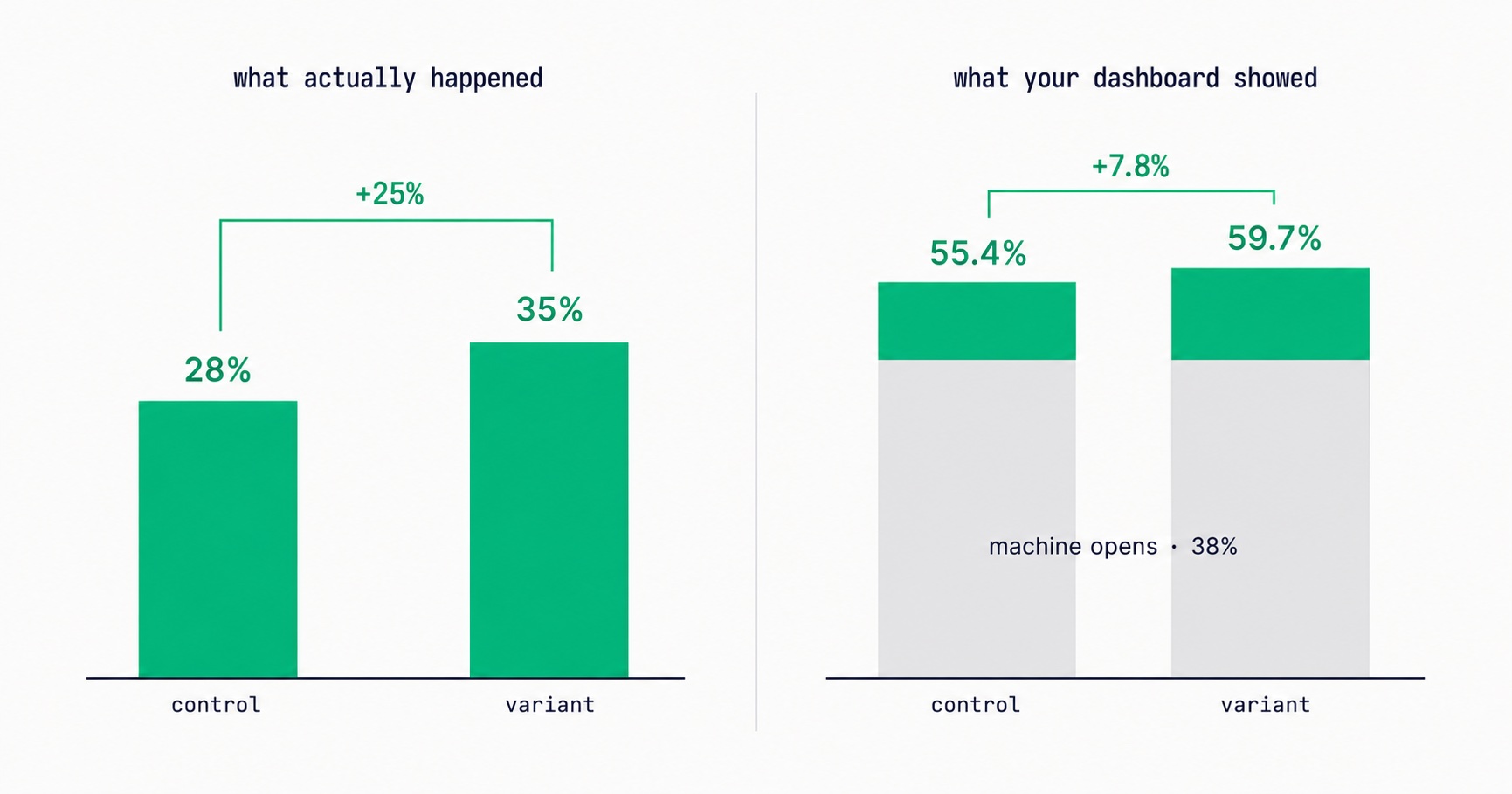
Every article about Apple Mail Privacy Protection says open rates are unreliable. None of them explain the part that actually changes your decisions: MPP doesn't add random noise, it systematically compresses the measured gap between two subject lines by roughly 3x — which is why so many creators ran good tests, saw flat results, and concluded subject lines don't matter.

Newsletter Reactivation: How to Win Back Inactive Subscribers (With Templates)
Every newsletter has inactive subscribers silently dragging down deliverability. A well-designed reactivation campaign recovers 8–20% of them while identifying the truly unrecoverable. The four-part reactivation sequence, subject lines that break through inbox habituation, the list hygiene logic that improves metrics after removal, and the onboarding system that prevents inactivity from accumulating in the first place.

Email Marketing for Online Coaches: Build Your List, Nurture Prospects, Fill Your Program
Coaching has a long sales cycle — clients need weeks of trust-building before they commit. Email is the only marketing channel that matches this cycle structurally. The complete system: how to build a list that attracts your ideal client profile, the 7-email welcome sequence that pre-qualifies prospects, and how to run enrollment conversations through email without feeling salesy.
Newsletter Segmentation for Creators: Send the Right Email to the Right Subscriber
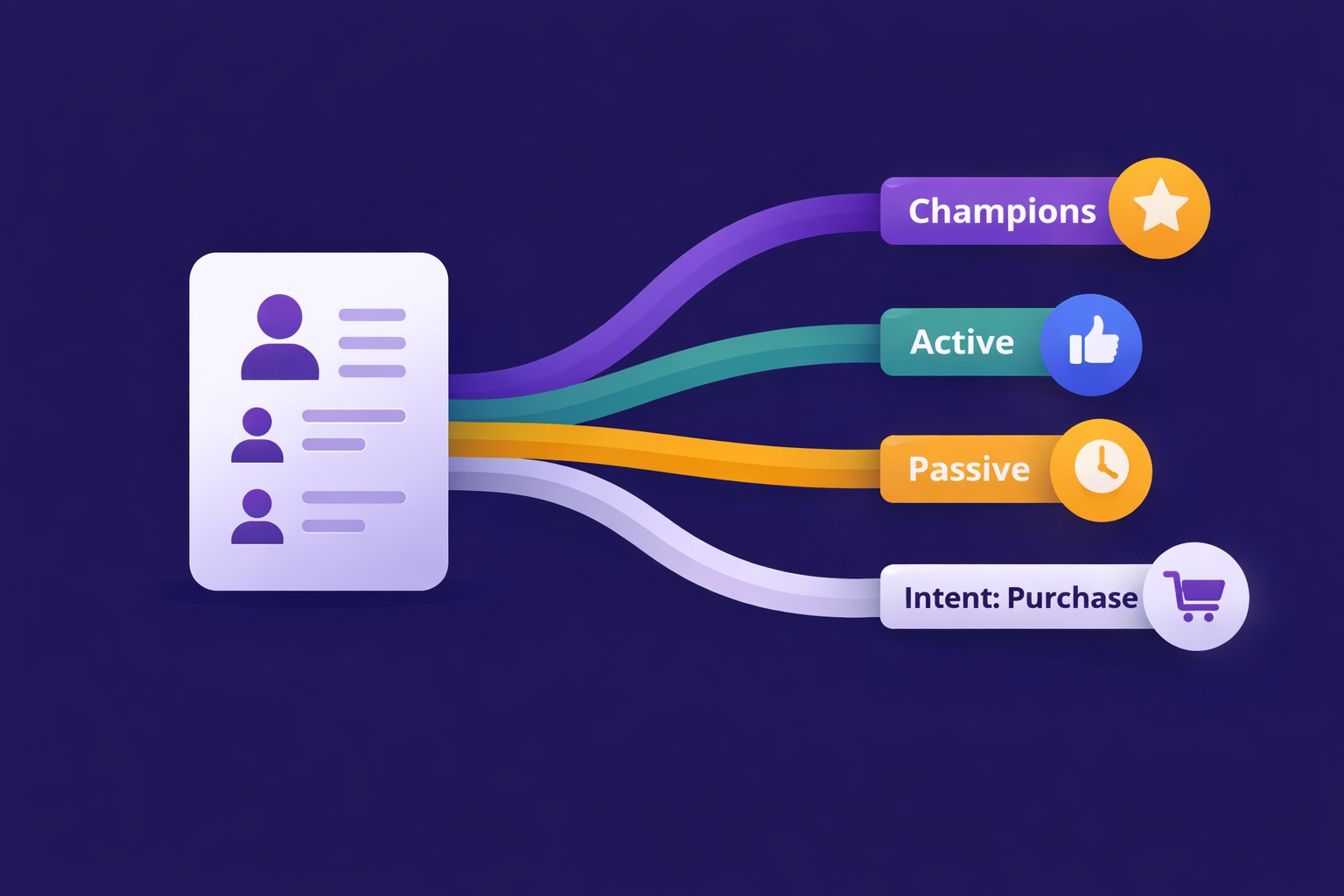
Segmentation is the gap between 25% open rates and 45% open rates — and between 3% paid conversion and 9%. The 5 segmentation types that move the needle, the exact tags to set up from day one, and how to build a behavioral targeting system that runs automatically in InfluencersKit.
Email Deliverability for Newsletter Creators: Why Your Emails Land in Spam (And How to Fix It)
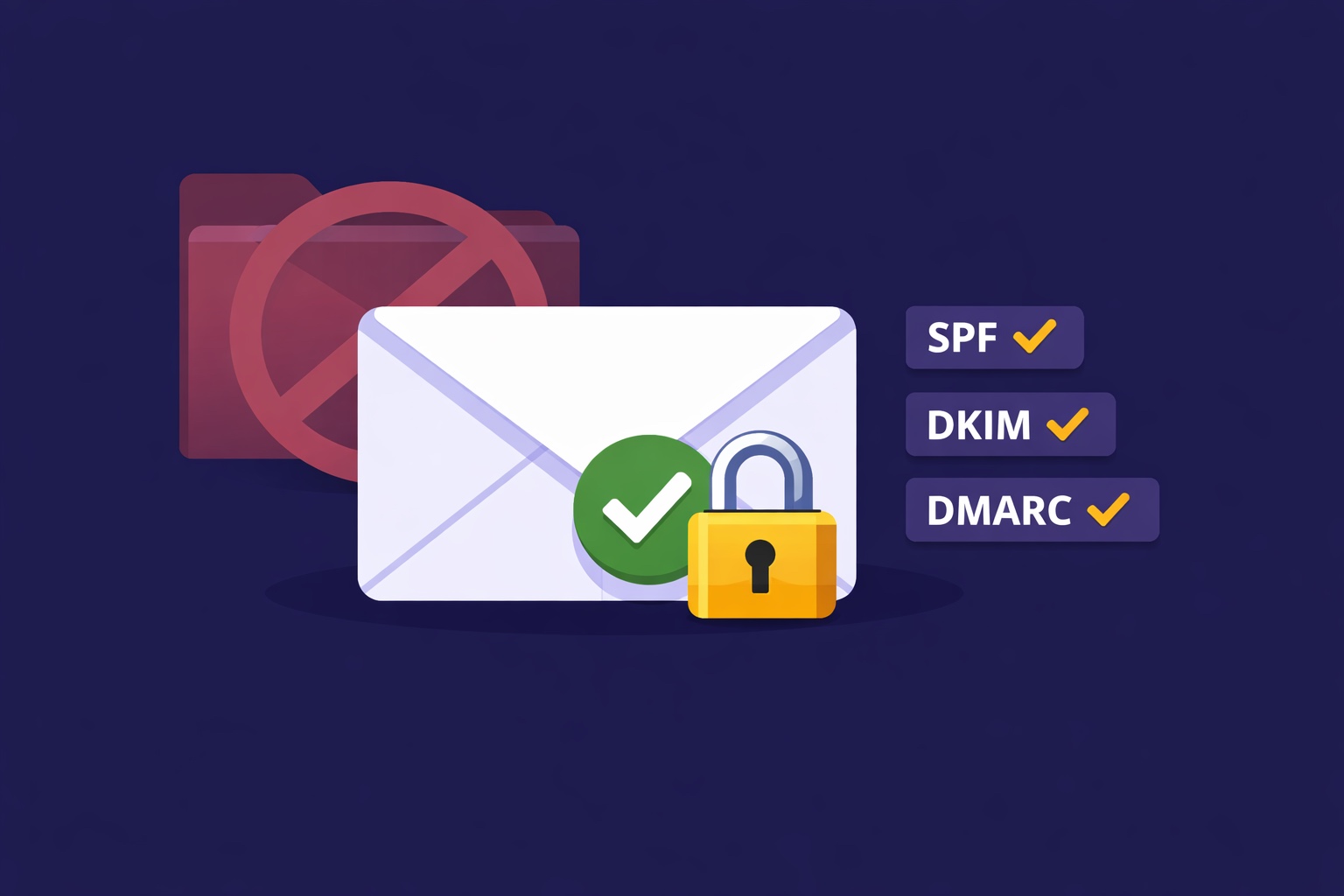
Deliverability is the silent newsletter killer — a 30% spam rate cuts your revenue potential by 30% while your dashboard shows 98% delivered. SPF, DKIM, DMARC in plain English, list hygiene that protects your sender reputation, the tools to diagnose the problem, and a 7-day recovery plan.
Email Automation for Creators: Set Up These 5 Sequences Once and Earn Forever
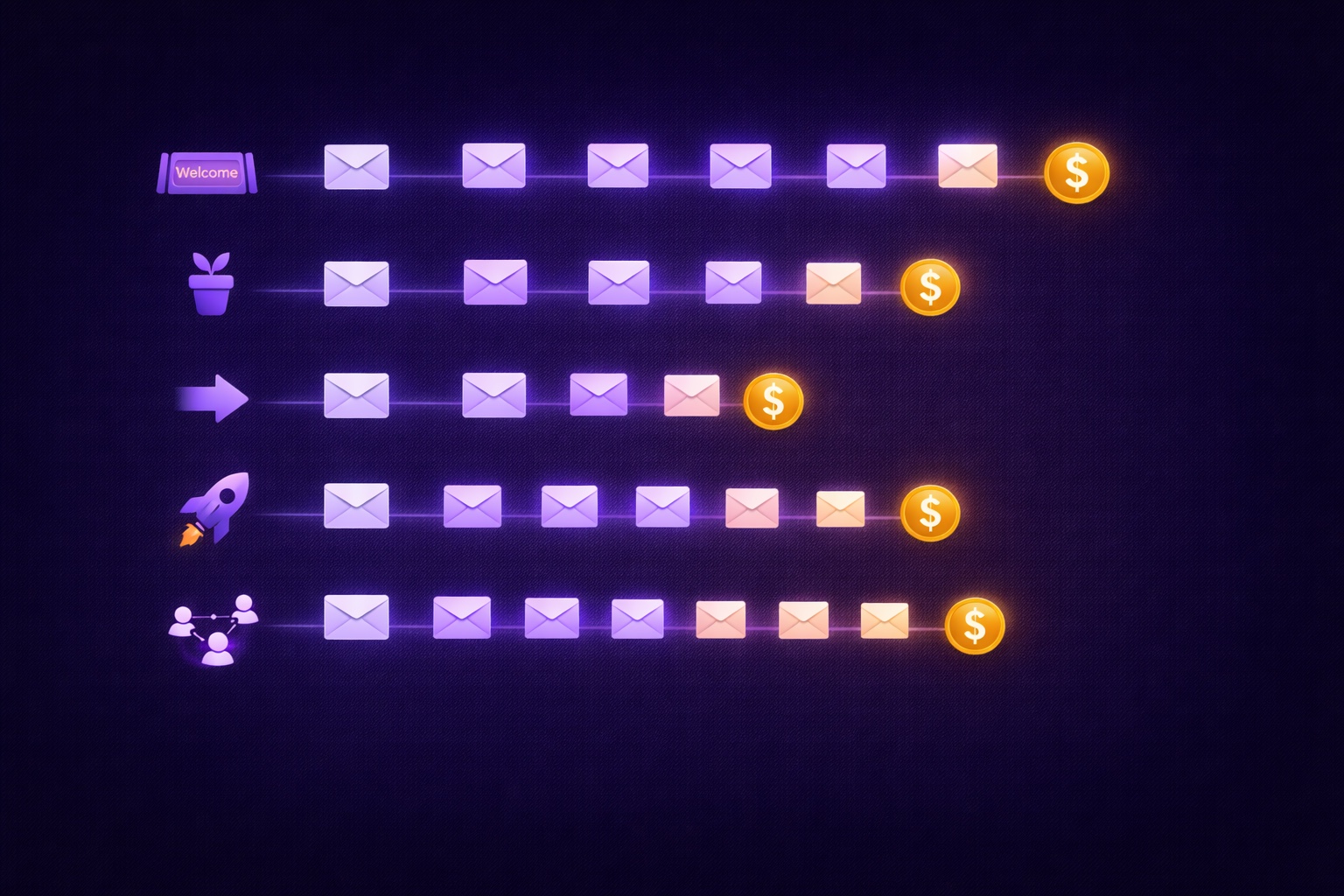
Most creators think automation means a welcome email. The reality: 5 automated sequences running simultaneously can generate $2,000–8,000/month passively. The complete guide with exact email timing, subject lines, content frameworks, and setup walkthrough for every sequence.
Newsletter Analytics for Creators: The 8 Metrics That Actually Matter (And 5 to Ignore)
A 60% open rate sounds great until you realize it's from 800 people and you're earning $0.08/subscriber. The metrics that actually predict newsletter success — revenue per subscriber, engagement score, churn rate, CPM efficiency, subscriber LTV — and what good looks like at every stage.
Newsletter Welcome Email Sequence: The 7-Email Series That Turns Subscribers into Superfans
Your welcome email gets a 50-80% open rate — the highest of any email you'll ever send. Most creators waste it with a single 'thanks for subscribing.' This is the exact 7-email sequence with day-by-day timing, subject lines, full content frameworks, and automation setup in InfluencersKit.

Your List Grew 1,500 Overnight. None of Them Are Real.
A signup spike with no launch behind it is usually list bombing. Fifteen hundred fake signups can push a welcome stream to six times Gmail's complaint limit and overstate your list by 30% to sponsors. How to spot them, why Apple Mail hides some, and how to clean up without making it worse.

A Subscriber Is Worth $1.25 a Year. Now Price Your Ads.
Two sponsored slots at a $30 CPM with a 40% open rate earn about $1.25 per subscriber per year. Against a defensible CAC near $2 and cost-per-signup commonly $2-5, most paid acquisition is at or past break-even before you account for paid cohorts converting worse than organic ones.

You Cannot Pause a Newsletter. Only Stop Sending One.
Churn continues, acquisition stops, and sender reputation degrades fast while recovering over four to twelve weeks. Which makes an eight-week break cost far more than eight weeks — and makes reducing frequency a completely different decision from stopping.

Two Newsletters Earn $10k a Month. One Is Worth $100k More.
Same monthly income, very different sale price. Published multiples put paid subscription revenue around 24-42x MRR and sponsorship-supported newsletters closer to 20-32x, which means shifting your revenue mix beats a hard 30% growth year. The four discounts buyers apply, and why they are all decided 12-18 months before anyone makes an offer.