They Unsubscribed, Then Signed Up Again. Now What?
Only the reader can reverse an unsubscribe. A fresh signup is a request, not proof. Why imports, forms and bulk edits quietly resubscribe people, and how to build a confirmation step that a link scanner or a stranger cannot trigger.

You cannot re-add someone who unsubscribed. Not by importing them, not by ticking a box in your dashboard, and not because they are a customer, a friend or someone who "obviously still wants it". Only they can opt back in, by a clear action of their own, and you should be able to show that they did.
If an unsubscribed reader fills in your signup form again, that is a request to come back, but it is not yet proof. Anyone can type an email address into a form, and some of the people who do are bots or someone using another person's address. The safe answer is to email that address, ask the owner to confirm, and only reactivate them when they do. Done properly, the reader who wanted to come back is back within a minute, and nobody who did not ask is ever emailed again.
This post covers what the law says, the four quiet ways opted-out readers end up back on lists, how to build a confirmation step that cannot be triggered by a link scanner or abused by a stranger, and the mistakes we found and fixed in our own product while getting this right.
What the law actually requires
Two regimes cover most creators' lists, and they agree on the essentials.
United States: CAN-SPAM. Once someone opts out of your commercial email, you must stop within ten business days and keep stopping. You may not sell or transfer their address to anyone else. The law allows you to email them again only if they later give affirmative consent: an action of their own that says they want your email again (FTC CAN-SPAM guide). Re-adding them yourself is not consent, however good your reasons.
Europe and the UK: GDPR. Consent must be a freely given, specific, informed and unambiguous indication, given by a statement or a clear affirmative action. Withdrawing consent must be as easy as giving it. And the burden is on you: you must be able to demonstrate that the person consented. A record that says "active" with no trace of how it became active again does not demonstrate anything.
Put together, the rule for a creator is simple to state. An unsubscribe stands until the person behind the address reverses it themselves, and you keep a record of both the unsubscribe and the reversal.
One practical note on transactional email. Receipts, password resets and purchase confirmations can still go to someone who unsubscribed from your newsletter, because they are not marketing. Using them to slip in a "we miss you, come back" pitch turns them back into marketing and is a reliable way to collect a complaint. It is not worth it.
Four quiet ways opted-out readers end up back on a list
Almost nobody re-adds unsubscribed readers on purpose. They come back through ordinary operations that were never designed with opt-outs in mind.
1. Re-importing a list
A creator exports their list for a backup, a sponsor report or a migration, then imports it again later. If the importer treats every row as an active subscriber, everyone who unsubscribed since the export is quietly resubscribed. This is the most common route, and it is invisible: the import reports success, the subscriber count goes up, and the next issue goes to people who asked not to receive it. Our platform migration guide covers how to move a list with its unsubscribes as a suppression file rather than as contacts.
2. A signup form that overwrites the record
An unsubscribed reader, or someone typing their address, submits a signup form. A careless platform matches the existing record, sets it to active, and carries on. The person is back on the list without anyone having confirmed it was them.
3. Bulk edits in a dashboard
Adding a tag to five hundred subscribers, or moving them to a category, sends their records back to the server. If the editing screen treats a missing status as "active", or displays an unsubscribed reader as active and saves that back, a routine bulk action reactivates people. Nobody sees it happen because nobody was editing status.
4. Copying contacts from somewhere else
A customer list from a shop, an attendee list from an event, a CRM export. Some of those people unsubscribed from the newsletter months ago. Being a customer is not consent to marketing email, and an address that unsubscribed from your newsletter does not become subscribed again because it appears in your sales records.
We found the first one in our own product
In September, while researching the platform migration guide linked above, I checked what our own CSV importer did with subscribers who were already on the list. It set every existing row to active. Anyone who had unsubscribed, bounced or been cleaned would have been reactivated by a re-import.
The first thing we did was check whether anyone had actually been affected. Nobody had: no CSV import had ever been run against a real list. Then we fixed the importer and went looking for the same pattern everywhere else a subscriber record is written. We found it in three more places.
- The importer now never changes an existing subscriber's status or where they originally came from. Rows for people who unsubscribed, bounced or were cleaned are not written at all, and the import report lists them as skipped with the reason.
- Signup forms and landing pages no longer reactivate an unsubscribed record. They trigger the confirmation step described below.
- The dashboard editor treats a blank status as "leave it alone" rather than "active". Moving someone out of unsubscribed, bounced or cleaned requires an explicit confirmation, and records who did it, when, and what the previous status was.
- Bulk actions no longer write status back at all, so tagging five hundred people cannot change whether any of them are subscribed.
The lesson I took from it is that opt-outs are not a feature. They are a property every write path has to respect, and the only way to know they do is to check each path, not the one you thought of.
Why a signup form is not enough on its own
It is tempting to treat a fresh signup as all the consent you need. The person typed their address and clicked subscribe. What more could you want?
The problem is that you do not know who typed it. Signup forms are filled in by bots, by people mistyping their own address, by someone signing a friend up as a joke, and, at scale, by attackers using forms to flood a victim's inbox. Our post on bot signups and list bombing covers that attack. For an address that never subscribed before, a single signup is usually accepted on trust. For an address whose owner has already told you clearly to stop, the bar is higher: you need to know it was the owner who changed their mind.
An email to that address, with a button only its owner can see, settles it. If they press it, they wanted to come back. If they do not, nothing happens, and they receive nothing further.
Building the confirmation step properly
This sounds like a simple "click to confirm" email. Getting it right took more care than that, and each detail below exists because of a specific way it can go wrong.
Opening the link must not confirm anything
Mail providers and corporate security systems open links in incoming email to check them for threats. If opening the confirmation link resubscribed the reader, every scanner that checked the email would resubscribe them, whether or not the person ever saw it. So the link opens a page with a button, and only pressing the button confirms.
We saw exactly this behaviour in our live test. The confirmation was sent, the reader pressed the button, and a minute later Google's link checker fetched the same link. Because the link had already been used and only a button press could confirm, the checker's visit changed nothing. With a link that confirmed on opening, the scanner would have been the one consenting.
The link must work once, and only for its owner
The confirmation link carries a long random secret. We store only a hash of that secret, never the secret itself, so a database copy cannot be used to forge confirmations. The link expires after seven days and works once.
One subtle mistake is worth sharing because it is easy to make. Our first version of the "this link has already been used" page looked the subscriber up by their ID alone. That meant anyone holding a subscriber ID could learn whether that person had re-subscribed. We changed it so the page only says "already subscribed" when the secret in the link matches the one that was used, and returns a plain not-found otherwise.
The form must not reveal who is on the list
When an unsubscribed address is entered on a signup form, the form shows the same response it shows anyone else. It does not say "you previously unsubscribed" or "check your email to confirm". Otherwise anyone could type addresses into your form and learn which ones had subscribed and left. The explanation is in the confirmation email, which only the owner of the address can read.
One confirmation a day, at most
If every signup triggered a fresh confirmation email, the form would become a tool for sending repeated emails to people who asked you to stop. So a given unsubscribed reader receives at most one confirmation request in any 24 hours, however many times their address is entered. The claim is made atomically, so two simultaneous submissions cannot both send.
Never for bounces or complaints
Confirmation emails go only to people who unsubscribed. They are never sent to addresses that hard-bounced, which may no longer exist or may now belong to someone else. They are never sent to anyone who marked your email as spam. A spam complaint is the clearest possible statement that the person does not want your email, and emailing them to ask whether they are sure invites a second complaint.
Keep the record of leaving
When a reader confirms, they become active again, but the record of their unsubscribe is kept, along with how they came back: confirmed by email, or reactivated by a person in the dashboard. If anyone ever asks why this address is receiving your newsletter after unsubscribing, the answer is in the record, with dates.
Do not restart the welcome sequence
A returning reader has already been through your welcome emails. Sending them "Welcome! Here's what to expect" again reads as if nobody remembers them. When a confirmed reader rejoins, InfluencersKit recognises that they already completed the welcome sequence and does not send it again. If your welcome sequence matters to you, the welcome sequence guide covers building one worth sending once.
What the reader sees
From the returning reader's side, the whole thing takes about a minute:
- They fill in your signup form and see the normal thank-you message.
- An email arrives explaining that this address previously unsubscribed and asking whether they want to receive the newsletter again.
- They press the button on the page the email links to.
- They are subscribed, and your next issue reaches them.
That is one email and one click more than a first-time signup, which is a small price for certainty. Readers who genuinely want to come back do not mind it. Readers who did not ask for it never see your newsletter again, which is exactly the outcome the law and their inbox expect.
Special cases: paid members, customers and course students
Creators who sell things have more than one relationship with the same person, and it is easy to blur them.
Paid members who unsubscribe from the free newsletter. Someone paying for your premium tier may still unsubscribe from your free emails or promotions. The emails that deliver what they paid for, such as the premium issue itself, are part of the service, and you can keep sending them. Promotions and the free newsletter are marketing, and their unsubscribe stands. If your paid content and your marketing go out as the same email, separate them, or a paying member who wants fewer promotions has to choose between the two. Our paid membership guide covers structuring tiers so the line is clear.
Customers who never subscribed. Buying a template or a course does not subscribe someone to your newsletter. Receipts and access emails are fine; adding them to the newsletter list is not, unless the checkout asked and they agreed. A clear, unticked checkbox at purchase is the honest way to offer it. The paid newsletter launch guide covers the same consent question at checkout.
Students in an email course. If someone enrolled in a course delivered by email and then unsubscribed from your newsletter, decide in advance whether course emails continue. They usually should, because the reader signed up for the course specifically, but say so at enrolment, and make sure leaving the course is as easy as leaving the newsletter.
What a returning reader keeps
When a reader confirms their return, what happens to everything you knew about them before? It matters more than it sounds, because a returning reader is often one of your more interested ones.
In InfluencersKit, a returning reader keeps their history: tags, segment memberships, the record of when they first joined and where they came from, and of course the record of their unsubscribe. They do not start again as a stranger. That means a reader who was tagged as interested in a particular topic goes straight back into the right segment, and your analytics can still show their full history rather than a fresh signup. If you segment by topic or engagement, the segmentation guide covers how to use that history.
It is also worth watching returning readers as a group. If people regularly unsubscribe and come back, the pattern usually points at cadence, often a run of promotional emails they wanted a break from. That is a signal to offer a lighter option rather than a reason to make leaving harder.
Winning people back without breaking the rules
None of this means you cannot try to get departed readers back. It means you cannot do it by emailing them. The legitimate routes all run through the reader choosing to return.
- Make the work findable. A reader who left may still see your posts on social media, your archive in search results or a mention in someone else's newsletter. Each of those can lead back to your signup form. The newsletter SEO guide covers making the archive work as an entry point.
- Make the signup page clear about what changed. If you have moved to a different cadence or added a monthly digest, say so on the signup page. A reader who left because of frequency may come back for the digest.
- Offer "less" before they leave. The cheapest win-back is the reader who never left. Our post on one-click unsubscribe and preference centres covers giving readers a lighter option at the right moment.
- Re-engage before people go quiet for good. Readers who stopped opening but never unsubscribed are still on your list and can be emailed. That is the job of a reactivation campaign, which is legal precisely because they did not opt out.
The distinction to keep clear is between quiet readers and departed ones. Quiet readers are still subscribed and can be asked whether they want to stay. Departed readers have answered that question already.
Why this matters beyond compliance
It would be easy to read all of this as legal hygiene. It is also deliverability and business value.
A reader re-added without consent who receives your newsletter is very likely to press "report spam", because from their side that is what it is. Spam complaints are the signal mailbox providers weight most heavily, and they affect inbox placement for your whole list, not just that reader. Our deliverability guide covers how few complaints it takes to matter.
It also matters to anyone who might one day buy or invest in the newsletter. List quality is one of the things a buyer checks, and a list that cannot show how its subscribers consented, or that has reactivated opt-outs, is worth less. Our post on what a newsletter is worth covers the diligence questions. And it matters to sponsors, who are paying to reach people who chose to read you.
A checklist for your own list
- Find every way a subscriber record can be written: imports, forms, landing pages, integrations, dashboard edits, bulk actions, API calls.
- For each one, check what happens to an existing unsubscribed record. The only acceptable answer is that it stays unsubscribed.
- Keep your unsubscribes, bounces and complaints as a suppression list whenever you export or move your list.
- Make re-subscription go through a confirmation email to the address itself, with a button rather than a link that confirms on opening.
- Make sure your signup form gives the same response whether or not an address was on your list.
- Never send confirmations to bounced or complained addresses.
- Keep the record of each unsubscribe and each return, with dates and how it happened.
If you use InfluencersKit, items two and four to seven are handled for you across imports, the dashboard and the signup forms and landing pages, and the audience tools show each subscriber's status and history. If you are moving from another platform, the help centre covers importing a list without bringing your unsubscribes back to life.
Frequently asked questions
Can I re-add a subscriber who unsubscribed?
No, not on your own. Under CAN-SPAM you may only email them again if they later give affirmative consent, and under GDPR you must be able to show they consented again by a clear action. Only the subscriber can reverse an unsubscribe, for example by signing up again and confirming by email.
What happens if an unsubscribed person fills in my signup form again?
Treat it as a request, not as consent. Send a confirmation email to that address and reactivate them only when they press the confirmation button. That proves the owner of the address wanted to return, rather than a bot or someone else typing their address.
Will re-importing my list resubscribe people who unsubscribed?
It depends on your platform's importer. Some treat every row as active and quietly reactivate opted-out readers. Check what your importer does with existing unsubscribed records before re-importing, and keep unsubscribes as a separate suppression list when you export.
Why shouldn't a confirmation link resubscribe someone just by being opened?
Because security systems and mail providers open links in emails automatically to check them. A link that confirmed on opening would be confirmed by the scanner, not the person. The link should open a page, and only pressing a button on that page should confirm.
Can I email unsubscribed people to ask if they want to come back?
No. A request to resubscribe is itself marketing email, which they have opted out of. The legitimate routes are ones where the reader chooses to return: your signup page, your archive, social media or a recommendation from another newsletter.
Should someone who marked my newsletter as spam be allowed back?
Only if they come back entirely on their own, and even then many platforms, including InfluencersKit, will not send them a confirmation email. A spam complaint is the clearest signal that they do not want your email, and emailing them again risks another complaint.
Do I need to keep a record of unsubscribes after someone returns?
Yes. Keeping the original unsubscribe and the details of how the person returned lets you show, if ever asked, that they opted back in themselves. Under GDPR the burden of demonstrating consent is on you.
Stay Updated
Get the latest insights, strategies, and tips delivered directly to your inbox. Join thousands of creators who are building their email communities with our weekly newsletter.
No spam, unsubscribe at any time. We respect your privacy.
Related Articles

Newsletter Reactivation: How to Win Back Inactive Subscribers (With Templates)
Every newsletter has inactive subscribers silently dragging down deliverability. A well-designed reactivation campaign recovers 8–20% of them while identifying the truly unrecoverable. The four-part reactivation sequence, subject lines that break through inbox habituation, the list hygiene logic that improves metrics after removal, and the onboarding system that prevents inactivity from accumulating in the first place.
Your Readers Can Leave Without Ever Seeing Your Page.
Since 2024, Gmail and Yahoo require one-click unsubscribe. A mail-app button removes the reader instantly, with no page, no options and no reason. Your preference centre now reaches only footer-link leavers, so the 'less, not none' options belong inside the email.

Your List Grew 1,500 Overnight. None of Them Are Real.
A signup spike with no launch behind it is usually list bombing. Fifteen hundred fake signups can push a welcome stream to six times Gmail's complaint limit and overstate your list by 30% to sponsors. How to spot them, why Apple Mail hides some, and how to clean up without making it worse.

Moving Your Newsletter? The List Is the Easy Part.
The CSV moves in five minutes. Sender reputation, unsubscribes, paid subscriptions, automations and old signup forms do not. The order that gets a newsletter to a new platform without losing inbox placement or emailing people who opted out.
Apple Broke Your Open Rate. And Your Subject Line Tests.
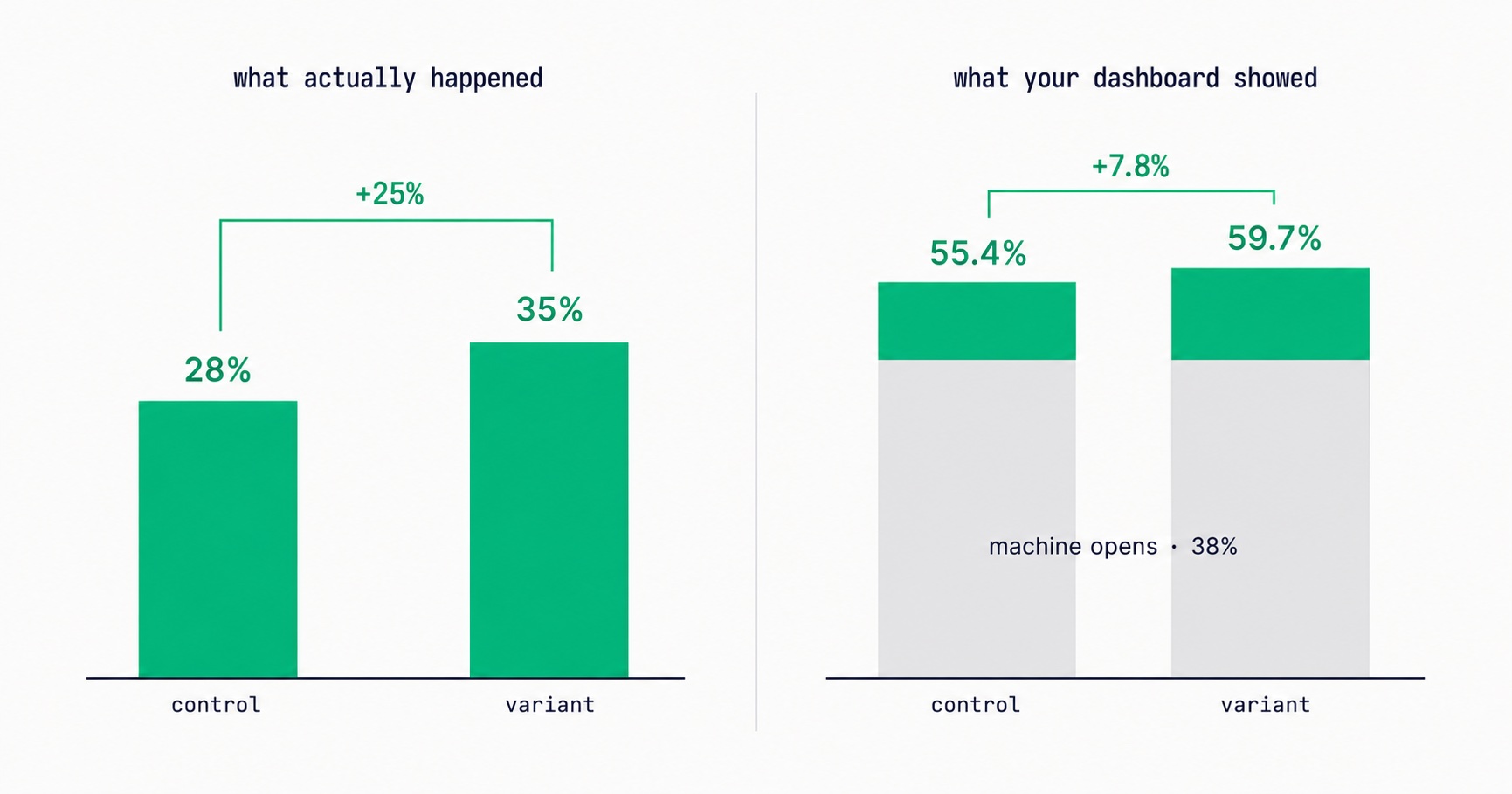
Every article about Apple Mail Privacy Protection says open rates are unreliable. None of them explain the part that actually changes your decisions: MPP doesn't add random noise, it systematically compresses the measured gap between two subject lines by roughly 3x — which is why so many creators ran good tests, saw flat results, and concluded subject lines don't matter.

Newsletter Viral Loops: How to Make Your Subscribers Your Growth Engine
Most newsletter growth requires proportional effort. A viral loop changes this: each new subscriber creates a mechanism that brings in additional subscribers. The viral coefficient math, four loop architectures (referral, forward, access gate, social proof), stacking strategy, re-promotion system, and the content quality foundation that makes viral growth compound rather than spike.
Newsletter Cross-Promotion: How to Add 300-700 Subscribers Per Month at Zero Cost
A well-executed newsletter swap can generate 200–500 new subscribers in 48 hours at zero acquisition cost. The complete system: the 4-factor partner qualification criteria, five cross-promotion formats ranked by conversion rate, outreach pitch templates that get replies, and a monthly programme that produces subscriber growth reliably.
Email Marketing for Online Coaches: Build Your List, Nurture Prospects, Fill Your Program
Coaching has a long sales cycle — clients need weeks of trust-building before they commit. Email is the only marketing channel that matches this cycle structurally. The complete system: how to build a list that attracts your ideal client profile, the 7-email welcome sequence that pre-qualifies prospects, and how to run enrollment conversations through email without feeling salesy.
Newsletter Segmentation for Creators: Send the Right Email to the Right Subscriber
Segmentation is the gap between 25% open rates and 45% open rates — and between 3% paid conversion and 9%. The 5 segmentation types that move the needle, the exact tags to set up from day one, and how to build a behavioral targeting system that runs automatically in InfluencersKit.
Email Deliverability for Newsletter Creators: Why Your Emails Land in Spam (And How to Fix It)
Deliverability is the silent newsletter killer — a 30% spam rate cuts your revenue potential by 30% while your dashboard shows 98% delivered. SPF, DKIM, DMARC in plain English, list hygiene that protects your sender reputation, the tools to diagnose the problem, and a 7-day recovery plan.
Email Automation for Creators: Set Up These 5 Sequences Once and Earn Forever
Most creators think automation means a welcome email. The reality: 5 automated sequences running simultaneously can generate $2,000–8,000/month passively. The complete guide with exact email timing, subject lines, content frameworks, and setup walkthrough for every sequence.
Newsletter Analytics for Creators: The 8 Metrics That Actually Matter (And 5 to Ignore)
A 60% open rate sounds great until you realize it's from 800 people and you're earning $0.08/subscriber. The metrics that actually predict newsletter success — revenue per subscriber, engagement score, churn rate, CPM efficiency, subscriber LTV — and what good looks like at every stage.