Your Readers Can Leave Without Ever Seeing Your Page.
Since 2024, Gmail and Yahoo require one-click unsubscribe. A mail-app button removes the reader instantly, with no page, no options and no reason. Your preference centre now reaches only footer-link leavers, so the 'less, not none' options belong inside the email.
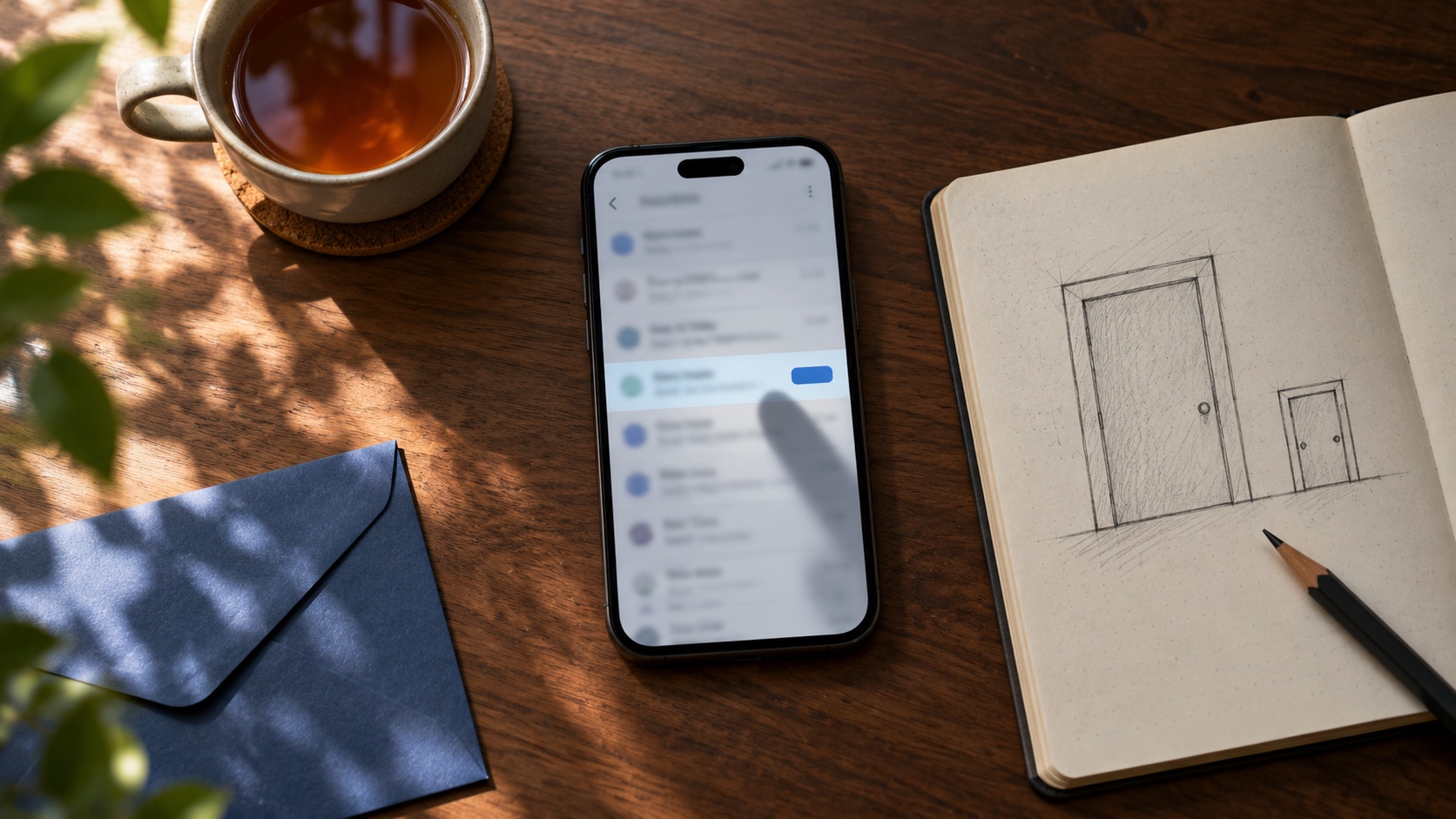
A growing share of the people who leave your newsletter never see your unsubscribe page. Since 2024, Gmail and Yahoo have required bulk senders to support one-click unsubscribe. Mail apps now show their own unsubscribe button next to the sender's name, and pressing it sends a request straight to your email platform. The subscriber is removed immediately. There is no page, no "are you sure", no option to receive fewer emails and no reason given.
So a preference centre, the page where readers could switch to a monthly digest or drop one kind of email, now only reaches readers who scroll to your footer and click the link there. If you want to keep readers who want less rather than nothing, those options have to appear where a reader will see them before deciding to leave: inside the email, not behind the exit.
This post covers what the 2024 rules changed, the different ways readers now leave, what a useful "less, not none" option looks like, what InfluencersKit does with each exit, and what not to build.
What changed in 2024
In February 2024, Gmail and Yahoo began enforcing new requirements for anyone sending large volumes of email to their users. Gmail defines bulk senders as those sending more than 5,000 messages a day to Gmail addresses. Three rules matter for unsubscribing.
- One-click unsubscribe in the message headers. Marketing and subscription messages must carry a
List-Unsubscribeheader with aList-Unsubscribe-Postcompanion, the mechanism defined in RFC 8058. A mail app can then unsubscribe the reader with a single request, without opening any page. - A visible unsubscribe link in the message body. The header does not replace the footer link. Both are expected.
- Prompt processing. Google's guidelines ask senders to honour unsubscribe requests within two days (Google's sender guidelines).
Alongside those rules sits the one that has always mattered most: spam complaints need to stay below 0.3%, and ideally under 0.1%. That is the reason the whole system exists. Mailbox providers would much rather a reader unsubscribed than pressed "report spam", so they made unsubscribing easier than complaining.
Gmail has since gone further, adding a view that lists the senders a reader receives from and lets them unsubscribe from several at once. A reader tidying their inbox can now leave your newsletter without opening a single issue.
The three ways readers leave now
It helps to separate the exits, because each one reaches you with different information and each one calls for a different response.
| Exit | Where the reader clicks | What you get | Can you offer "less"? |
|---|---|---|---|
| Mail app unsubscribe | Button beside the sender name, or the subscriptions view | An unsubscribe, instantly. No reason, no page | No |
| Footer link | The unsubscribe link in your email | A visit to your page, a choice, sometimes a reason | Yes |
| Report spam | The spam or junk button | A complaint against your sending reputation | No |
The first exit is growing because mail apps put it in front of readers constantly. The second is the only one where anything you build can influence the outcome. The third is the one everything else is designed to prevent.
Two consequences follow. A preference centre is now a feature for a subset of leavers, not all of them. And the unsubscribe numbers in your dashboard mix two populations: readers who chose to leave after seeing alternatives, and readers who never saw any. The second group can tell you nothing about why.
Why one-click unsubscribe is good for you anyway
It is tempting to see this as mail providers making it easier to lose readers. Look at it from the other side.
A reader who wants to leave and finds it hard does not stay. They press the spam button, because it is the button that definitely works. Each of those complaints counts against the reputation that decides whether your next issue reaches everyone else's inbox. A reader who leaves cleanly costs you one subscriber. A reader who complains costs you a little inbox placement for all of them.
So the one-click header is protecting your deliverability. Our email deliverability guide covers how complaints feed into inbox placement, and the growth ceiling post shows how much your churn rate shapes the size your list eventually settles at. A clean exit is part of a healthy list, not a leak in it.
The goal is not to make leaving harder. It is to make sure that readers who would have been happy with less are offered less before they reach for any exit.
"Less, not none": what readers actually want
Readers unsubscribe for a handful of reasons, and only some of them are about you. The ones you can do something about tend to fall into four groups. Each has a matching option.
| What the reader feels | Option that keeps them |
|---|---|
| "Too many emails" | A less frequent version: monthly digest instead of weekly |
| "Only some of this is for me" | Choose topics or sections |
| "I like the writing, not the selling" | Keep the newsletter, turn off promotional emails |
| "Not right now" | Pause for a few weeks |
The third row is the one creators most often miss, and for monetised newsletters it is the most important. A reader who loves your weekly essay but is tired of launch sequences and affiliate pushes does not want to lose the essay. If the only exit you offer is total, they take it, and you lose the reader along with the promotions they disliked. Separating editorial from promotional email lets them keep one and drop the other.
The first row deserves care. A monthly digest is only a real option if you actually produce one. Offering "fewer emails" and then sending the same volume is worse than not offering it. If you cannot commit to a digest, offer the promotional opt-out and a pause instead. The post on pausing a newsletter covers why reducing frequency keeps a list healthier than stopping, and that applies to individual readers as much as to a whole publication.
Where to put the options
Since the mail-app button bypasses your page entirely, options that only live on the unsubscribe page reach only footer-link leavers. Three placements cover more of your readers.
Inside the email, before the footer. A single line near the end of each issue, above the legal footer: "Getting too much? Switch to the monthly roundup." It reaches every reader who scrolls, including the ones who would otherwise reach for the unsubscribe button. For frequent senders, putting it occasionally near the top of an issue, especially after a run of promotional emails, catches readers at the moment they are most likely to feel overloaded.
In the footer, next to unsubscribe. "Manage preferences" beside "Unsubscribe", as two separate links. The reader who wants to adjust clicks the first; the reader who wants out clicks the second and leaves in one step.
On the unsubscribe page, as alternatives that do not block leaving. The page can show "Prefer fewer emails? Switch to monthly" above the unsubscribe confirmation. It must not make the reader complete the alternatives first. Unsubscribe should still be one obvious action.
Then accept that the mail-app path is all or nothing by design. You cannot add options to it, and trying to work around it, for example by not sending the header, puts your inbox placement at risk to save a few subscribers who wanted to leave.
What InfluencersKit does with each exit
Being specific about our own product, since you should know what is handled for you and what is not.
The one-click header is on by default. Every email you send to subscribers through InfluencersKit, including broadcasts, sequences and triggered emails, carries the RFC 8058 List-Unsubscribe and List-Unsubscribe-Post headers. When a mail app uses them, the subscriber is unsubscribed from everything you send, immediately, and the reason is recorded as one-click so you can tell these departures apart from the others.
The footer link goes to a page, not straight to an unsubscribe. Opening the link shows a page with the choice on it; nothing changes until the reader submits it. That matters more than it sounds. Corporate security systems and some mail providers open every link in an email to check it, and a link that unsubscribed people when merely opened would silently remove readers whose employer's scanner visited it. On the page, the reader chooses what to leave: everything, or only promotional or only marketing emails. They also pick a reason from four: too many emails, not relevant, not interested, or something else. Unsubscribes from the page are tied to the email they came from, so you can see which sends drove them.
Readers can keep the newsletter and drop the promotions. The preferences page lets a subscriber stay subscribed while switching off promotional emails, marketing emails or both. Your sends respect those choices automatically, so a reader who turned off promotions is left out of promotional sends without you building a segment for it.
Frequency and topic choices are yours to set up. InfluencersKit does not offer a built-in frequency or topic picker. You can offer those options with tags and segments, for example a segment of readers who chose the monthly roundup, and send each version to its own segment. Our segmentation guide covers how to structure it, and the audience tools are where segments live.
An unsubscribed reader stays unsubscribed. A later import, a form re-submission or a bulk edit does not quietly put them back. If someone who unsubscribed signs up again, they are sent a confirmation and only rejoin when they confirm. Our post on re-subscribing someone who unsubscribed covers why, and how that confirmation is built.
What the reasons are telling you
The four reasons on an unsubscribe page map almost exactly onto the options that could have kept the reader, which is what makes them worth reading rather than just counting.
| Reason given | What it usually means | What to change |
|---|---|---|
| Too many emails | Cadence is higher than the reader expected | Offer a digest; state frequency at signup |
| Not relevant | The newsletter drifted, or the reader joined for one topic | Topic segments; check what the signup promised |
| Not interested any more | Their situation changed | Nothing. This is a healthy departure |
| Something else | Read every one; these are your most specific feedback | Depends on what they say |
"Too many emails" is the reason that most often points at a fixable problem, and it is frequently not about the newsletter at all. It is about everything else the newsletter sends: launch sequences, sales pushes, sponsor-dedicated emails. A reader who signed up for one email a week and receives four during a launch has a legitimate complaint. Our post on selling digital products to subscribers covers how to run a launch without burning the list, and the affiliate marketing guide covers keeping promotions in proportion.
"Not relevant" points back to acquisition. A reader who joined through a lead magnet about one narrow topic and then receives a general newsletter was never quite the reader you thought. That is a signup-page and lead-magnet question as much as a content one; the lead magnet guide covers matching the offer to what you actually send.
What a departure costs, roughly
It helps to put a number on a single unsubscribe, because it changes how much effort a "less, not none" option is worth.
In our analysis of what a subscriber is worth, a sponsorship-supported newsletter with a paid tier came out at roughly $4.75 per subscriber across an eighteen-month lifetime. That figure rests on stated assumptions, so substitute your own. On those assumptions, a send that loses 1% of a 10,000-subscriber list has cost about $475 of future revenue, before counting the cost of acquiring replacements.
Now suppose a third of those hundred readers would have stayed if they could have switched off promotional emails or moved to a monthly digest. That is around $160 of value kept from one send, from an option that costs almost nothing to offer. Repeated across a year of sends, it is a meaningful part of a small newsletter's income, and it compounds, because readers kept are readers who can still convert to paid or click a sponsor later.
The same arithmetic explains why promotional emails need their own off switch. If a launch sequence of four emails loses 2% of the list, its revenue has to cover the lifetime value of everyone it lost, not just the cost of writing it. Many launches that look profitable on the day look different on that basis. Dedicated sponsor emails carry the same risk, which is one more reason to price them well above a placement inside the newsletter; the sponsorship pricing guide covers how.
The best preference centre is a clear promise at signup
Most "too many emails" departures are a mismatch between what a reader expected and what arrived. The cheapest place to fix that is before the first email.
State the cadence on the signup page: "One email every Tuesday, plus occasional announcements." Repeat it in the first welcome email, and say what kinds of email the reader will get, including the promotional ones, and how to turn those off. A reader who was told in advance that you run two launches a year is far less likely to leave during one. Our signup page guide covers what else belongs above the form, and the content calendar guide covers planning a cadence you can actually keep, which is the other half of keeping the promise.
If your cadence changes, say so before it does. A newsletter that quietly moves from weekly to three times a week will see the change in its unsubscribe numbers within a fortnight. One that announces it, explains why, and offers the weekly version to anyone who prefers it usually keeps most of those readers.
What not to build
A preference centre built to retain readers at all costs causes more harm than the readers it keeps. Avoid these:
- A login wall. Requiring an account or password to unsubscribe is a barrier the US CAN-SPAM Act explicitly prohibits: you may not ask the reader to do anything beyond replying to an email or visiting a single web page, and you may not ask for any personal information other than their email address (FTC CAN-SPAM guide).
- Several steps to leave. "Are you sure?" then a survey then a confirmation is three pages where the law expects one. Each extra step converts some departures into spam complaints.
- Options that do not do anything. A "monthly digest" choice that changes nothing, or a topic picker your sends ignore. Readers notice, and the next exit they choose is the spam button.
- Hiding the footer link. Tiny grey text, light on white, or a link labelled something other than unsubscribe. It saves no readers and costs complaints.
- Turning off the header to keep readers. Removing one-click unsubscribe to force readers through your page breaks the bulk-sender requirements and puts every future issue's inbox placement at risk.
Reading your unsubscribe numbers now
Unsubscribe data used to be one number. It is worth splitting it into the exits above, because they mean different things.
One-click share. What proportion of departures came from the mail-app button rather than your page. A rising share is normal and tells you that more readers are leaving without seeing alternatives, which is an argument for putting the alternatives inside the email.
Unsubscribes per send, by email type. Compare editorial issues with promotional emails and launch sequences. If promotional emails drive most departures, the promotional opt-out is the option that will keep the most readers. The newsletter analytics guide covers which other numbers to track alongside it.
Reasons, where you have them. Only footer-link leavers can give one, so treat reasons as a sample rather than a census. A cluster of "too many emails" is a clear signal to offer a digest.
Complaints against unsubscribes. If complaints rise while unsubscribes stay flat, readers are finding it easier to report spam than to leave, and the exit needs to be more visible, not less.
One more thing to watch: a sudden spike in unsubscribes right after a send is often the email, not the list. A subject line that misled, a promotional email to readers who joined for free content, or a send to a segment that has not heard from you in months. Our post on reactivation campaigns covers how to re-engage quiet readers without triggering that.
A short checklist
- Confirm your platform sends one-click unsubscribe headers on every subscriber email. On InfluencersKit it is on by default.
- Keep a plain, visible unsubscribe link in every footer, labelled "Unsubscribe".
- Add "Manage preferences" next to it, leading to options that actually work.
- Separate editorial from promotional email so readers can drop one and keep the other.
- Offer a less-frequent version only if you will really send one.
- Put the "too much?" option inside the email, above the footer, at least occasionally.
- Make sure opening a link never unsubscribes anyone on its own; confirmation should take a click on the page.
- Split your unsubscribe numbers by exit and by email type every month.
If you are setting up a newsletter on InfluencersKit, the growth tools and help centre cover the setup, and the welcome sequence guide covers how to set expectations about frequency from the first email, which prevents more unsubscribes than any preference page.
Frequently asked questions
What is one-click unsubscribe?
It is a mechanism, defined in RFC 8058, that lets a mail app unsubscribe a reader from a sender with a single request, using headers in the email rather than a web page. Gmail and Yahoo require it from bulk senders since 2024. The mail app shows its own unsubscribe button, and pressing it removes the reader immediately with no page or confirmation.
Do I still need an unsubscribe link if I have one-click unsubscribe?
Yes. The one-click header and a visible unsubscribe link in the email body are separate requirements, and both are expected by major mailbox providers. The footer link is also the only exit where you can offer alternatives such as fewer emails.
Can a preference centre reduce unsubscribes?
It can keep some readers who want less rather than nothing, but only those who reach it. Readers who use their mail app's unsubscribe button never see your page. Offering options inside the email, such as a link to switch to a monthly digest, reaches more readers than a preference page alone.
Can I make readers confirm before they unsubscribe?
A single confirmation on one page is acceptable and is useful because link-checking software opens links automatically. Anything more is a problem: the CAN-SPAM Act prohibits requiring more than a reply email or a visit to a single web page, and multi-step exits convert departures into spam complaints.
Should I separate promotional emails from my newsletter?
For monetised newsletters, yes. Readers who value the editorial content but are tired of promotions will otherwise leave completely. Letting them switch off promotional email while keeping the newsletter keeps the reader and their attention for the issues they value.
How quickly do I have to process an unsubscribe?
Google asks bulk senders to honour unsubscribe requests within two days. The US CAN-SPAM Act allows up to ten business days. In practice, a platform that processes one-click unsubscribes immediately meets both.
Why do my unsubscribe reasons seem incomplete?
Because readers who leave through their mail app's unsubscribe button never visit your page and cannot give a reason. Treat the reasons you collect as a sample from footer-link leavers, and track the share of one-click departures separately.
Stay Updated
Get the latest insights, strategies, and tips delivered directly to your inbox. Join thousands of creators who are building their email communities with our weekly newsletter.
No spam, unsubscribe at any time. We respect your privacy.
Related Articles
Apple Broke Your Open Rate. And Your Subject Line Tests.
Every article about Apple Mail Privacy Protection says open rates are unreliable. None of them explain the part that actually changes your decisions: MPP doesn't add random noise, it systematically compresses the measured gap between two subject lines by roughly 3x — which is why so many creators ran good tests, saw flat results, and concluded subject lines don't matter.
Newsletter Analytics for Creators: The 8 Metrics That Actually Matter (And 5 to Ignore)
A 60% open rate sounds great until you realize it's from 800 people and you're earning $0.08/subscriber. The metrics that actually predict newsletter success — revenue per subscriber, engagement score, churn rate, CPM efficiency, subscriber LTV — and what good looks like at every stage.

They Unsubscribed, Then Signed Up Again. Now What?
Only the reader can reverse an unsubscribe. A fresh signup is a request, not proof. Why imports, forms and bulk edits quietly resubscribe people, and how to build a confirmation step that a link scanner or a stranger cannot trigger.

Your List Grew 1,500 Overnight. None of Them Are Real.
A signup spike with no launch behind it is usually list bombing. Fifteen hundred fake signups can push a welcome stream to six times Gmail's complaint limit and overstate your list by 30% to sponsors. How to spot them, why Apple Mail hides some, and how to clean up without making it worse.

Moving Your Newsletter? The List Is the Easy Part.
The CSV moves in five minutes. Sender reputation, unsubscribes, paid subscriptions, automations and old signup forms do not. The order that gets a newsletter to a new platform without losing inbox placement or emailing people who opted out.

A Subscriber Is Worth $1.25 a Year. Now Price Your Ads.
Two sponsored slots at a $30 CPM with a 40% open rate earn about $1.25 per subscriber per year. Against a defensible CAC near $2 and cost-per-signup commonly $2-5, most paid acquisition is at or past break-even before you account for paid cohorts converting worse than organic ones.
Your Free-to-Paid Rate Is Two Numbers Pretending to Be One
Long-tenured subscribers convert three to five times better than new ones, and later cohorts are acquired more broadly than early ones. Both effects correlate with join date, so they cancel inside your blended conversion rate — and the two situations they describe call for completely opposite responses. The same-tenure comparison that separates them.
Your Newsletter Has a Growth Ceiling. Here's the Formula.
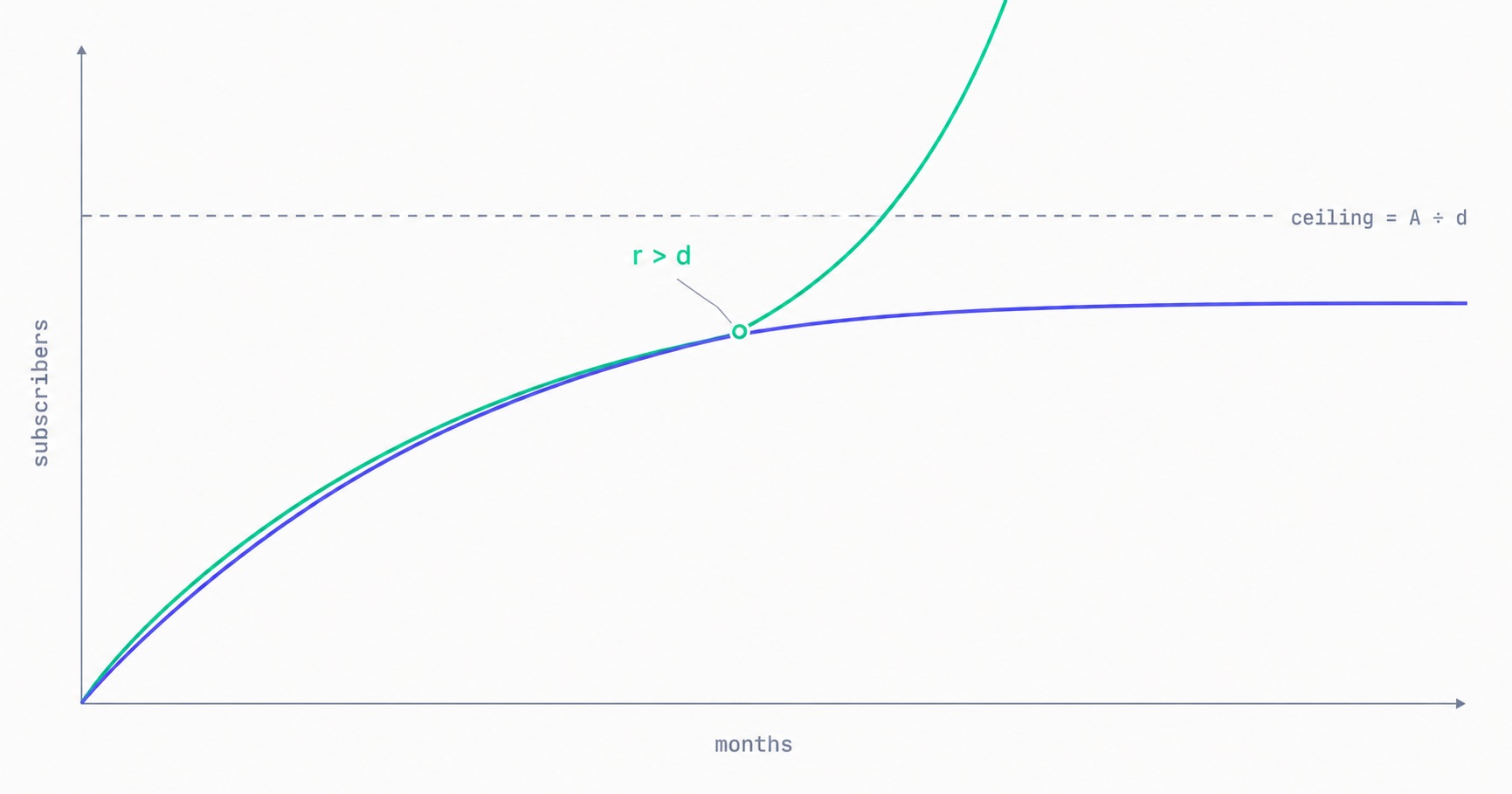
Your list has a maximum size you can calculate today: monthly new subscribers divided by monthly churn rate. At 500 signups a month and 2% churn, you will approach 25,000 and stop — no matter how long you keep publishing. The math behind the plateau, why halving churn beats doubling acquisition, and the one term that removes the ceiling entirely.

Newsletter Reactivation: How to Win Back Inactive Subscribers (With Templates)
Every newsletter has inactive subscribers silently dragging down deliverability. A well-designed reactivation campaign recovers 8–20% of them while identifying the truly unrecoverable. The four-part reactivation sequence, subject lines that break through inbox habituation, the list hygiene logic that improves metrics after removal, and the onboarding system that prevents inactivity from accumulating in the first place.
Email Marketing for Online Coaches: Build Your List, Nurture Prospects, Fill Your Program
Coaching has a long sales cycle — clients need weeks of trust-building before they commit. Email is the only marketing channel that matches this cycle structurally. The complete system: how to build a list that attracts your ideal client profile, the 7-email welcome sequence that pre-qualifies prospects, and how to run enrollment conversations through email without feeling salesy.
Newsletter Segmentation for Creators: Send the Right Email to the Right Subscriber
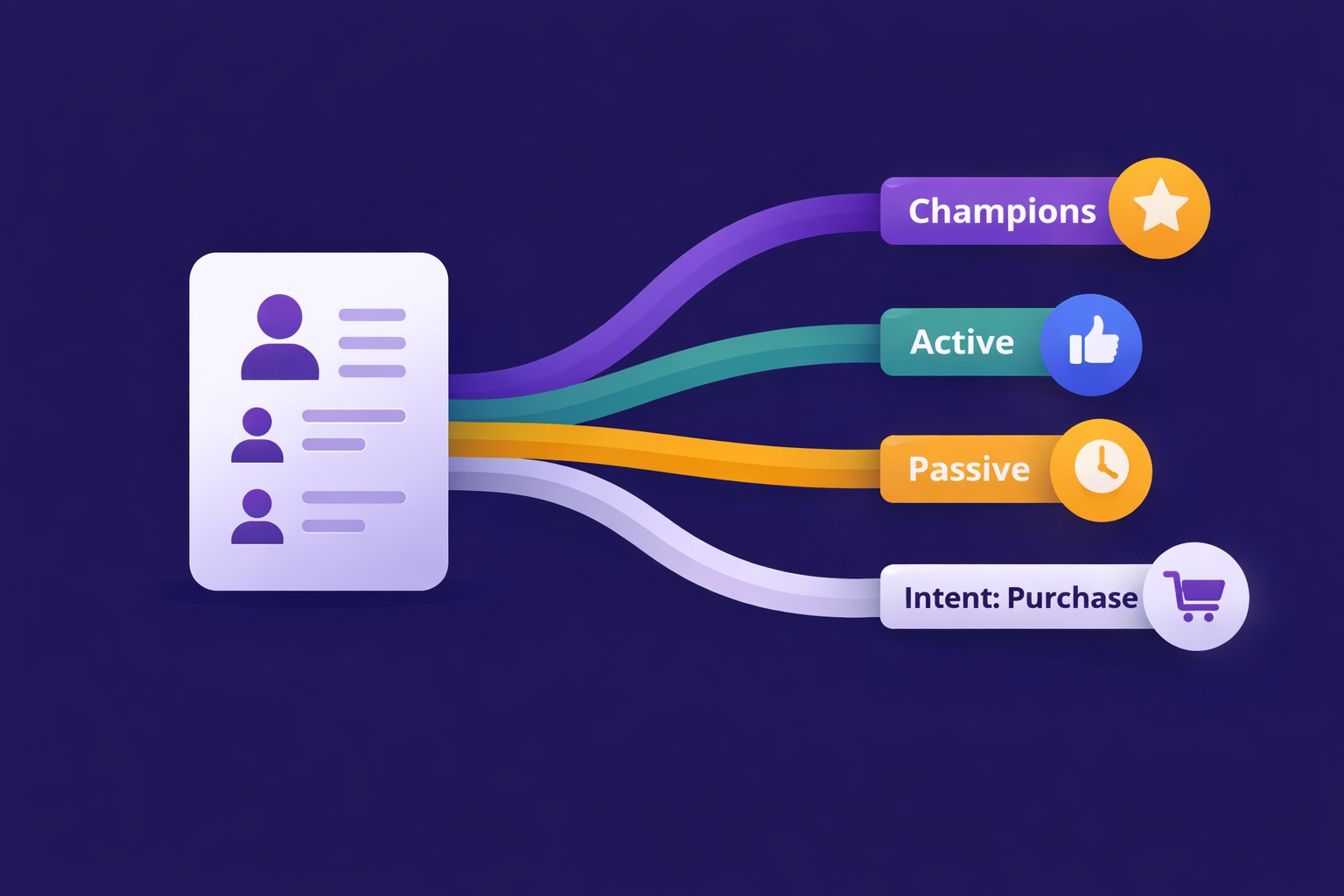
Segmentation is the gap between 25% open rates and 45% open rates — and between 3% paid conversion and 9%. The 5 segmentation types that move the needle, the exact tags to set up from day one, and how to build a behavioral targeting system that runs automatically in InfluencersKit.
Email Deliverability for Newsletter Creators: Why Your Emails Land in Spam (And How to Fix It)
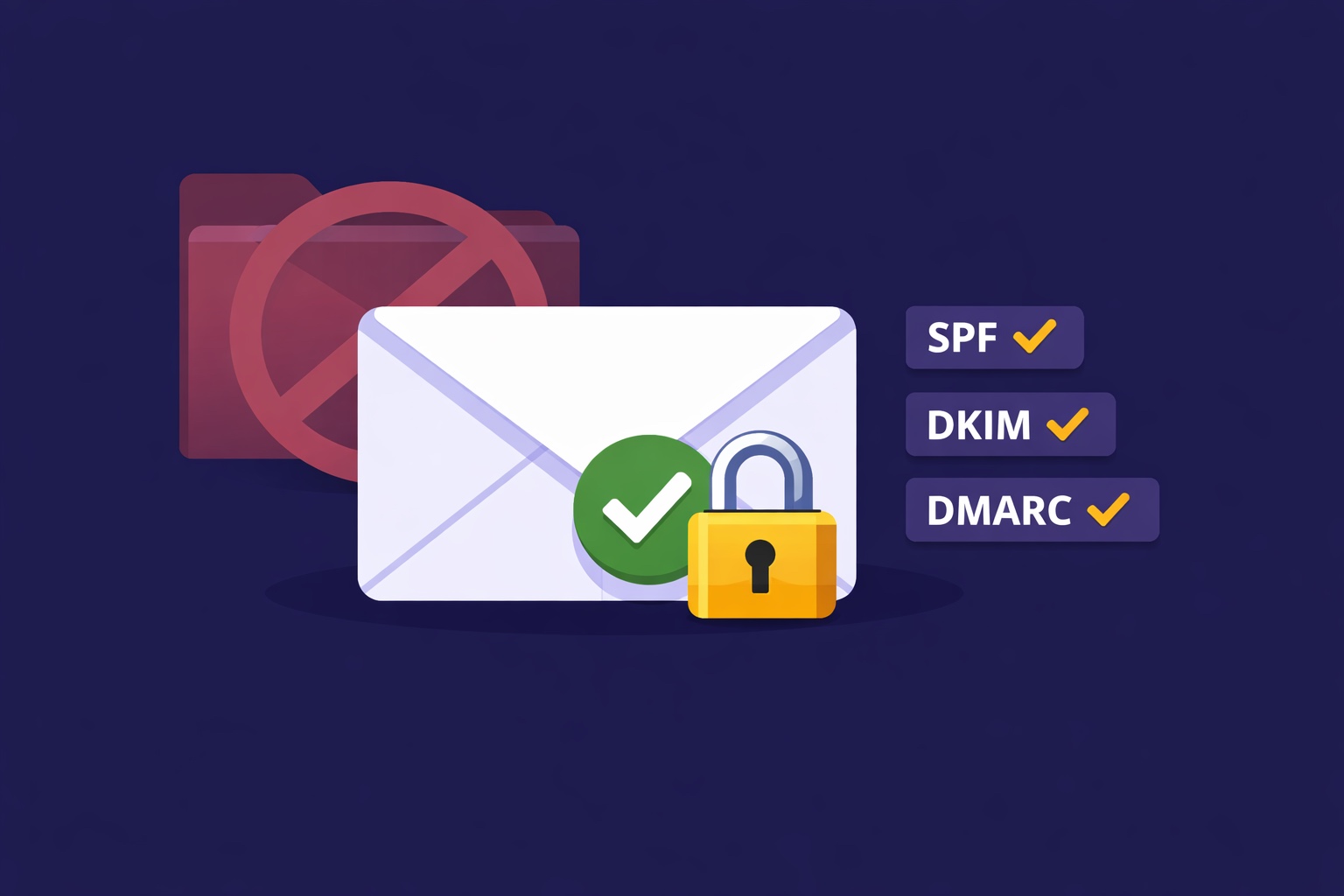
Deliverability is the silent newsletter killer — a 30% spam rate cuts your revenue potential by 30% while your dashboard shows 98% delivered. SPF, DKIM, DMARC in plain English, list hygiene that protects your sender reputation, the tools to diagnose the problem, and a 7-day recovery plan.