A New Domain Has No Reputation. Here Is How to Build One.
How to warm up a new email domain for a newsletter: authenticate first, send to recent clickers in small batches, and grow only while bounces stay under 2% and complaints under 0.1%. A 20,000-subscriber schedule, the numbers to watch, and what happened when an account skipped it.
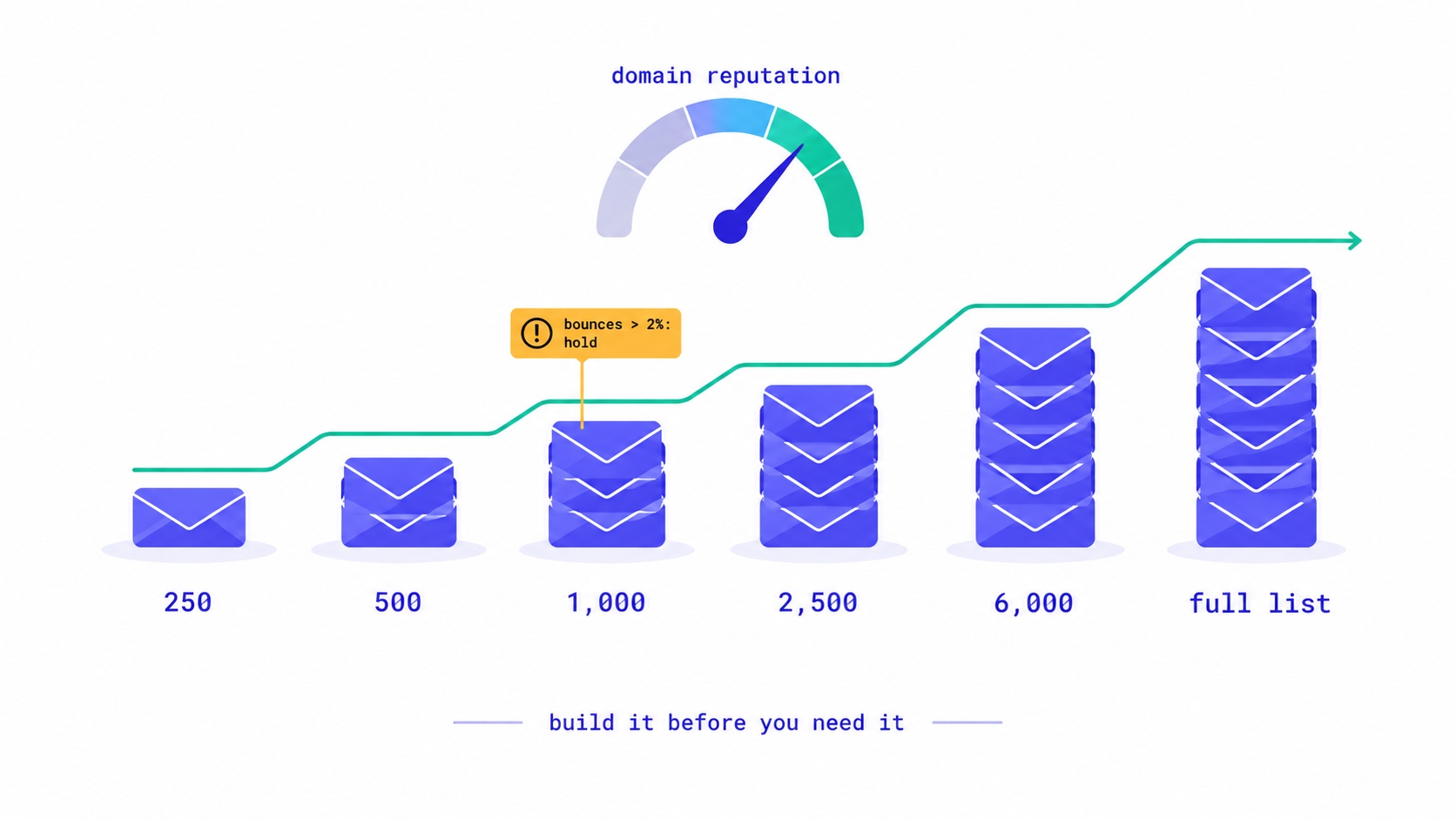
To warm up a new email domain, send to your most engaged subscribers first, in small batches, and increase the volume step by step while bounces and spam complaints stay low. Before the first send, set up SPF, DKIM and DMARC, and make sure your From address uses the domain you are warming. A sensible start is a few hundred emails a day to readers who clicked something recently. Then grow by roughly half to double each sending day, holding steady whenever bounces pass 2% or complaints pass 0.1%. Most creator lists of 5,000 to 50,000 subscribers reach full volume in three to six weeks.
The reason is that Gmail, Yahoo and Outlook judge mail partly by the sender's history, and a new domain has none. Sudden volume from a sender with no history looks exactly like a spammer who bought a list. Warming up gives the mailbox providers evidence that your readers want your email, before you ask them to accept a lot of it.
This guide covers when you need to warm up, the schedule, who to send to first, the numbers to watch, and what we learned on our own platform when an account skipped the process entirely.
What "warming up" actually builds
Mailbox providers keep track of two kinds of reputation. One belongs to the sending IP address, the server the email leaves from. The other belongs to the domain: the domain in your From address and the domains that sign and authenticate your mail. For a long time IP reputation mattered most. Today the large providers, Gmail in particular, put heavy weight on domain reputation, because domains are harder to discard than IP addresses.
Most creators send through an email platform's shared infrastructure, so the IP addresses already have a history that the platform manages. What you control, and what is new when you start, is your domain. That is what you are warming.
Reputation builds from how recipients respond. Opens and clicks help. Replies help a great deal. Messages moved out of spam help. Bounces, spam complaints, deletions without reading and mail to addresses that no longer exist all hurt. Warming up is just a way of making sure the first few thousand of those signals are good ones.
Do you need to warm up?
You need a warm-up whenever mailbox providers are about to see volume they have no history for. In practice that means:
- A brand-new domain, or a domain that has never sent email in volume.
- A new sending subdomain, such as
news.yourname.com. A subdomain builds its own reputation, partly separate from the main domain's. - A move to a new email platform, especially if your domain authentication changes with it. Our guide to switching newsletter platforms covers the whole move.
- A long pause. After a month or more without sending, providers treat your volume as new again. The guide to pausing a newsletter explains how to restart.
- A big jump in volume, such as importing a list several times larger than what you have been sending to.
If you have been sending steadily from the same domain to the same list, you do not need a warm-up. You need consistency.
Main domain or a sending subdomain?
Many creators send their newsletter from a subdomain, such as news.yourname.com or mail.yourname.com, rather than from the main domain they use for personal email, invoices and customer support. The reasoning is insurance: if the newsletter ever has a bad month, the damage falls mainly on the subdomain, and your one-to-one email keeps reaching people.
The trade-off is that a subdomain starts with less history of its own, so it needs warming even if your main domain has sent personal email for years. Providers do connect a subdomain to its parent to some degree, so a long-established main domain gives a subdomain a slightly better start than a brand-new domain gets, and a damaged parent domain can drag a subdomain down with it.
For most creators, a subdomain is the better choice once a list is large enough that a newsletter problem would be costly, roughly from a few thousand subscribers. Whichever you choose, choose it once. Switching sending domains every few months means warming up again every few months.
Before the first send: the checklist
Warming up a domain that is not authenticated is wasted effort, because the providers cannot attribute the good signals to you. Do these first.
- Authenticate the domain. Publish the SPF and DKIM records your platform gives you, and a DMARC record. A policy of
p=noneis enough to start. Google's email sender guidelines list what Gmail requires. - Send from the domain you are warming. If your From address is a free Gmail or Yahoo address, you are not building your own reputation at all, and those providers' DMARC policies work against you. Use your own domain.
- Clean the list. Remove addresses that hard-bounced on your old platform, anyone who unsubscribed or complained, and obvious junk. If your list grew suddenly with no launch behind it, check it for fake signups first; our post on bot signups and list bombing shows how to spot them.
- Check the unsubscribe path. One-click unsubscribe should work and the footer link should be easy to find. A reader who cannot find the way out presses "Report spam" instead. Our post on one-click unsubscribe explains how it works.
- Set up Google Postmaster Tools. Postmaster Tools shows your domain's spam rate and reputation with Gmail once you send enough volume to Gmail addresses. It is free and it is the closest thing to a reputation dashboard you will get.
Who to send to first
The order in which subscribers receive your first sends matters more than the exact numbers. Start with the people most likely to open, click and reply, because their responses are the evidence you are building.
Sort the list into engagement tiers before you start:
| Tier | Definition | When they start receiving |
|---|---|---|
| 1. Recent clickers | Clicked a link or replied in the last 30 days | Day 1 |
| 2. Regular clickers | Clicked in the last 90 days | Once tier 1 sends look clean |
| 3. Recent joiners | Joined in the last 60 days | Alongside tier 2 |
| 4. Openers only | Opened, but no click, in the last 90 days | Second week onwards |
| 5. Quiet | Nothing in 90 to 180 days | Last, and only after a re-engagement email |
| 6. Dormant | Nothing in over 180 days | Consider not sending at all |
Prefer clicks to opens when building tiers. Apple Mail Privacy Protection loads images automatically for many readers, so an "opened recently" tier contains people who have not read anything in months. The post on how Apple broke open rates explains why.
The dormant tier is where warm-ups usually fail. Old, inactive addresses are the most likely to bounce, the most likely to complain, and the most likely to be abandoned mailboxes that providers watch for senders mailing people who never engage. If you want to try to bring them back, do it with a short re-engagement series after the warm-up is complete, as described in the win-back campaign guide.
The warm-up schedule
There is no official schedule. Providers do not publish thresholds, and anyone who claims to know the exact number of emails Gmail allows on day three is guessing. What works is a principle: increase volume in steps, only while the signals from the previous step are clean.
Here is a schedule that follows that principle for a newsletter with 20,000 subscribers, sending on weekdays:
Send day   Volume    Who
1          250       Tier 1 (recent clickers)
2          500       Tier 1
3          1,000     Tier 1 + tier 2
4          1,500     Tiers 1–2
5          2,500     Tiers 1–3
6          4,000     Tiers 1–3
7          6,000     Tiers 1–4 (begin)
8          8,000     Tiers 1–4
9          11,000    Tiers 1–4
10         14,000    Tiers 1–4
11         17,000    Tiers 1–5 (after re-engagement)
12+        Full list (dormant tier excluded or sent separately)
Three rules make the schedule safe.
Only move up when the last step was clean. If a send produces bounces above 2% or complaints above 0.1%, stay at that volume for the next send, or go back a step, until the numbers settle.
Spread a day's volume over hours, not minutes. A thousand emails delivered over two hours look like a newsletter. A thousand delivered in ninety seconds look like a blast. Most platforms throttle sending for you; it is worth checking that yours does.
Keep sending consistently. A warm-up interrupted for two weeks loses much of what it built. If you publish weekly, you can still warm up on a daily schedule by sending your latest issue to the next batch of subscribers each day, rather than holding the whole list for publication day.
For a smaller list, compress the schedule. A 3,000-subscriber newsletter can usually go 250, 500, 1,000, 2,000, then full list over a week or so. For a list above 100,000, extend it, and expect four to eight weeks.
The numbers to watch, and what they mean
| Signal | Healthy | Act when | What it usually means |
|---|---|---|---|
| Hard bounce rate | Under 1% | Above 2% | Old or unverified addresses on the list |
| Spam complaint rate | Under 0.1% | Above 0.1%; never near 0.3% | People who do not remember signing up, or cannot find the unsubscribe |
| Click rate per tier | Stable as volume grows | Falls sharply at a new tier | That tier is less engaged; slow down for it |
| Deferrals (temporary rejections) | Rare | Many from one provider | That provider is rate-limiting you; hold volume there |
| Postmaster domain reputation | High or Medium | Low or Bad | Gmail is filtering you; stop growing volume and fix the cause |
The 0.3% figure is the line Google and Yahoo drew for bulk senders in 2024: keep the spam rate shown in Postmaster Tools below it, and preferably below 0.1%. Yahoo's sender best practices set out the same expectations. During a warm-up the denominator is small, so a handful of complaints can push the rate over. That is another reason to start with readers who know you. The deliverability guide covers what to do if you have already landed in spam.
What to send while you warm up
The content of warm-up sends matters as much as the volume, because the content decides how people respond.
Send your best work, not your most commercial. The first emails from a new domain should be the issues readers are most likely to open, read and click. A sponsor-heavy issue or a hard product launch can wait until the domain has a record. If your schedule forces a promotional email into the warm-up, send it to the most engaged tiers only.
Ask for replies. A reply is one of the strongest positive signals a mailbox provider sees, because it means a person read the email and wrote back. A simple question at the end of an issue, such as what readers want covered next, does more for a new domain than any subject line trick.
Keep links clean. Link to your own domain and to well-known sites. Avoid public link shorteners, which spammers use heavily and which some filters treat with suspicion. Make sure every link works before you send; a broken link wastes the click that would have helped you.
Keep the sender recognisable. Use the same From name readers knew on your old platform or your social profiles. A reader who does not recognise the sender is a reader who reports spam.
How to tell the warm-up is working
Your platform's numbers tell you how recipients responded. They do not tell you where the email landed. Two cheap checks fill that gap.
Seed addresses. Keep a free personal address at Gmail, Outlook and Yahoo, subscribe each to your own list, and look at where every warm-up send lands: inbox, Promotions tab or spam. A Promotions placement is normal for newsletters and not a problem. A move from inbox to spam at one provider, as volume grows, is the signal to hold volume and look at what changed.
Postmaster Tools trends. Once you send enough mail to Gmail addresses for data to appear, watch the domain reputation and spam rate from week to week. A reputation that holds at High or Medium while your volume rises is the clearest evidence the warm-up is succeeding.
And watch the click rate within each tier as you add it. If tier 1 clicked at 6% and tier 4 clicks at 1%, that is expected. If tier 1 itself drops from 6% to 2% as volume grows, more of your mail is probably landing in spam, even for your best readers.
What happened when an account skipped all of this
I run InfluencersKit, so I see the other side of warm-ups: what happens on the platform when someone ignores them. In October a new trial account on our platform imported a list of 950 addresses and sent a campaign to all of them in about forty minutes.
That should not have been possible. Trial accounts on InfluencersKit are limited to 300 emails a day and five a minute, precisely because a new domain sending in bulk on day one is the pattern that damages reputation fastest. The limit had a flaw: when a day's counter was full, a fault in how it was stored let the next send start a fresh counter instead of being refused. We fixed it that evening, rebuilt the safeguard that should have prevented it, and checked every account on the platform. Nobody else had ever reached a limit, which is why it had never shown itself.
The account's own numbers show why warm-ups exist. Of 930 delivery attempts, 29 bounced: a little over 3% on the first day of sending from a domain with no history. That is above the level at which mailbox providers start treating a sender with suspicion, and it happened in one send. A creator doing the same thing with a real list they genuinely want to keep would have started their domain's reputation in a hole that takes weeks of clean sending to climb out of.
Two changes came out of it that affect how warm-ups work on our platform. Campaigns are now checked against what is left of the day's allowance before anything is queued, and a campaign that does not fit is refused with the remaining number stated, so you can split it or wait. A campaign that stops halfway and reports itself as sent is worse than one that never starts. And trial accounts can now import up to 250 subscribers. That is enough to test properly and not enough to blast a list on day one.
If a sending limit feels restrictive in your first weeks on any platform, it is doing the job a warm-up schedule does. It is stopping your domain from looking like a spammer's before it has a chance to look like yours.
Warm-up mistakes that cost the most
- Sending the whole list on day one because the platform allowed it. Allowed and advisable are different things.
- Starting with the dormant tier to "wake them up". That is the tier most likely to bounce and complain, sent at the moment your reputation is most fragile.
- A "we've moved" email to everyone you have ever had, including old unsubscribes. They did not ask to hear about it, and many will report it.
- Changing several things at once: new domain, new design, new frequency and a new list source in the same week. If the numbers go wrong, you cannot tell which change did it.
- Pausing mid-warm-up. Consistency is half of what you are building.
- Judging success by open rate. Machine opens make every warm-up look better than it is. Watch clicks, bounces and complaints.
- Re-adding unsubscribed people during the move. Re-imports can silently reactivate them on some platforms. Our post on resubscribing after an unsubscribe explains how to keep them out.
After the warm-up
A warm-up ends when you are sending your full list on your normal schedule with clean numbers for two or three weeks running. From then on, reputation is maintained by the same habits that built it: a consistent schedule, a list that only contains people who want your email, and the discipline to stop emailing people who stopped reading.
That last habit matters more each year. A list that keeps growing a silent tail of dormant subscribers slowly drags the domain's reputation down, however good the content. Segment by engagement as described in the segmentation guide, measure what matters using the newsletter metrics guide, and look at real churn rather than unsubscribes alone, as the post on the growth ceiling explains.
If you are starting a newsletter from scratch rather than moving one, you have an advantage: there is nothing to warm except the habit. The guide to building a list from zero and the welcome sequence guide cover how to start well, and the open rate benchmark checker shows how your early numbers compare. InfluencersKit's sending and list management walks you through domain verification and applies sending limits for you; you can start a trial and warm up within its daily limit.
Frequently asked questions
How long does it take to warm up a new email domain?
For most creator newsletters with 5,000 to 50,000 subscribers, three to six weeks of consistent sending. Smaller lists can reach full volume in about a week; lists above 100,000 can take four to eight weeks. The schedule should follow your numbers, not the calendar: move up only when bounces and complaints from the previous step were low.
How many emails should I send on the first day from a new domain?
A few hundred, to your most engaged subscribers, such as readers who clicked a link in the last 30 days. Starting small with people likely to engage gives mailbox providers positive signals before you ask them to accept more volume.
Do I need to warm up if I use a shared IP address?
Yes, your domain still needs warming. Shared IP addresses carry the platform's reputation, but mailbox providers also judge the domain in your From address and authentication, and a new domain has no history. Gmail in particular gives domain reputation heavy weight.
Do I need to warm up when switching email platforms?
Usually, yes, especially if your sending infrastructure or authentication changes. Providers see mail arriving from new servers. Keep the same From domain, authenticate it on the new platform before sending, and ramp up over one to three weeks starting with engaged subscribers.
What bounce rate is too high during a warm-up?
Aim for hard bounces under 1% and act above 2%. A higher rate usually means old or unverified addresses on the list. Remove them before the next send rather than continuing to increase volume.
What spam complaint rate should I stay under?
Below 0.1%, and never close to 0.3%, which is the threshold Google and Yahoo set for bulk senders in 2024. During a warm-up the number of sends is small, so a few complaints can push the rate over, which is why the first sends should go to readers who know you.
Should I email inactive subscribers during a warm-up?
Not at first. Subscribers with no activity in six months or more are the most likely to bounce or complain. Send to them last, after your volume and reputation are established, and ideally through a short re-engagement series that asks whether they still want your emails.
Stay Updated
Get the latest insights, strategies, and tips delivered directly to your inbox. Join thousands of creators who are building their email communities with our weekly newsletter.
No spam, unsubscribe at any time. We respect your privacy.
Related Articles

They Unsubscribed, Then Signed Up Again. Now What?
Only the reader can reverse an unsubscribe. A fresh signup is a request, not proof. Why imports, forms and bulk edits quietly resubscribe people, and how to build a confirmation step that a link scanner or a stranger cannot trigger.

Newsletter Reactivation: How to Win Back Inactive Subscribers (With Templates)
Every newsletter has inactive subscribers silently dragging down deliverability. A well-designed reactivation campaign recovers 8–20% of them while identifying the truly unrecoverable. The four-part reactivation sequence, subject lines that break through inbox habituation, the list hygiene logic that improves metrics after removal, and the onboarding system that prevents inactivity from accumulating in the first place.
Your Automation Says Active. Nobody Has Received It.
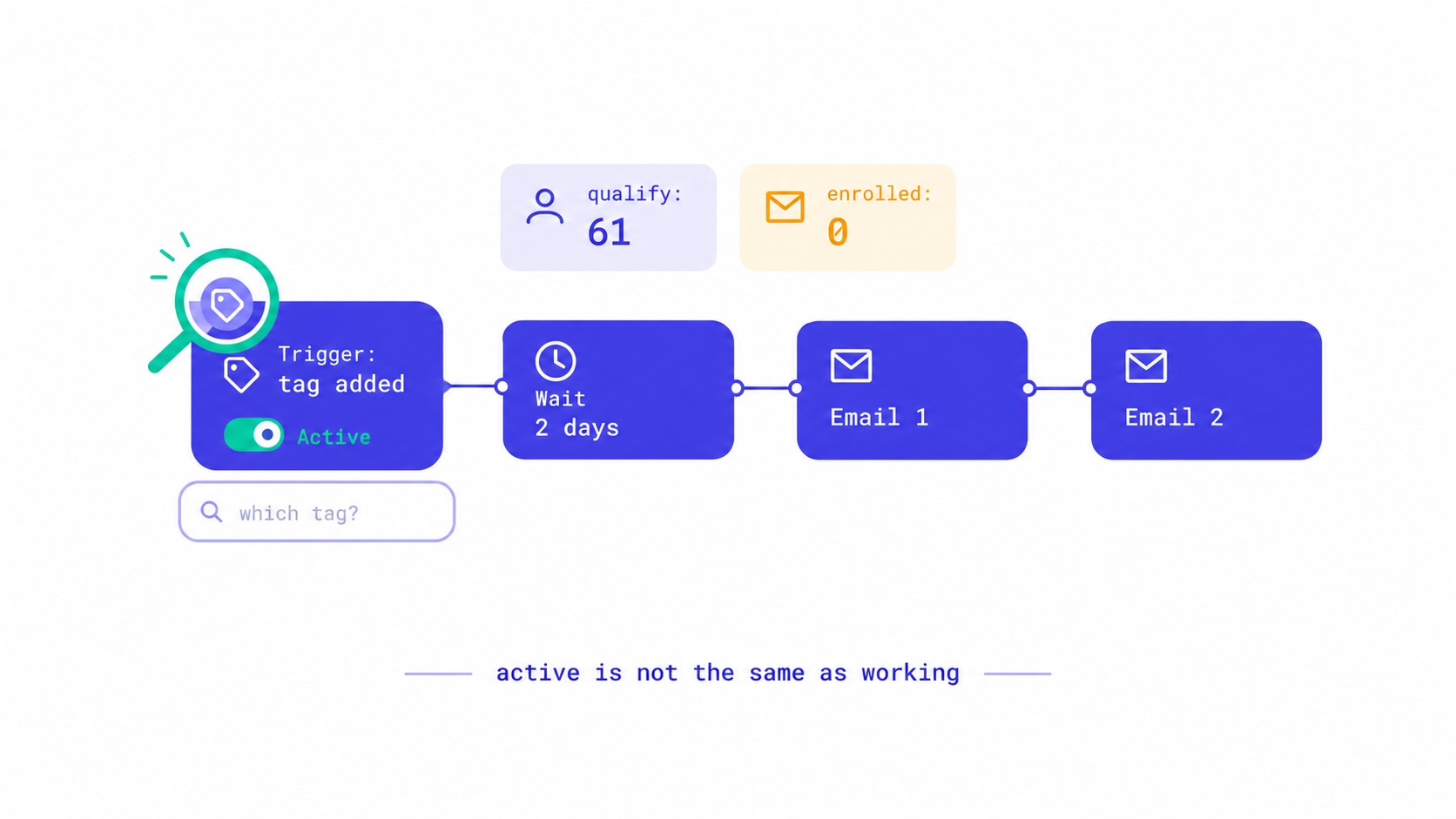
Seven reasons an email automation is switched on but sends nothing, from triggers that ignore existing subscribers to tag triggers with no tag. The qualify-versus-enrolled check that found 28 of our own sequences silent, and a fifteen-minute monthly audit.
Your Readers Can Leave Without Ever Seeing Your Page.
Since 2024, Gmail and Yahoo require one-click unsubscribe. A mail-app button removes the reader instantly, with no page, no options and no reason. Your preference centre now reaches only footer-link leavers, so the 'less, not none' options belong inside the email.

Your List Grew 1,500 Overnight. None of Them Are Real.
A signup spike with no launch behind it is usually list bombing. Fifteen hundred fake signups can push a welcome stream to six times Gmail's complaint limit and overstate your list by 30% to sponsors. How to spot them, why Apple Mail hides some, and how to clean up without making it worse.

Moving Your Newsletter? The List Is the Easy Part.
The CSV moves in five minutes. Sender reputation, unsubscribes, paid subscriptions, automations and old signup forms do not. The order that gets a newsletter to a new platform without losing inbox placement or emailing people who opted out.
Apple Broke Your Open Rate. And Your Subject Line Tests.
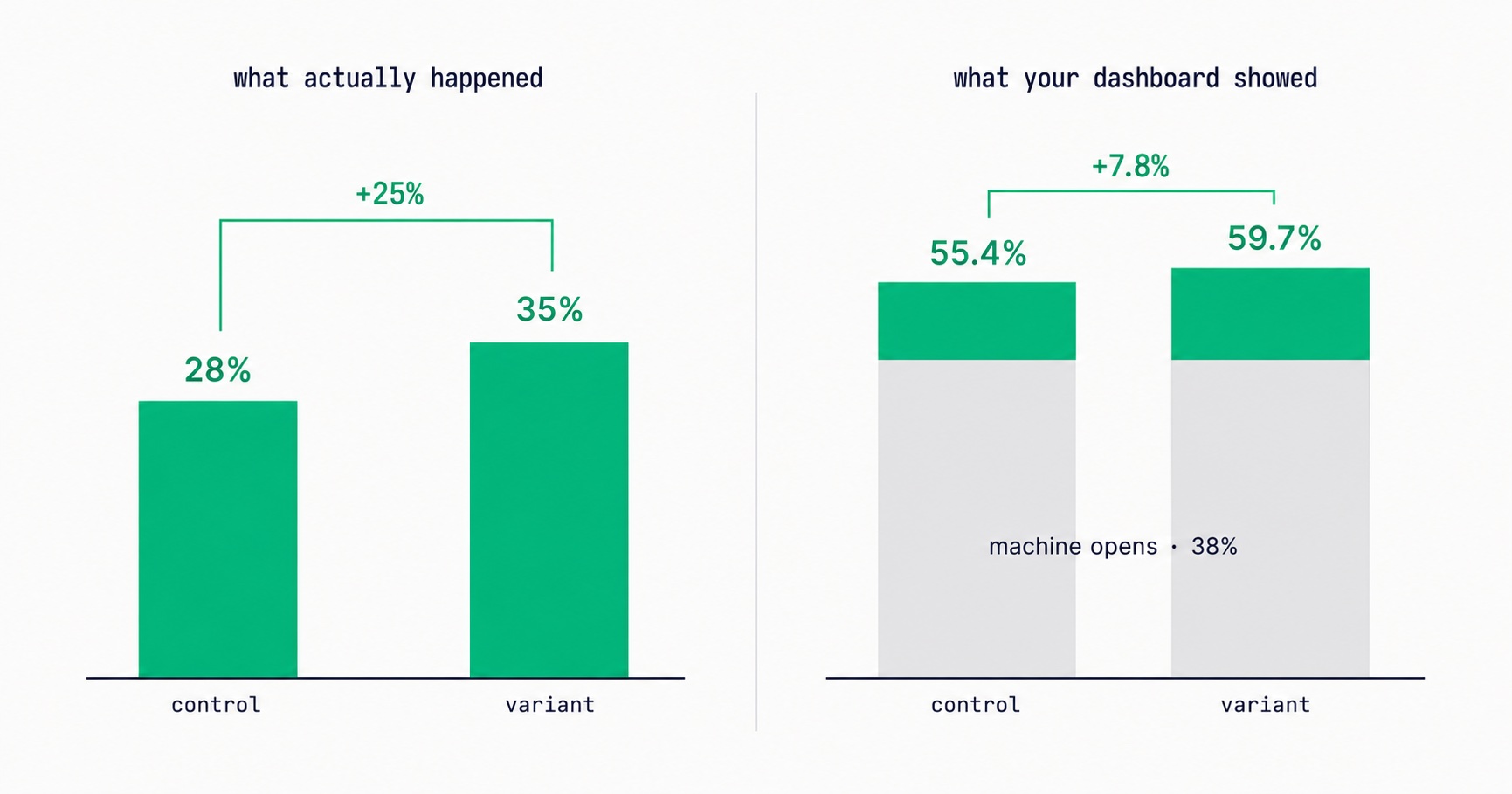
Every article about Apple Mail Privacy Protection says open rates are unreliable. None of them explain the part that actually changes your decisions: MPP doesn't add random noise, it systematically compresses the measured gap between two subject lines by roughly 3x — which is why so many creators ran good tests, saw flat results, and concluded subject lines don't matter.

Newsletter Viral Loops: How to Make Your Subscribers Your Growth Engine
Most newsletter growth requires proportional effort. A viral loop changes this: each new subscriber creates a mechanism that brings in additional subscribers. The viral coefficient math, four loop architectures (referral, forward, access gate, social proof), stacking strategy, re-promotion system, and the content quality foundation that makes viral growth compound rather than spike.

Newsletter Cross-Promotion: How to Add 300-700 Subscribers Per Month at Zero Cost
A well-executed newsletter swap can generate 200–500 new subscribers in 48 hours at zero acquisition cost. The complete system: the 4-factor partner qualification criteria, five cross-promotion formats ranked by conversion rate, outreach pitch templates that get replies, and a monthly programme that produces subscriber growth reliably.

Email Marketing for Online Coaches: Build Your List, Nurture Prospects, Fill Your Program
Coaching has a long sales cycle — clients need weeks of trust-building before they commit. Email is the only marketing channel that matches this cycle structurally. The complete system: how to build a list that attracts your ideal client profile, the 7-email welcome sequence that pre-qualifies prospects, and how to run enrollment conversations through email without feeling salesy.
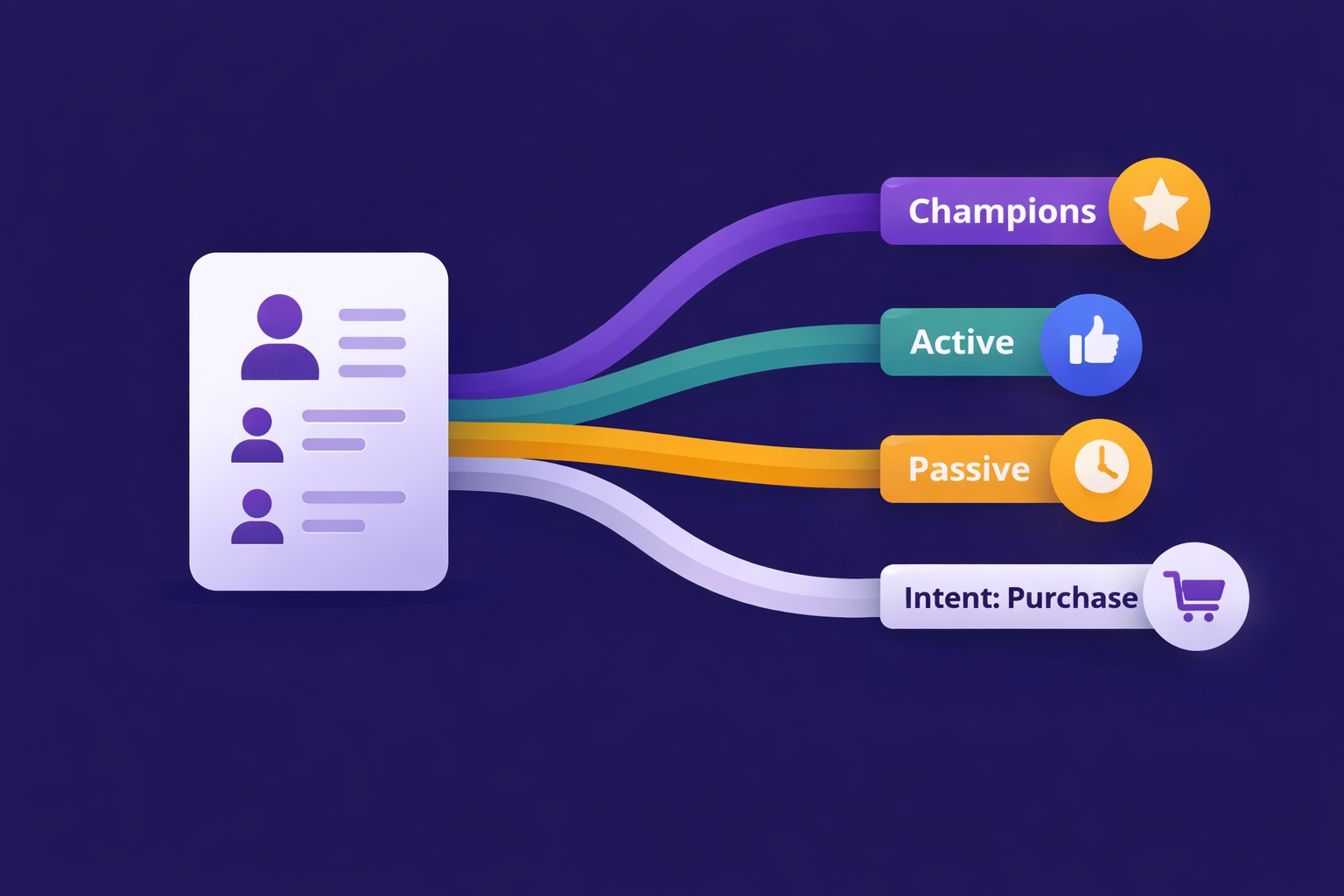
Newsletter Segmentation for Creators: Send the Right Email to the Right Subscriber
Segmentation is the gap between 25% open rates and 45% open rates — and between 3% paid conversion and 9%. The 5 segmentation types that move the needle, the exact tags to set up from day one, and how to build a behavioral targeting system that runs automatically in InfluencersKit.
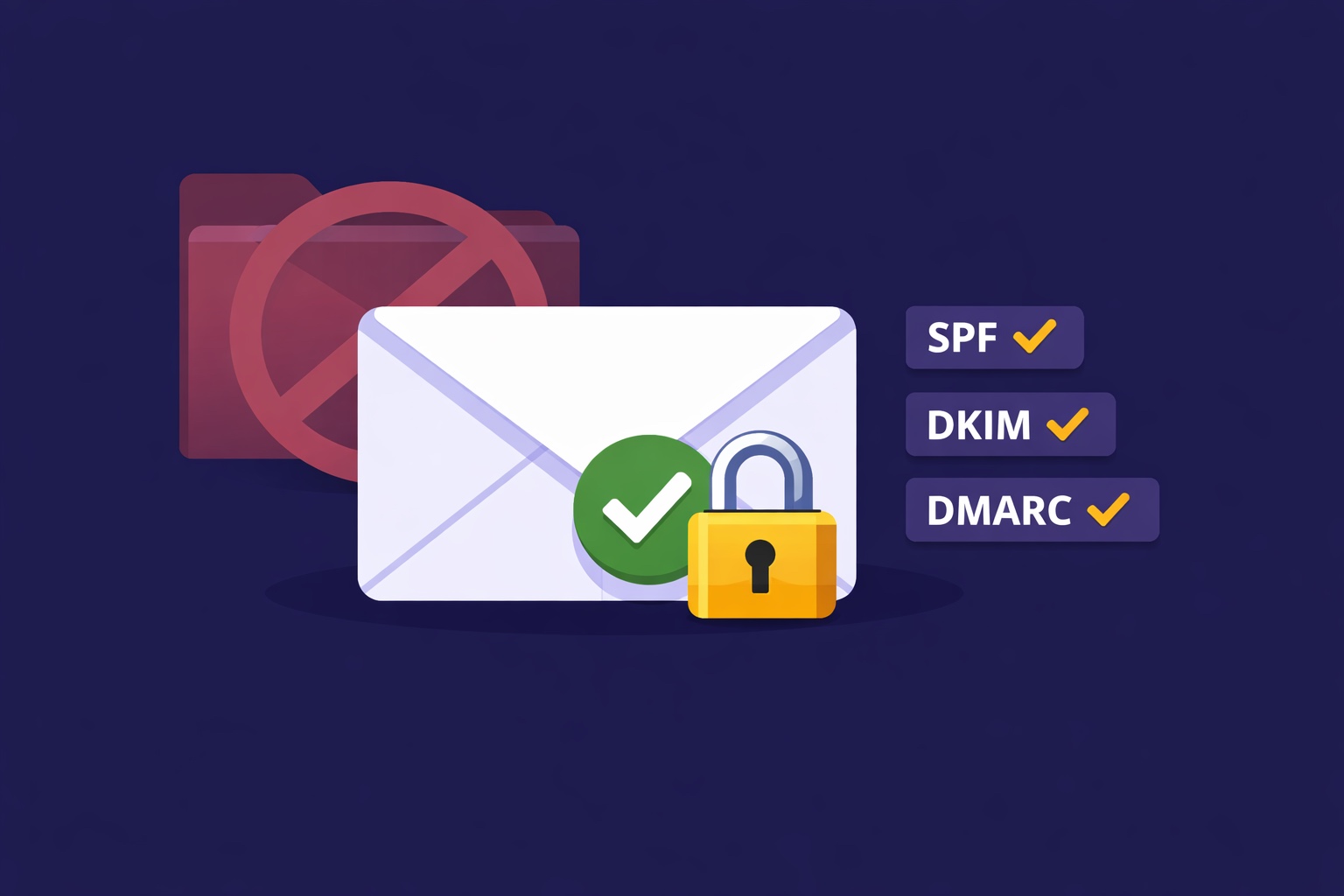
Email Deliverability for Newsletter Creators: Why Your Emails Land in Spam (And How to Fix It)
Deliverability is the silent newsletter killer — a 30% spam rate cuts your revenue potential by 30% while your dashboard shows 98% delivered. SPF, DKIM, DMARC in plain English, list hygiene that protects your sender reputation, the tools to diagnose the problem, and a 7-day recovery plan.