Your Automation Says Active. Nobody Has Received It.
Seven reasons an email automation is switched on but sends nothing, from triggers that ignore existing subscribers to tag triggers with no tag. The qualify-versus-enrolled check that found 28 of our own sequences silent, and a fifteen-minute monthly audit.
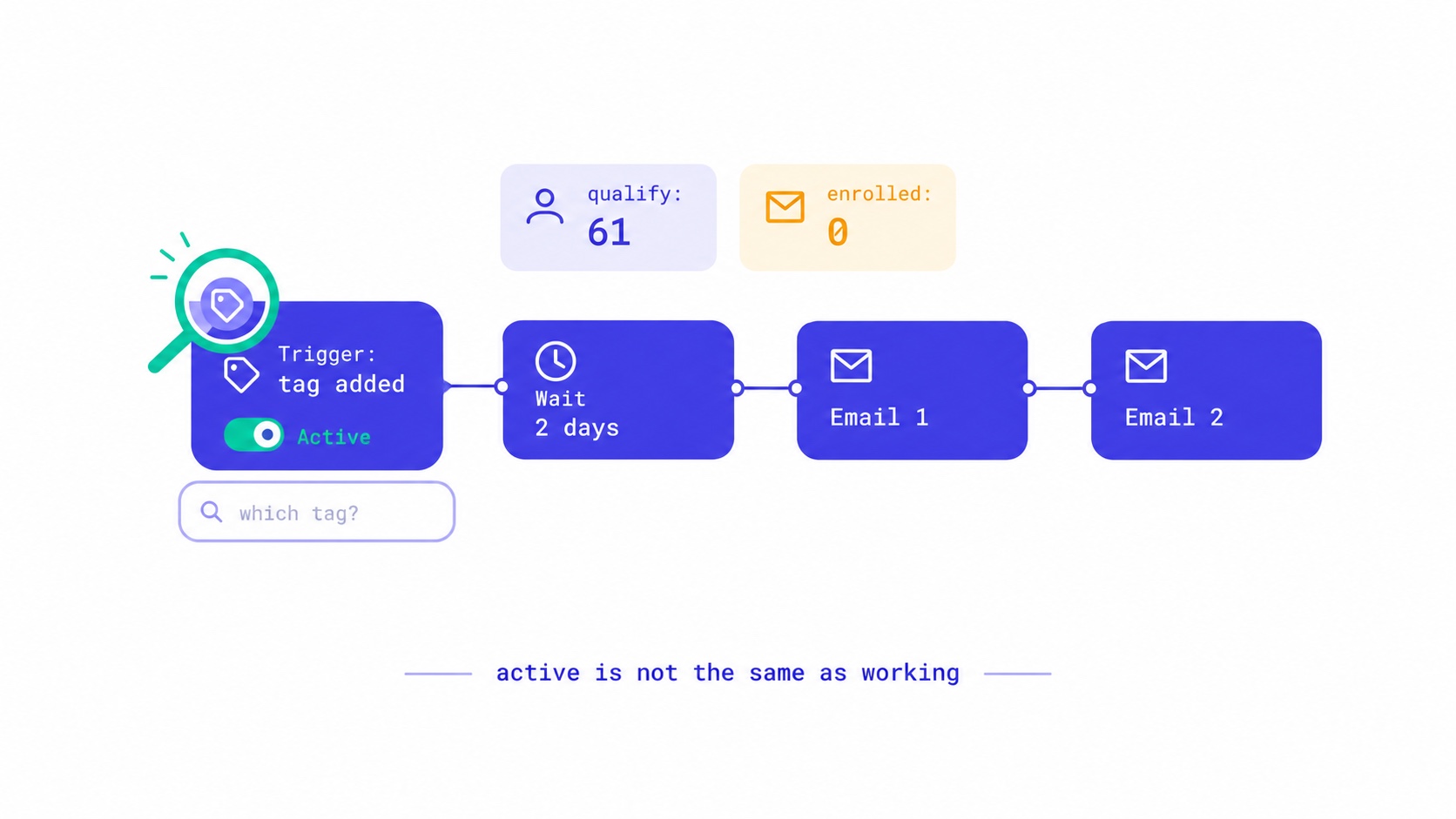
When an email automation is switched on but nobody receives it, the cause is almost always one of seven things. The trigger only fires for new events, so subscribers who joined before the automation existed never enter it. Or the trigger is incomplete, for example "when a tag is added" without saying which tag. The subscriber fails an audience filter at the moment of the trigger. They are blocked by re-entry rules. A step is still a draft. Your account cannot send. Or the emails did send and were filtered or suppressed. The fastest way to find out which is to compare two numbers for each automation: how many subscribers should be in it, and how many actually are.
That comparison is how we found that 28 of our own automations, all switched on and correctly written, had never started for anyone except brand-new contacts. This guide works through each cause, how to check for it on any platform, and the monthly audit that would have caught ours in fifteen minutes.
The check that finds most problems: qualify versus enrolled
Before looking at any settings, write down two numbers for every automation you run.
Qualify: how many subscribers meet the automation's starting condition. If it starts when someone gets the tag bought-course, it is the number of subscribers with that tag. If it starts on joining through a particular form, it is the number who joined through that form since the automation was switched on.
Enrolled: how many subscribers have entered the automation. Most platforms show this on the automation's page.
Then read the pattern:
| Pattern | What it usually means |
|---|---|
| Qualify above zero, enrolled exactly zero | The automation is not starting at all. Check the trigger, word by word (causes 1 and 2). |
| Enrolled well below qualify | It only catches people who qualified after it was switched on, or a filter excludes many of them (causes 1 and 3). |
| Enrolled roughly equal to qualify, but nobody receives emails | People are entering and the problem is further along: steps, sending or delivery (causes 5 to 7). |
| Enrolled above qualify | Something you did not intend is starting it, or people are entering more than once (cause 4). |
"Active" on an automation's page is a state. "Enrolled 14 people this week" is an outcome. Dashboards tend to show states, which is why broken automations survive for months.
Cause 1: the trigger only fires for new events
This is the most common cause, and on most platforms it is intended behaviour.
An automation that starts "when someone subscribes" listens for subscribe events. (Our glossary has short definitions of a welcome sequence and of tags if either term is new.) It reacts to people who subscribe after it is switched on. The 4,000 subscribers who joined last year did not subscribe today, so they never enter it. The same applies to tag triggers: a tag added before the automation existed does not start it.
The surprise usually comes with welcome sequences. A creator builds a careful five-email welcome sequence after already having a list, switches it on, and reasonably assumes the whole list now gets it. In fact, only people who join from that moment do.
How to check: compare the automation's first enrolment date with the date it was switched on. If enrolments start at the switch-on date and include only recent joiners, this is the cause.
What to do: decide deliberately whether existing subscribers should receive it. For a welcome sequence the answer is often no, at least not in full. Someone who has read your newsletter for a year does not need "here is who I am". They might benefit from the one email that introduces your best work or your paid offer. Many platforms let you add existing subscribers to an automation manually or by segment. Use that for the subset who should get it, not as a reflex for everyone.
Cause 2: the trigger is incomplete
Some triggers need more than one setting. "When a tag is added" needs to know which tag. "When someone joins a form" needs to know which form. "When a link is clicked" needs the link. If the second setting is missing, the automation waits for an event that can never happen, and the editor may still show it as active.
This is exactly what happened to us, and it is worth describing in full because the details are typical.
InfluencersKit runs its own email automations to talk to people who sign up for our three products: what to do after a trial ends, what to do after upgrading, a check-in when an account goes quiet, a follow-up when someone requests to go live. There were 28 of them, all set to start "when a tag is added", each with an audience of the tags that should receive it. All active. All with written emails and sensible delays.
The person setting them up, which is to say us, read that as "when a contact gets one of the audience tags, start the sequence". The system read it differently. The trigger needed one more setting, the specific tag that starts the sequence, and used the audience tags only to filter who was eligible once a sequence had started. None of the 28 had that setting. And the sequence editor had no field for it. The setting the system depended on could not be set from the screen people used to build sequences.
The only path that worked was the one for brand-new contacts: when a contact was created, it was enrolled in matching welcome sequences. So welcome emails went out, the dashboard showed sends, and everything looked fine. Every sequence meant to start because of something that happened later, a trial ending, an upgrade, a quiet month, had never started for anyone. The trial-ended tag had several holders and zero enrolments. So did the upgrade tag.
How to check: open the trigger and read every setting, not just the event name. If a trigger has a sub-setting, such as which tag, form or link, confirm it is filled in. Then test with a contact of your own: apply the exact trigger and check that the contact enrols within a minute or two.
What we did: the trigger now falls back to the audience tags when no specific tag is set, which is what everyone had assumed it did. An explicit trigger tag still takes precedence. It was built switched off and checked before being turned on, and it applies only from that point. Turning it on did not go back and enrol everyone who had gained a tag in the past, because someone whose trial ended a month ago should not suddenly receive "your trial ends tomorrow".
Cause 3: the subscriber fails a filter at the moment of the trigger
Many automations combine a trigger with an audience filter: start when someone subscribes, but only if they are in the "customers" segment, or only if they have the tag uk. The filter is usually checked at the moment of the trigger. If the subscriber does not match at that instant, they do not enter, and they are not reconsidered later when they do match.
This produces a confusing pattern. A form adds a subscriber and then, a second later, an integration adds the tag the filter needs. The trigger fired before the tag arrived, so the subscriber never enters, even though they match the filter perfectly by the time anyone looks.
How to check: take one subscriber who should be in the automation and is not. Look at their activity history in order. Did they have every required tag or segment at the moment the trigger fired, or did something arrive later?
What to do: trigger on the last thing that happens rather than the first. If the tag is what makes someone eligible, trigger on the tag being added, not on subscribing. Keep filters for genuine exclusions, such as existing customers who should not receive a sales sequence. Our segmentation guide explains how to structure tags so automations can rely on them.
The tag that nobody sends
A close relative of this cause is an automation listening for a tag that is never applied. In our audit, some sequences listened for tags that no product ever sent. One waited for a tag with a slightly different name from the one actually applied. Two were configured with the names of pieces of code where a tag name belonged. Nothing errors when this happens. The automation simply waits forever.
How to check: for each tag an automation depends on, count how many subscribers carry it. Zero holders after weeks of activity means the tag is never applied, or applied under a different name.
Cause 4: re-entry and duplicate rules
Platforms prevent people from receiving the same automation repeatedly, usually by default. Someone who completed a sequence, or is already in it, does not enter again when the trigger fires a second time. That is normally what you want. It becomes a problem when you test with the same address repeatedly and conclude the automation is broken, or when an automation is meant to repeat, such as a monthly reminder.
The opposite problem also happens: two automations with the same trigger, so a subscriber enters both and receives two welcome series at once. In our audit, two sequences shared the same starting tag, and two tags were applied by two different products, so a customer of one product could have entered a sequence written for the other. None of that had mattered yet, because nothing was starting. All of it would have mattered the moment the main problem was fixed, which is why we found and resolved every overlap before turning the fix on.
How to check: list every automation alongside its trigger. Any two with the same trigger need a reason, or a filter that makes them mutually exclusive. For testing, use a fresh test address or remove the test contact from the automation before trying again.
Cause 5: a step is not actually ready
An automation can be active while one of its emails is not. Common versions: an email step saved as a draft, a step whose content failed to save, a delay of zero that sends everything at once, or a condition branch that sends everyone down a path with no emails in it.
The save failures are the sneaky ones. While fixing our triggers, we found that the steps in our product sequences could not be saved at all. The check on the From address rejected our own sending domain for any account that also had its own domain verified, even though the sending system itself accepted that address. Two checks on the same rule, in two places, disagreeing. The editor showed an error that was easy to dismiss, and the steps stayed as they had been.
How to check: open every step and confirm it is published, not draft. Send a test of each email. Look at the automation's per-step counts: if the first step shows sends and the second shows none after its delay has passed, the second step is the problem.
Cause 6: your account cannot send
Sometimes the automation is fine and the account is not allowed to send. Possibilities include:
- Account review. Many platforms, InfluencersKit included, review new accounts before allowing sends to subscribers. Until approval, automations can enrol people but cannot deliver to them. A good platform tells you this on the main dashboard. If yours shows only an error when you try to send, look in the account or deliverability settings.
- Sending limits. New and trial accounts usually have daily and per-minute limits. On InfluencersKit a trial account can send 300 emails a day. Automation sends count towards the same limit as broadcasts, so a large broadcast in the morning can delay automation emails until the next day.
- Plan quotas. A monthly allowance that has run out stops all sending, automations included, until it resets or more is added. Our pricing page lists each plan's allowance.
- Unverified sending domain or address. If the From address is on a domain that has not been verified, sends may be refused.
- Suspension. If a platform suspends an account for a policy reason, every send path stops, including automations. That is intended.
How to check: send a plain test broadcast to yourself. If that fails too, the problem is the account, not the automation. If you are warming up a new domain, the domain warm-up guide explains why early limits exist and how to grow volume safely.
Cause 7: it sent, and it was filtered or suppressed
Finally, the automation may be working perfectly and the email still never reaches the reader.
Suppressed recipients. Subscribers who unsubscribed, hard-bounced or complained are suppressed and receive nothing, including automation emails. That is correct and required. If an automation shows enrolments but low sends, check how many of those enrolled are suppressed. And never "fix" it by reactivating them; our post on resubscribing after an unsubscribe explains why only the reader can reverse it.
Spam and tabs. Automated emails, especially welcome sequences sent seconds after signup, are a common target for filters. Look at where the emails land in your own test inboxes at Gmail, Outlook and Yahoo. The deliverability guide covers how to move from spam to inbox, and Google's email sender guidelines list what Gmail expects from every sender.
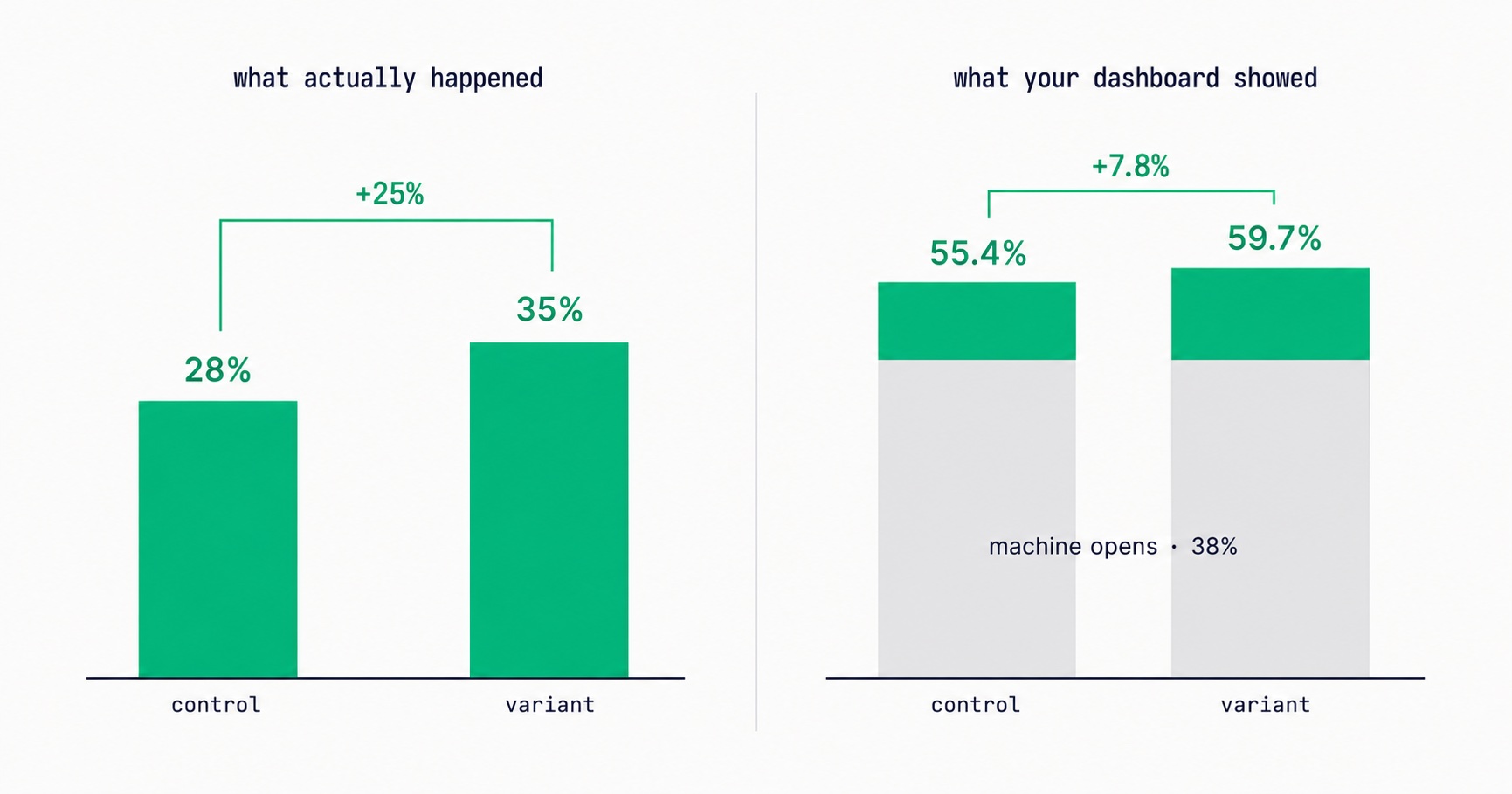
Unreliable opens. If you are judging an automation by its open rate, remember that Apple Mail and security scanners register opens on their own, so an automation can show healthy opens while few people read it, or look broken because of how a single test was counted. The post on how Apple changed open rates explains the distortion. Judge automations by clicks, replies and what they lead to.
How to test an automation properly
Most broken automations were tested, just not in a way that would have found the problem. A test that would catch most of the causes above looks like this:
- Use a fresh address you control, ideally at a different mailbox provider from your own. Not your own primary address, which may already be enrolled or suppressed.
- Make it qualify the way a real subscriber would. If real people arrive through a form, fill in the form. If they arrive through an integration, trigger the integration. Adding a test contact by hand in the dashboard skips the very path that might be broken.
- Check enrolment within minutes. If the contact is not enrolled, stop and look at the trigger and filters before anything else.
- Shorten the delays for the test, or use the platform's preview mode if it has one, so you see every step in an afternoon rather than over two weeks.
- Check where each email lands, not just whether it was sent.
- Click every link, including the unsubscribe link, and confirm the contact leaves the automation when they unsubscribe. Test the mail app's own unsubscribe button too, as described in the post on one-click unsubscribe.
- Restore the delays and remove the test contact before switching the automation on for real.
The fifteen-minute monthly audit
Our 28 sequences were silent for weeks, and nobody was told, because there is no event for "nothing happened". The defence is to look on purpose, once a month. For each automation, write down one line:
Automation           Trigger            Qualify   Enrolled   Sent (30d)   Clicks (30d)
Welcome series       Subscribed         412       409        1,980        301
Course buyers        Tag: bought-course  38        0           0            0     ← not starting
Trial ending         Tag: trial-ending   61        12          31           4     ← filter or timing
Win-back             No click 90 days    950       947        2,790        88
Any row where enrolled is zero, or far below qualify, or where sends have dropped sharply from last month, gets looked at that day. Every other row takes ten seconds. That table is illustrative, but its second row is precisely what ours would have looked like.
If you run more than a handful of automations, also keep a short list of which tags and forms each one depends on. When you rename a tag, retire a form or change an integration, that list tells you which automations just stopped working.
Should existing subscribers get your new automation?
Cause 1 deserves a final word, because fixing it well is a judgement call rather than a setting.
When you build a new automation and already have a list, sort your existing subscribers into three groups. Those for whom the whole sequence is relevant, such as subscribers who joined recently and never got any welcome. Those for whom part of it is relevant, such as long-time readers who would value the email introducing your paid tier but not the email introducing yourself. And those for whom none of it is relevant. Add the first group to the automation. Send the second group a single broadcast with the part that matters. Leave the third alone.
That takes longer than adding everyone with one click. It also avoids sending "welcome to the newsletter" to someone who has opened every issue for two years, which is the kind of email that makes loyal readers wonder whether anyone is paying attention. For sequences that sell, the upsell strategies guide covers how to time offers for existing readers, the paid newsletter launch guide covers the sequence around a paid tier, and the win-back guide covers sequences aimed at readers who have gone quiet.
What this taught us
The failure that cost us most was not a crash or an error. It was a system doing nothing, correctly, while looking as though it was doing something. Every component did exactly what its code said: the trigger waited for its tag, the editor offered the fields it had, the welcome path enrolled new contacts. No single part was broken, and the combination did nothing for weeks.
I would encourage every creator to assume the same could be true of their own automations until they have counted. The setup guide for email automation sequences covers how to build them well in the first place; the audit above is how you find out whether they are still doing what you built them to do. InfluencersKit's growth tools include sequences and the enrolment counts this audit needs, and you can start a trial to build and test one. Our glossary entry on automation sequences has the short definition if you are new to the term.
Frequently asked questions
Why is my email automation not sending?
Most often because the trigger only fires for new events, so existing subscribers never enter, or because the trigger is incomplete, such as a tag trigger with no tag selected. Other causes are audience filters checked at the moment of the trigger, re-entry rules, draft steps, an account that cannot send yet, and emails that were sent but filtered or suppressed. Compare how many subscribers qualify with how many are enrolled to narrow it down.
Why didn't my existing subscribers get my welcome sequence?
Welcome sequences usually start on the subscribe event, which only happens for people who join after the sequence is switched on. Existing subscribers never trigger it. If some of them should receive it, add them to the sequence deliberately, by segment, rather than adding the whole list.
Why is my tag-triggered automation not working?
Check that the trigger names the specific tag that should start it, that the tag is actually applied to subscribers under exactly that name, and that it is applied after the automation was switched on. A tag trigger with no tag selected, or listening for a tag nobody applies, waits forever without any error.
How do I test an email automation?
Use a fresh address you control, make it qualify through the same path real subscribers use, such as your actual signup form, and confirm it enrols within minutes. Shorten delays for the test, check where each email lands, click every link including unsubscribe, then restore the delays and remove the test contact.
Can an automation be active and still not send anything?
Yes. Active describes the automation's setting, not its results. An active automation with an incomplete trigger, a filter nobody passes or a draft step can run for months without sending an email. Check enrolment and send counts, not the status.
Do automation emails count towards my sending limits?
On most platforms, yes. Automation emails share the account's daily and monthly limits with broadcasts. On a new or trial account with a daily limit, a large broadcast can use the day's allowance and delay automation emails until it resets.
Why do unsubscribed people not receive my automation emails?
Because they are suppressed, as the law and mailbox providers require. Subscribers who unsubscribed, hard-bounced or complained should never receive marketing email, including automations. Only the subscriber can reverse an unsubscribe, by opting back in themselves.
Stay Updated
Get the latest insights, strategies, and tips delivered directly to your inbox. Join thousands of creators who are building their email communities with our weekly newsletter.
No spam, unsubscribe at any time. We respect your privacy.
Related Articles
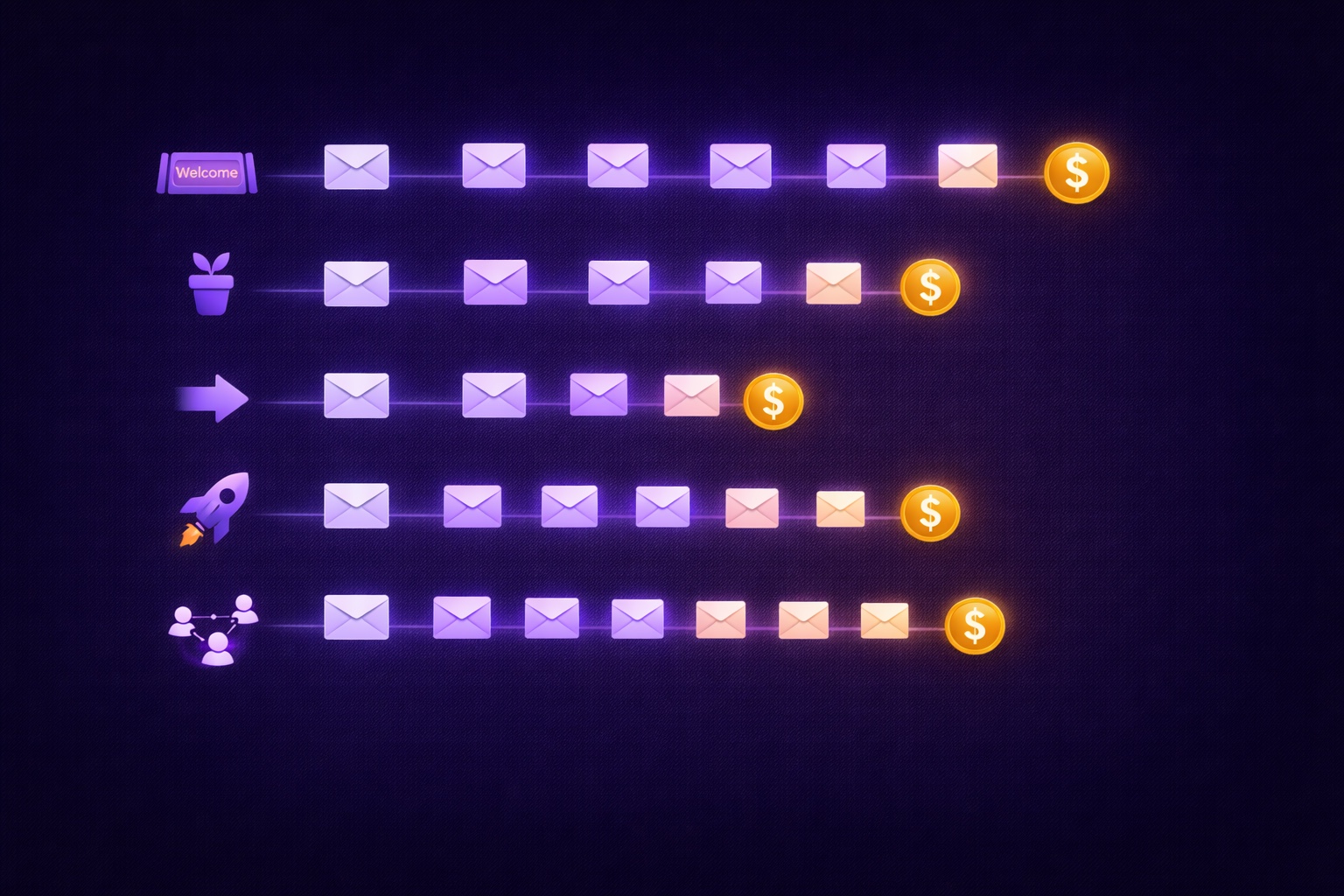
Email Automation for Creators: Set Up These 5 Sequences Once and Earn Forever
Most creators think automation means a welcome email. The reality: 5 automated sequences running simultaneously can generate $2,000–8,000/month passively. The complete guide with exact email timing, subject lines, content frameworks, and setup walkthrough for every sequence.
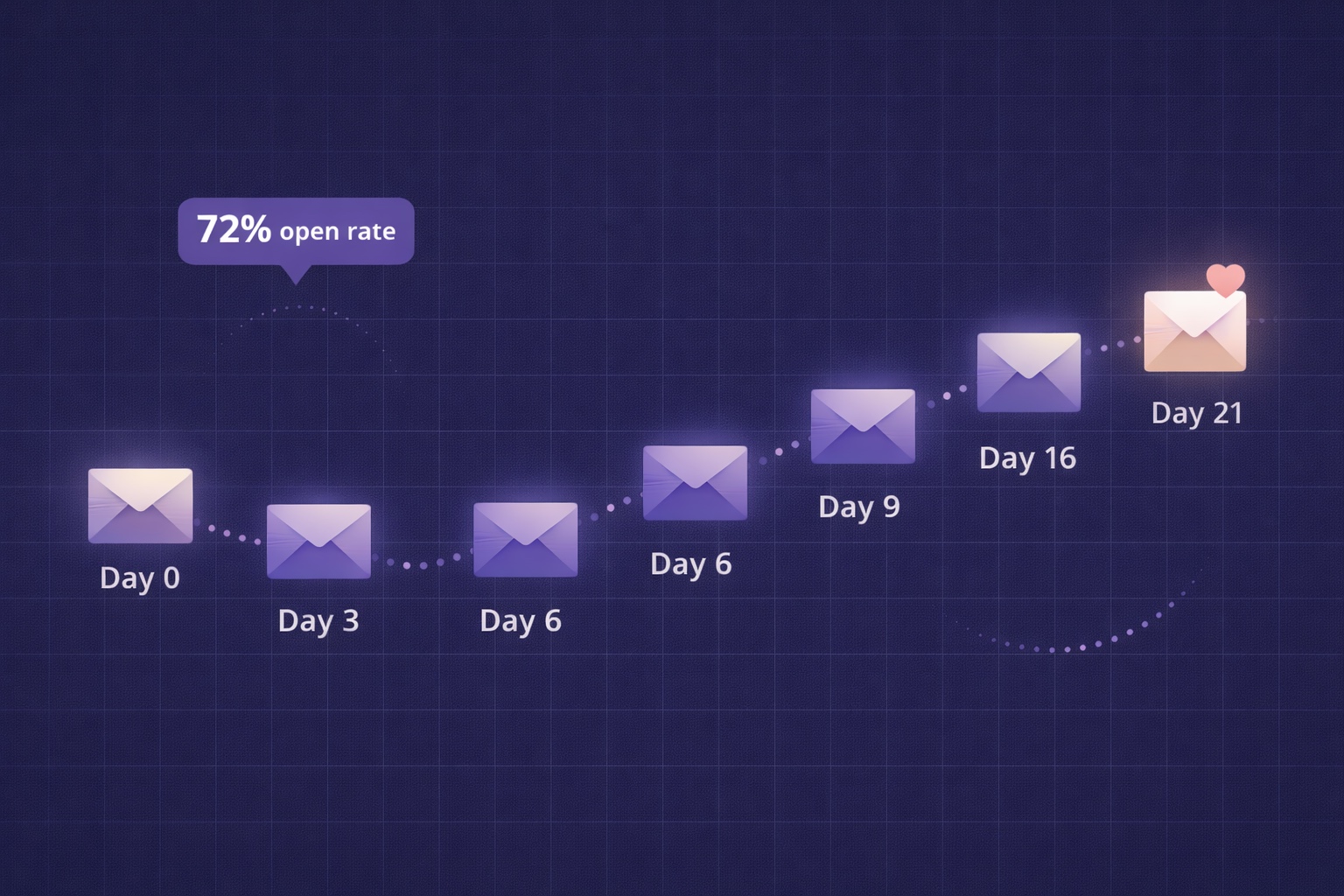
Newsletter Welcome Email Sequence: The 7-Email Series That Turns Subscribers into Superfans
Your welcome email gets a 50-80% open rate — the highest of any email you'll ever send. Most creators waste it with a single 'thanks for subscribing.' This is the exact 7-email sequence with day-by-day timing, subject lines, full content frameworks, and automation setup in InfluencersKit.
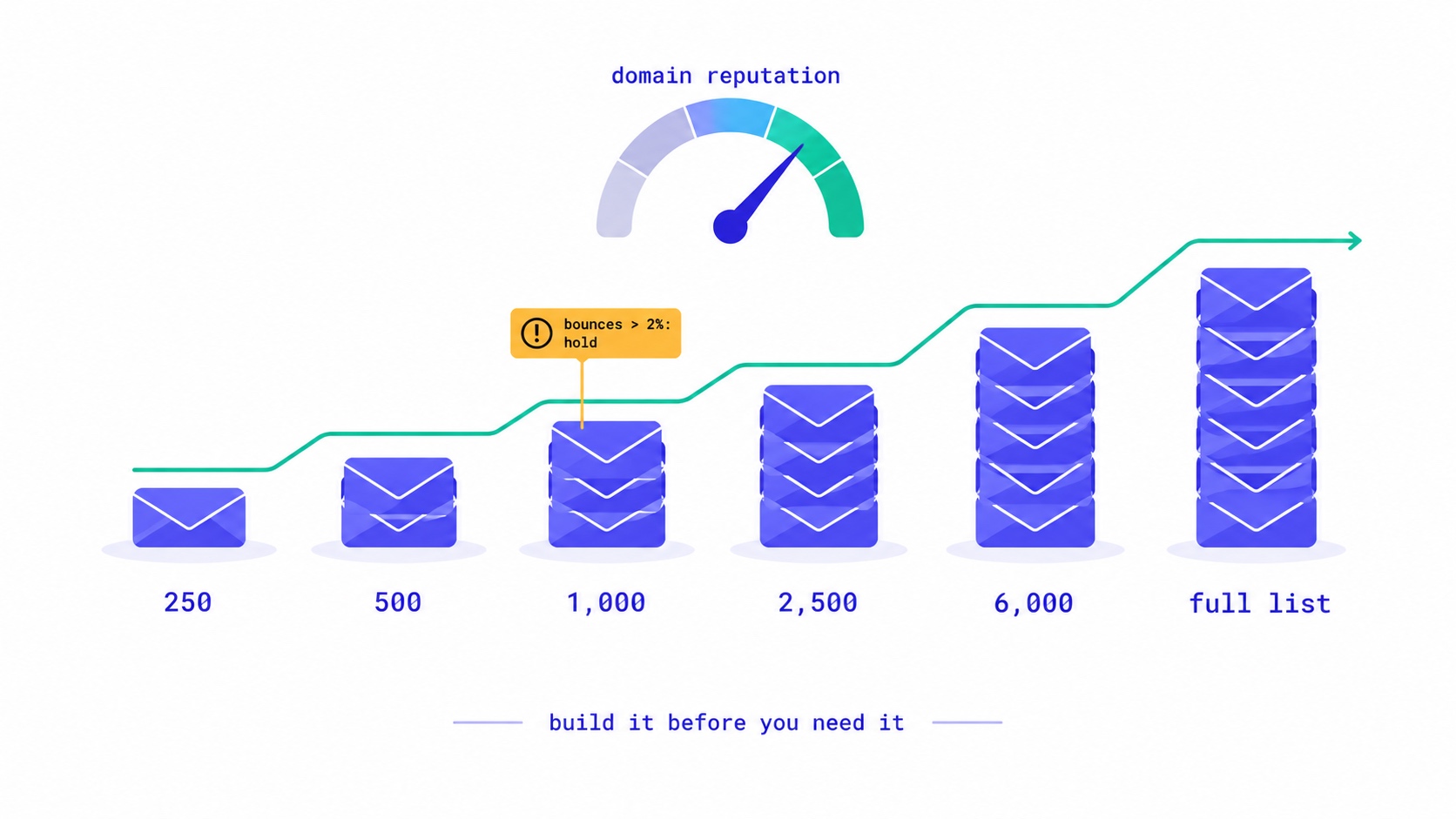
A New Domain Has No Reputation. Here Is How to Build One.
How to warm up a new email domain for a newsletter: authenticate first, send to recent clickers in small batches, and grow only while bounces stay under 2% and complaints under 0.1%. A 20,000-subscriber schedule, the numbers to watch, and what happened when an account skipped it.
Your Readers Can Leave Without Ever Seeing Your Page.
Since 2024, Gmail and Yahoo require one-click unsubscribe. A mail-app button removes the reader instantly, with no page, no options and no reason. Your preference centre now reaches only footer-link leavers, so the 'less, not none' options belong inside the email.

They Unsubscribed, Then Signed Up Again. Now What?
Only the reader can reverse an unsubscribe. A fresh signup is a request, not proof. Why imports, forms and bulk edits quietly resubscribe people, and how to build a confirmation step that a link scanner or a stranger cannot trigger.

Moving Your Newsletter? The List Is the Easy Part.
The CSV moves in five minutes. Sender reputation, unsubscribes, paid subscriptions, automations and old signup forms do not. The order that gets a newsletter to a new platform without losing inbox placement or emailing people who opted out.
Apple Broke Your Open Rate. And Your Subject Line Tests.
Every article about Apple Mail Privacy Protection says open rates are unreliable. None of them explain the part that actually changes your decisions: MPP doesn't add random noise, it systematically compresses the measured gap between two subject lines by roughly 3x — which is why so many creators ran good tests, saw flat results, and concluded subject lines don't matter.

Newsletter Reactivation: How to Win Back Inactive Subscribers (With Templates)
Every newsletter has inactive subscribers silently dragging down deliverability. A well-designed reactivation campaign recovers 8–20% of them while identifying the truly unrecoverable. The four-part reactivation sequence, subject lines that break through inbox habituation, the list hygiene logic that improves metrics after removal, and the onboarding system that prevents inactivity from accumulating in the first place.
Email Marketing for Online Coaches: Build Your List, Nurture Prospects, Fill Your Program
Coaching has a long sales cycle — clients need weeks of trust-building before they commit. Email is the only marketing channel that matches this cycle structurally. The complete system: how to build a list that attracts your ideal client profile, the 7-email welcome sequence that pre-qualifies prospects, and how to run enrollment conversations through email without feeling salesy.
Newsletter Segmentation for Creators: Send the Right Email to the Right Subscriber
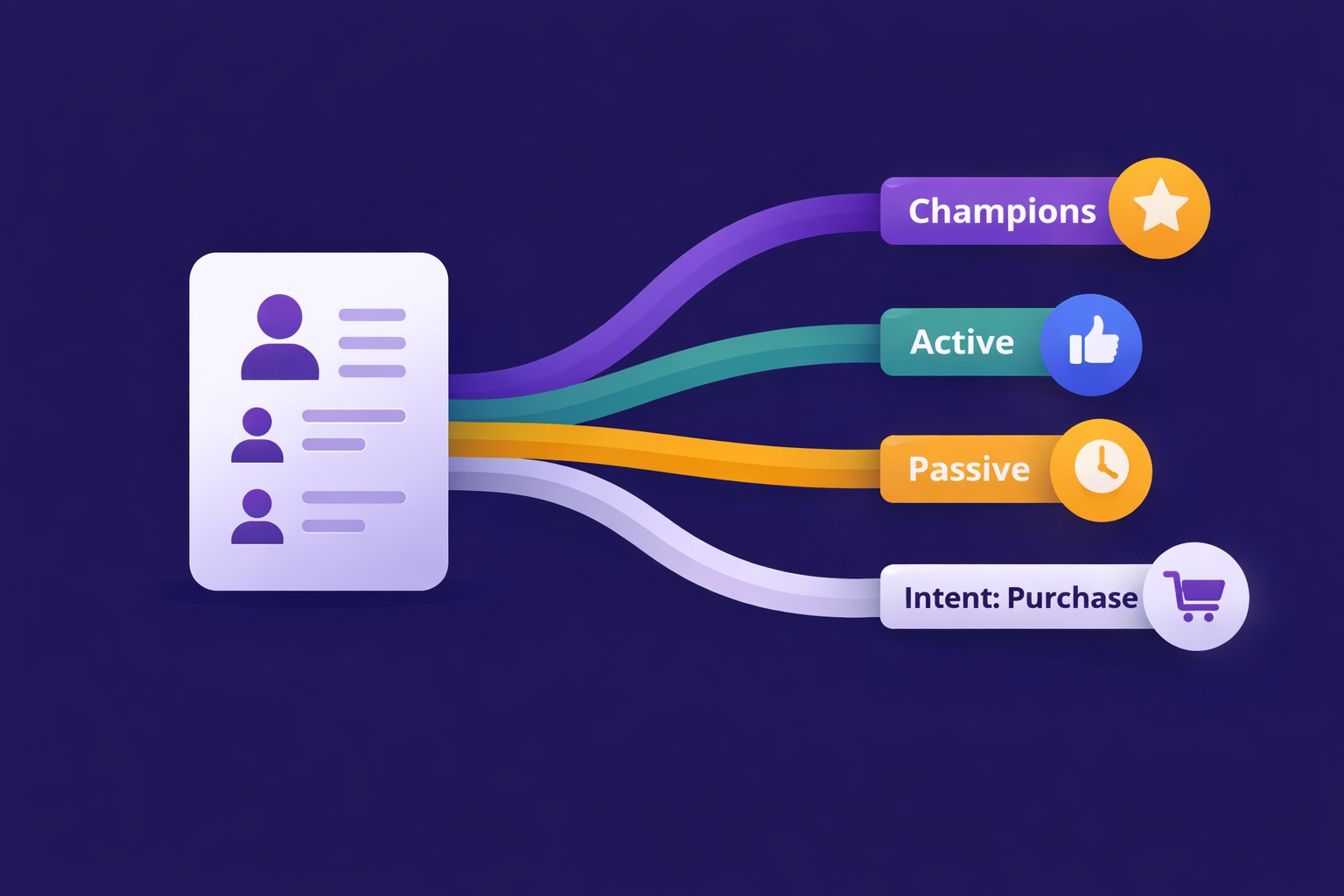
Segmentation is the gap between 25% open rates and 45% open rates — and between 3% paid conversion and 9%. The 5 segmentation types that move the needle, the exact tags to set up from day one, and how to build a behavioral targeting system that runs automatically in InfluencersKit.
Email Deliverability for Newsletter Creators: Why Your Emails Land in Spam (And How to Fix It)
Deliverability is the silent newsletter killer — a 30% spam rate cuts your revenue potential by 30% while your dashboard shows 98% delivered. SPF, DKIM, DMARC in plain English, list hygiene that protects your sender reputation, the tools to diagnose the problem, and a 7-day recovery plan.
Newsletter Analytics for Creators: The 8 Metrics That Actually Matter (And 5 to Ignore)
A 60% open rate sounds great until you realize it's from 800 people and you're earning $0.08/subscriber. The metrics that actually predict newsletter success — revenue per subscriber, engagement score, churn rate, CPM efficiency, subscriber LTV — and what good looks like at every stage.