Your Newsletter Account Was Hacked. Do These Things in This Order.
An attacker with your newsletter account holds your list and your sender reputation. What to do in the first 15 minutes, what to check in the first hour, how to tell readers, and when you must report it.
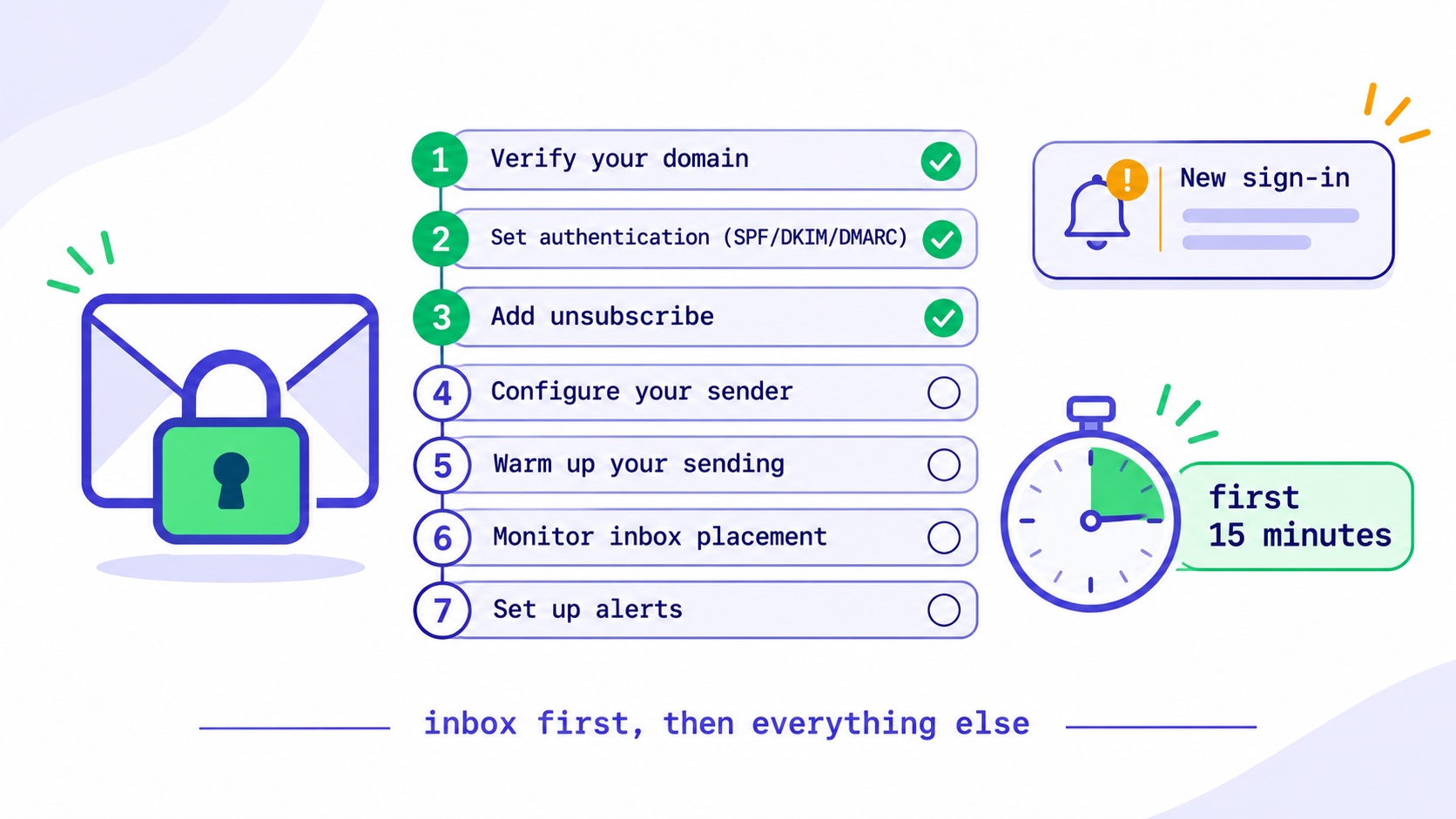
If your newsletter account has been hacked, act in this order. Reset the password from a clean device, and do the same for the email inbox that receives its reset links. Sign out every other session. Revoke API keys and connected apps. Remove any team member or sending address you do not recognise. Pause scheduled sends and automations. Check whether anything went out and whether your list was exported. Then contact your platform's support and, if a message reached your readers, tell them plainly what happened. The first hour matters, because an attacker with your account holds two valuable things: your subscribers' addresses and your sender reputation. A phishing email from a newsletter people trust works far better than one from a stranger.
This guide takes each step in order, explains what attackers are after and how to tell what they did, covers when you may have a legal duty to notify, and ends with how to make it much harder next time.
Why anyone would want a newsletter account
It is tempting to think a small newsletter is not worth attacking. In practice, email accounts are attractive at almost any size, for three reasons.
Your sender reputation. Spammers spend a great deal of effort getting mail into inboxes. Your account comes with an authenticated domain, a history of good sending and readers who open your email. A hijacked newsletter gets past filters that would stop a new sender.
Your readers' trust. A phishing email from a newsletter someone chose to read is far more convincing than one from an unknown address. If you write about investing, your readers are exactly who a crypto scammer wants to reach.
Your list. A clean, opted-in list of addresses, especially in a niche, has value on its own for spam, phishing or resale.
There is a well-documented pattern here. In 2022, attackers who reached a customer support tool at Mailchimp used it to get into customer accounts and run crypto phishing campaigns aimed at those customers' audiences. The company's later disclosures of an August 2022 incident and a January 2023 incident described social engineering of its staff. Those were attacks on a provider, but the targets were the audiences behind creators' and companies' accounts, and the same value exists in any single account.
How to tell your account has been compromised
Sometimes it is obvious, because a reader writes to ask why you are suddenly promoting a crypto giveaway. Often the signs are smaller.
- A sign-in alert from a device or location you do not recognise
- A password that no longer works, or a reset email you did not request
- A campaign, automation or draft you did not write
- A sudden spike in sends, bounces or spam complaints
- A new team member, API key, connected app or sending address
- A list export you did not make, or a changed payout or billing detail
- A changed Reply-To address on your sends
A changed Reply-To and changed payout details are worth singling out, because they are easy to miss. An attacker who has no interest in sending spam may simply redirect your sponsorship money or quietly collect replies from your readers.
If you are not sure, treat it as a compromise. Everything below is cheap to do even if it turns out to be a false alarm.
The first 15 minutes
Do these in order. The sequence matters, because some steps are pointless until an earlier one is done.
- Move to a clean device. If your laptop might have malware, a new password typed on it is a new password for the attacker. Use a phone or another computer you trust.
- Secure your email inbox first. Change the password on the mailbox that receives your platform's reset links, and check it for forwarding rules you did not create. An attacker with your inbox can reset anything you change. This is the step people skip, and it is the one that lets an attacker back in an hour later.
- Reset your newsletter platform password, using a new, unique password from a password manager. If you signed in with Google, secure the Google account and check its list of connected apps.
- Sign out every other session. A password change does not always end a session that is already open. Look for a "sign out everywhere" option. If you cannot find one, ask support to do it.
- Revoke API keys and connected apps. API keys often keep working after a password change. Delete all of them and create new ones later. Remove any integration you do not recognise.
- Pause everything scheduled. Scheduled campaigns, automations and webhooks. You can restart them once you know they are yours.
- Contact support. Tell your platform the account was compromised. They can see sign-in history you cannot, may be able to stop a send in progress, and need to know before they suspend you for the spam your account just sent.
We learned why step 4 matters in our own product. Until October, changing your password on InfluencersKit did not end a session that was already signed in. That session stayed valid until its token expired, up to an hour later. That hour is long enough to export a list. We changed it so that changing or resetting a password ends your other sessions on the main application, and suspending an organisation does the same. If you use any other platform, test it: sign in on two browsers, change the password in one, and see whether the other is thrown out. The same applies to removing a team member, which is the case people most often forget.
The first hour: find out what happened
Once the door is shut, work out what the attacker did. Write it all down with times as you go. You will need it for your readers, your platform and possibly a regulator.
| Check | Where to look | What you are looking for |
|---|---|---|
| Sends | Campaign and sequence history | Anything you did not send, with recipient counts |
| Content | Drafts, templates, automations | Links changed in existing emails and templates |
| List | Exports, activity log | Exports or large imports you did not make |
| Access | Team, API keys, connected apps | Anything added recently |
| Sending identity | From addresses, Reply-To, domains | New addresses or changed reply settings |
| Money | Payout, billing and payment links | Changed bank details or checkout links |
| Domain | DNS records at your registrar | New records, especially mail or verification ones |
Do not forget links inside your own content. A patient attacker may leave your sending alone and change a button in your welcome sequence to a phishing page, which then runs for months. Open each automated email and hover over every link. The guide to email automation sequences covers where these live, and the post on automation audits gives you a list to work through.
Your domain deserves a look even if you think only the newsletter account was touched. If an attacker reached your domain registrar or DNS, they can add mail records and send as you from anywhere. Change that password too, and turn on a registry lock if your registrar offers one.
Should you tell your readers?
If anything went out to your list, yes, and quickly. Readers who clicked a malicious link need to know, and silence looks far worse later.
Send it from your cleaned account, once you are confident the account is secure. Keep it short and factual:
Subject: Please ignore yesterday's email from us

Yesterday at 14:20 UTC, someone gained access to our newsletter
account and sent an email titled "Claim your bonus". It was not
from me.

If you clicked the link, do not enter any details. If you already
did, change that password now, and watch your accounts.

The attacker's access has been removed, and I have reset all our
credentials. [Your address list was / was not] exported.

I am sorry. Reply to this email if you have any questions, and I
will answer personally.

[Your name]
Say what happened, when, what the reader should do and what you have fixed. Do not speculate about who did it, and do not say "your data is safe" unless you can prove it. Post the same notice on your website and social profiles, because readers may be wary of another email. If a phishing link was sent, report the domain to your platform and to the hosting provider so it can be taken down.
If the send also damaged your reputation, the unsubscribe spike will settle. Do not chase people who left, and do not re-add them. The post on resubscribing after an unsubscribe explains why.
Do you have to report it?
Possibly. If your subscribers' personal data was accessed or exported, data protection law may apply, even for a one-person newsletter. This is general information rather than legal advice.
Under the GDPR, a controller must notify the supervisory authority within 72 hours of becoming aware of a personal data breach, unless it is unlikely to create a risk to people's rights, according to Article 33. Where the risk is high, the people affected must be told too. The UK has an equivalent rule. If you have subscribers in those places, you may be covered wherever you are based. A list of names and emails stolen for phishing is exactly the kind of risk regulators care about, so make the assessment and write it down, even if you decide not to report.
Other countries have their own regimes, and US states have breach notification laws with their own triggers. If your list is large, or the data includes anything beyond names and email addresses, such as paid-subscriber details, speak to a lawyer that day.
Your sponsors may need to know too. If a sponsor's issue was affected, or a sponsor's link was changed, tell them directly. The post on sponsorship contracts covers what your agreement may say.
Recovering your deliverability
A spam blast from your account can do lasting harm to your sender reputation, particularly if it produced a burst of complaints. Mailbox providers do not know it was not you.
- Check the damage. Open Google Postmaster Tools and look at your domain's spam rate and reputation for the days around the incident.
- Remove anything the attacker imported. Bought or stolen addresses in your list will keep generating bounces and complaints. Use import history to find and suppress them.
- Go back to your engaged readers. For your next few sends, mail only people who clicked recently, then widen gradually. It is the same process as warming up a domain, and the guide to warming up a new domain gives a schedule.
- Check your authentication. Confirm SPF, DKIM and DMARC still pass and that no records were added. The DMARC glossary entry covers what to look for.
- Watch for weeks, not days. Reputation recovers with clean sending. The deliverability guide covers what to do if you have landed in spam.
One platform control limits how bad this gets: sending limits. On InfluencersKit a new or trial account has daily and per-minute limits, and a campaign larger than the remaining allowance is refused before anything goes out. An attacker in an established account will have higher limits, but even so a limit turns "everyone at once" into a slower event that you may catch. Ask what your platform's limits are, and whether you can lower them.
If the platform locks you out or suspends you
Spam from your account may trigger an automatic suspension, sometimes before you know anything is wrong. That is the platform protecting its other customers, and it can actually stop the attack. Do not open a new account to get around it.
Write to support from the address on the account. Give the time you noticed, what you changed, and evidence that the sends were not yours. Ask them to confirm which sign-ins and exports happened. If you have been locked out because the attacker changed your email address, you will need to prove ownership, which is easier if you have invoices, a domain you control, and your original signup details. Keep an up-to-date export of your list somewhere safe for this reason. The post on recovering from a banned account covers what to do when a platform will not bring you back, and the guide to switching platforms covers how to move safely if you decide to leave.
How to make this much harder next time
Nearly every newsletter account takeover begins with a reused password or a phishing page. Most of what follows takes an afternoon.
- Use a password manager and a unique password for every account. Reuse is the commonest way in: a breach of an unrelated site gives an attacker a password to try on yours.
- Turn on multi-factor authentication on your email, your newsletter platform, your domain registrar and your payment accounts. Authenticator apps or passkeys are stronger than text messages. CISA's guidance is a good plain-language starting point. Confirm your platform actually asks for the code at sign-in: sign out and try it.
- Give your domain and mailbox extra care. They are the keys to everything else. Use a separate address for registrar access if you can.
- Limit who has access. Each person gets their own login at the lowest role that works, and access ends the day someone stops working with you. Never share one password.
- Treat API keys as passwords. Keep them out of shared documents, give each integration its own, and rotate them when anyone with access leaves.
- Be suspicious of platform emails. "Your account is suspended, sign in now" is the commonest phishing message aimed at creators. Go to the site directly rather than following the link.
- Keep a regular offline export. Your subscribers, plus your suppression list, somewhere safe. The post on platform migration explains what to include.
- Write your response plan now. A single page with your support contacts, registrar details and a draft reader notice saves real time on the worst day.
A one-page response plan to write today
The worst time to look for your registrar login is while your account is sending spam. Put this on one page, keep it somewhere you can reach from your phone, and do not store it in the inbox you might lose.
Who to contact
  Platform support:        [link or address]
  Domain registrar:        [link, account name]
  DNS host (if different): [link]
  Lawyer / adviser:        [name]
  Payment processor:       [link]

Where things are
  Latest list export:      [location, date]
  Suppression list:        [location, date]
  Password manager:        [recovery details held by whom]

Who else has access
  Team members and roles:  [list]
  API keys and what uses:  [list]
  Connected apps:          [list]

Words ready to use
  Reader notice:           [draft]
  Sponsor notice:          [draft]
Review it when anything changes, such as a contractor leaving or a new integration. Filling in the third block is useful in itself. Most creators discover an old tool still connected to their account, or an ex-contractor who still has a login, and those are exactly the doors an attacker walks through.
If you have a small team, agree who is in charge during an incident and how you will talk if your email is the thing that was compromised. A shared chat on another service, or simply a phone call, is enough. Two people separately resetting credentials can lock each other out at the worst moment.
Finally, once a quarter, look at the numbers that would reveal a quiet compromise: send volume, bounces, complaints and list size. The newsletter metrics guide explains what normal looks like, the sender reputation entry explains why these numbers protect your inbox placement, and regular list hygiene makes anything odd stand out sooner.
What to ask your email platform
You can also judge a platform before you need it. These are fair questions to put to any provider, including us.
- Does changing a password end all other sessions?
- Does removing a team member end their access immediately?
- Is multi-factor authentication required at every sign-in once enabled?
- Is there a sign-in and activity history I can see?
- Do you alert me to new sign-ins, exports and API keys?
- Can I limit how much an account can send in a day?
- How quickly can support stop a send in progress?
Few platforms answer yes to all of these, ours included. Asking tells you which risks you are carrying. The sending and list management page describes what InfluencersKit offers, and the pricing page sets out plans and limits.
The short version
Secure your inbox first, then the account, then every session, key and connected app. Pause what is scheduled. Find out exactly what happened, and write it down. Tell your readers quickly and plainly if anything reached them. Decide whether you need to report it. Then rebuild slowly with your most engaged readers, and fix the password habits that let this happen.
Your list is the one asset no platform can take from you, as the guide to building a list from zero argues. It is worth protecting properly. If you are ready to look at where your newsletter lives, you can start a trial.
Frequently asked questions
What should I do first if my newsletter account is hacked?
From a clean device, secure the email inbox that receives your password resets, then reset your newsletter platform password. After that, sign out all other sessions, revoke API keys and connected apps, pause scheduled sends and contact your platform's support.
Does changing my password log out a hacker?
Not always. On some platforms a session that is already open keeps working until it expires, and API keys often survive a password change. After changing your password, sign out everywhere, delete your API keys and check connected apps. To test your platform, sign in on two browsers and change the password in one.
Should I tell my subscribers about a hacked newsletter?
Yes, if anything was sent to them or their data may have been exposed. Send a short factual note once the account is secure, saying what happened, when, what they should do and what you have fixed. Post it on your website too, in case readers distrust another email.
Is a hacked email list a data breach under GDPR?
It can be. If subscribers' personal data was accessed or exported, the GDPR may require you to notify the supervisory authority within 72 hours, unless the risk to people is unlikely, and to inform those affected if the risk is high. Record your assessment either way, and take legal advice if your list is large.
How do I know if my email list was stolen?
Check your platform's activity log and export history, and ask support to confirm any exports. An attacker may have used an API key, so review API use too. Seeding your list with a private address you use nowhere else helps: if it starts receiving spam, your list has leaked.
Will a spam attack damage my deliverability?
It can, because mailbox providers see complaints against your domain regardless of who sent the mail. Check Google Postmaster Tools, remove anything the attacker imported, then send only to your most engaged readers for a few issues before widening again.
How can I protect my newsletter account from being hacked?
Use a unique password from a password manager, turn on multi-factor authentication for your email, platform, domain registrar and payment accounts, limit who has access, treat API keys like passwords, and be wary of emails asking you to sign in urgently.
Stay Updated
Get the latest insights, strategies, and tips delivered directly to your inbox. Join thousands of creators who are building their email communities with our weekly newsletter.
No spam, unsubscribe at any time. We respect your privacy.
Related Articles
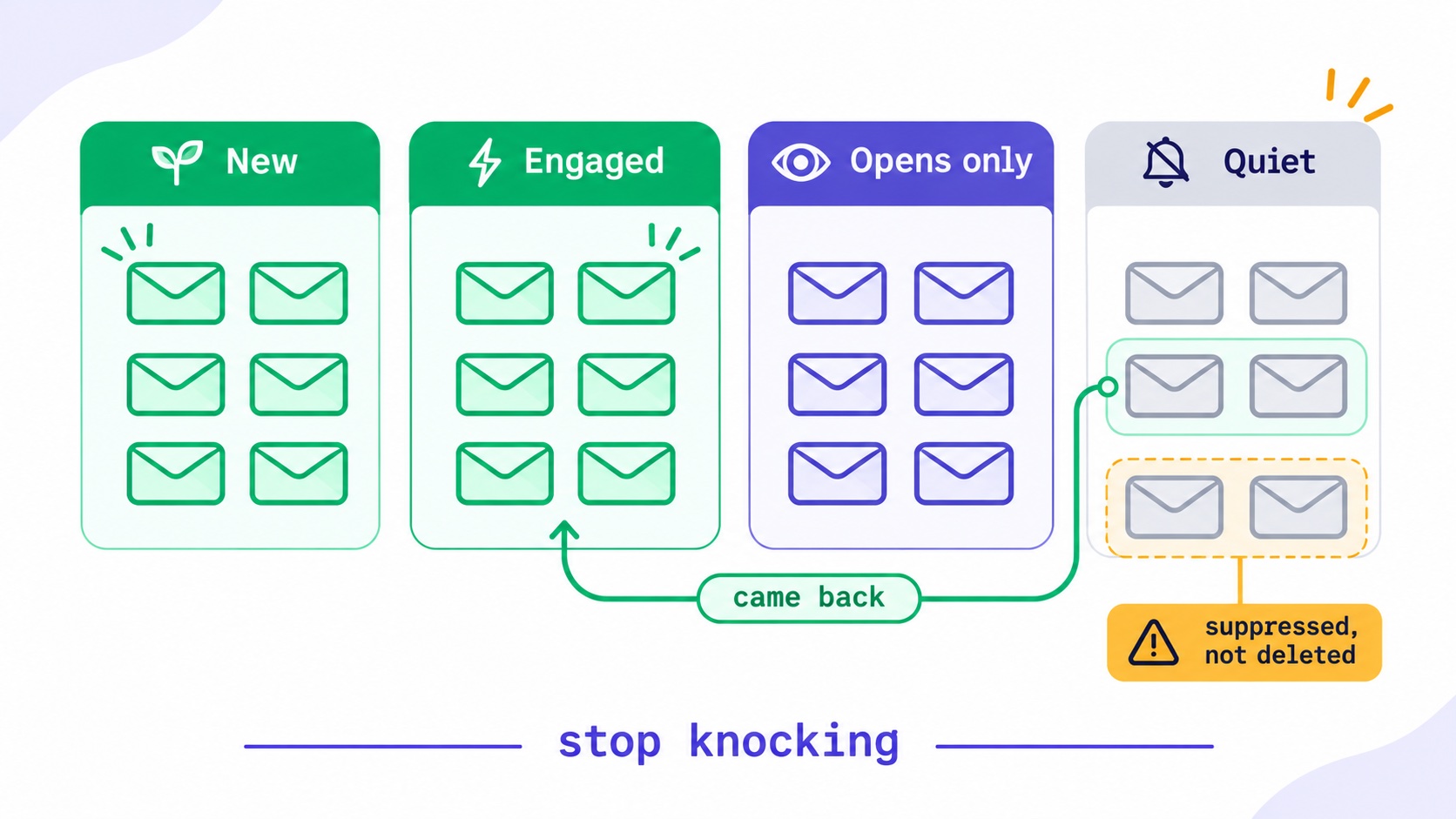
The Kindest Thing You Can Do for Your List Is Make It Smaller.
When to remove inactive subscribers, as a six-step worksheet: define engagement beyond opens, pick a window, ask the quiet group, then suppress rather than delete. With re-engagement emails you can copy.
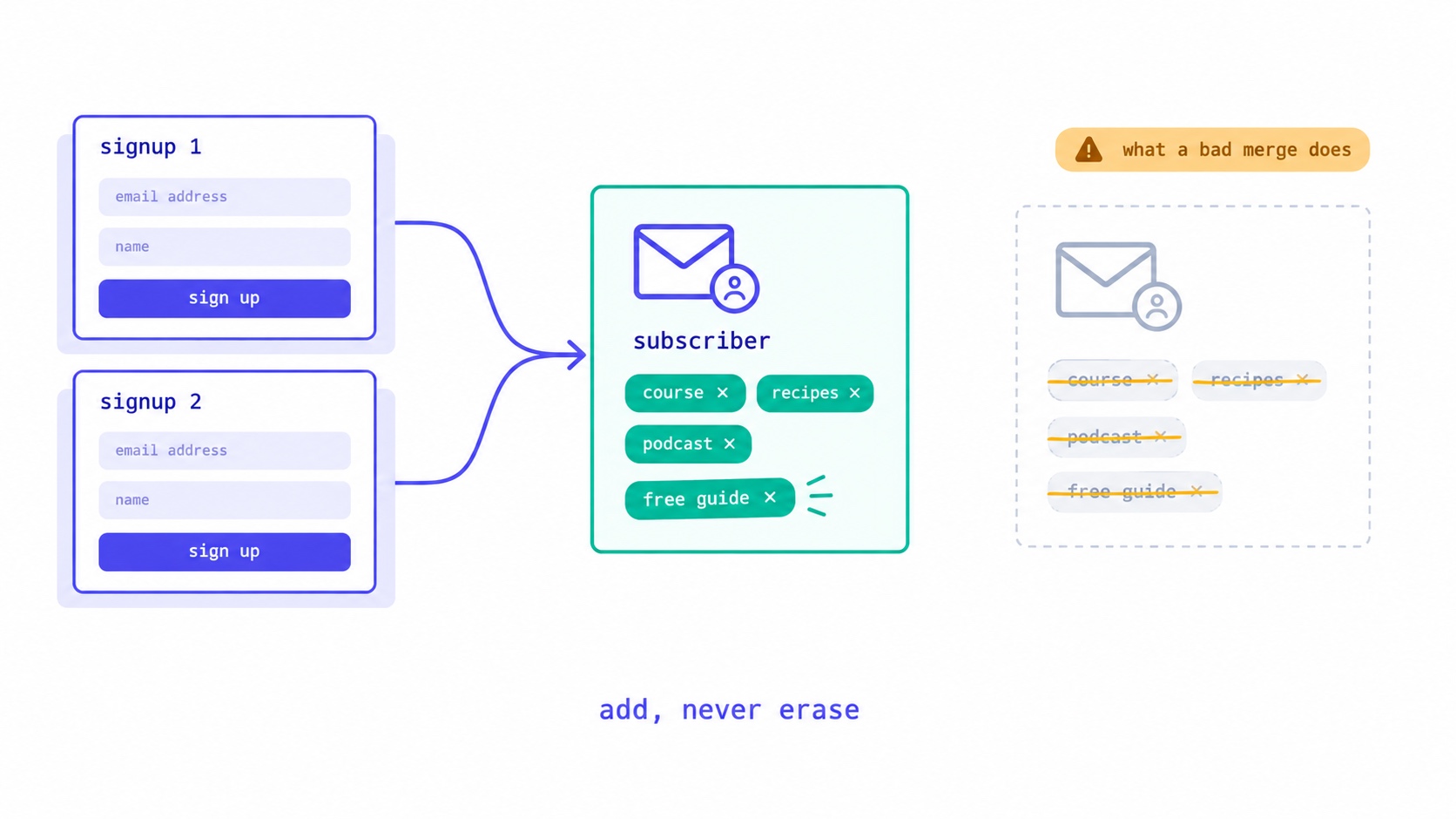
They Signed Up Again. Did Your Platform Just Delete Their Tags?
What should happen when a subscriber signs up twice: one record, add but never erase, unsubscribed readers confirm before returning. The form bug that wiped our subscribers' tags, and five tests for your own platform.
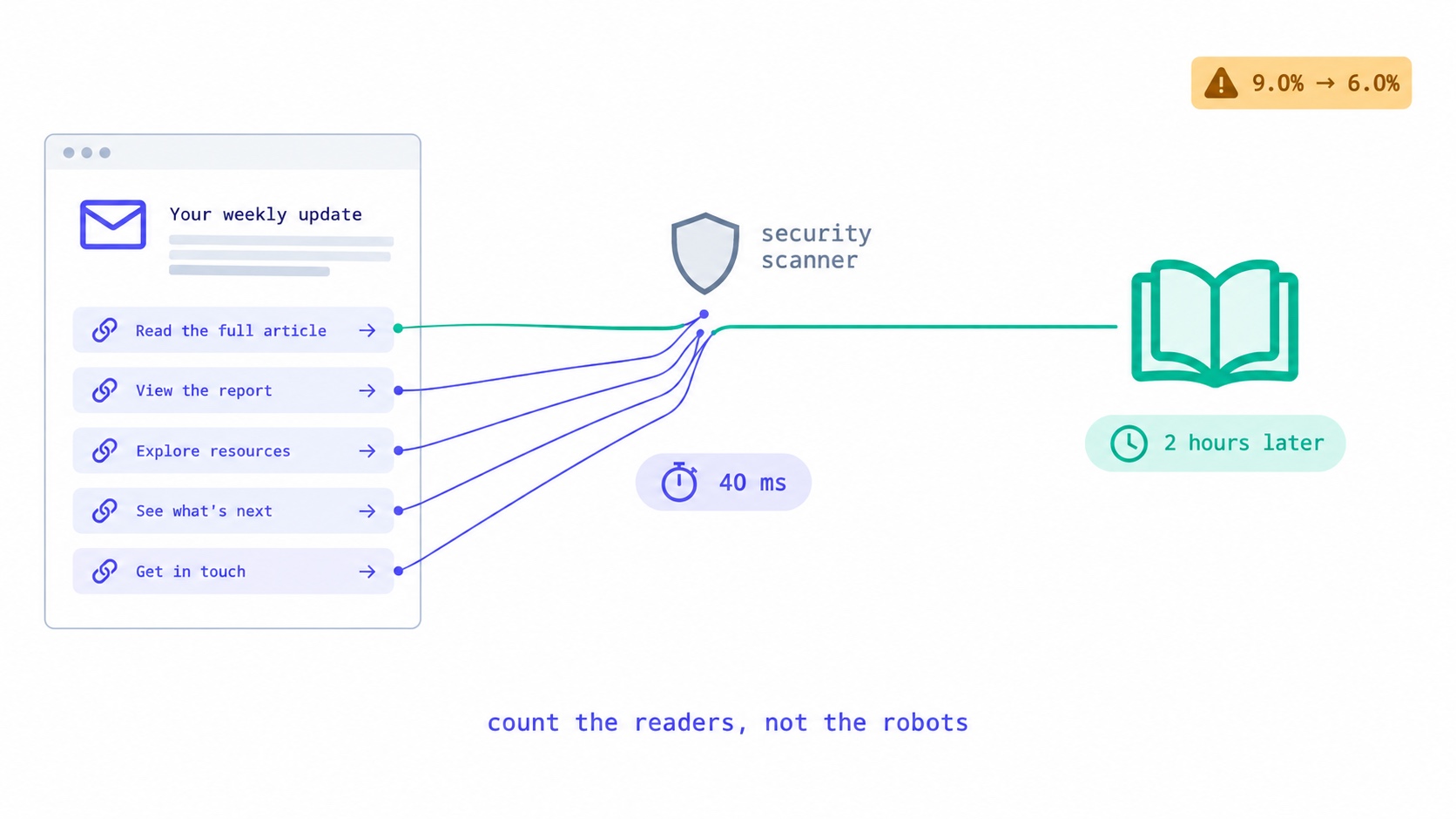
Something Clicked Every Link in Your Newsletter in 40 Milliseconds.
Corporate email security scanners click every link at delivery, inflating newsletter click rates. How to recognise them, the two counting bugs we fixed, the problem we have not solved, and what to tell sponsors.
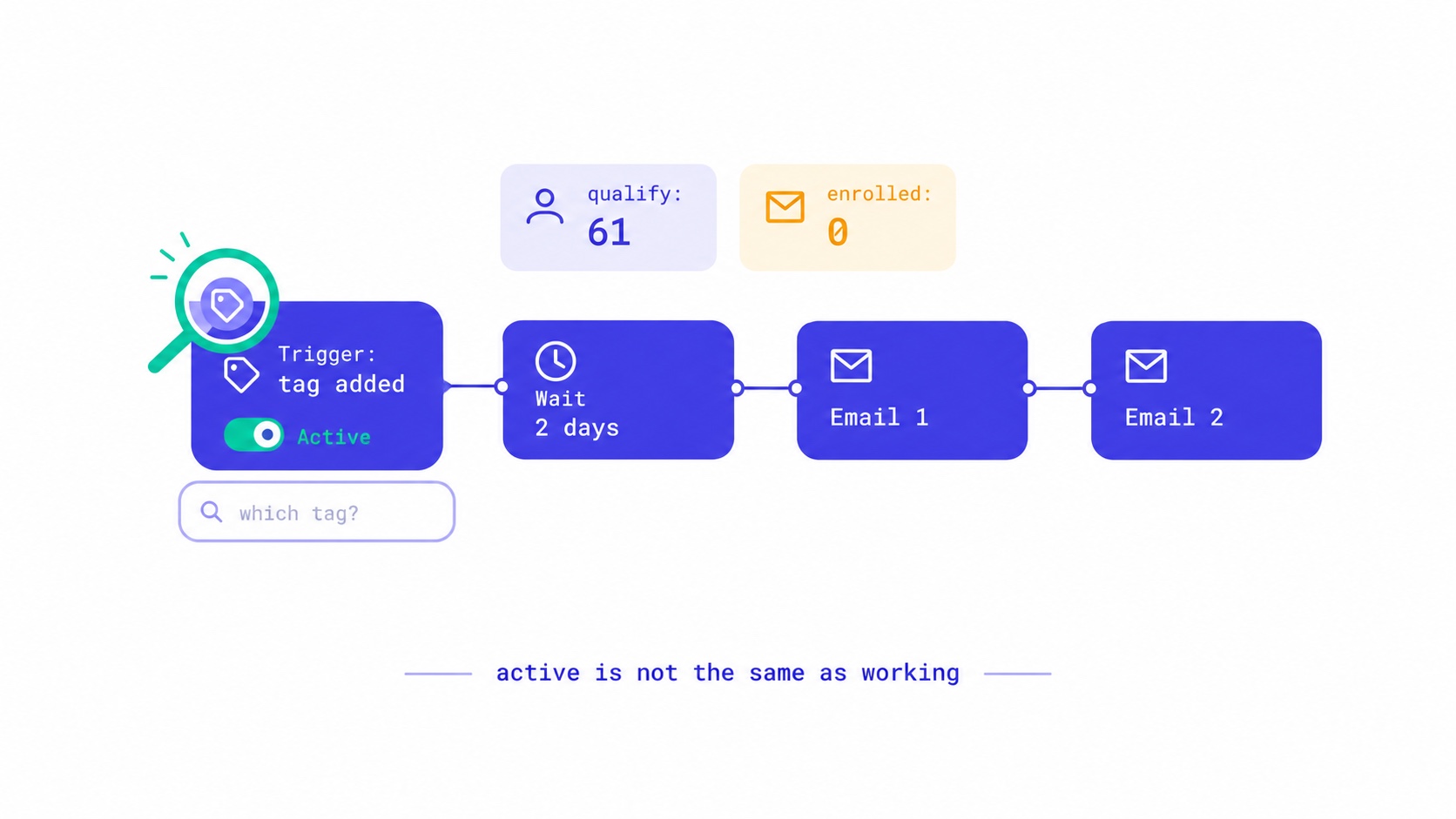
Your Automation Says Active. Nobody Has Received It.
Seven reasons an email automation is switched on but sends nothing, from triggers that ignore existing subscribers to tag triggers with no tag. The qualify-versus-enrolled check that found 28 of our own sequences silent, and a fifteen-minute monthly audit.
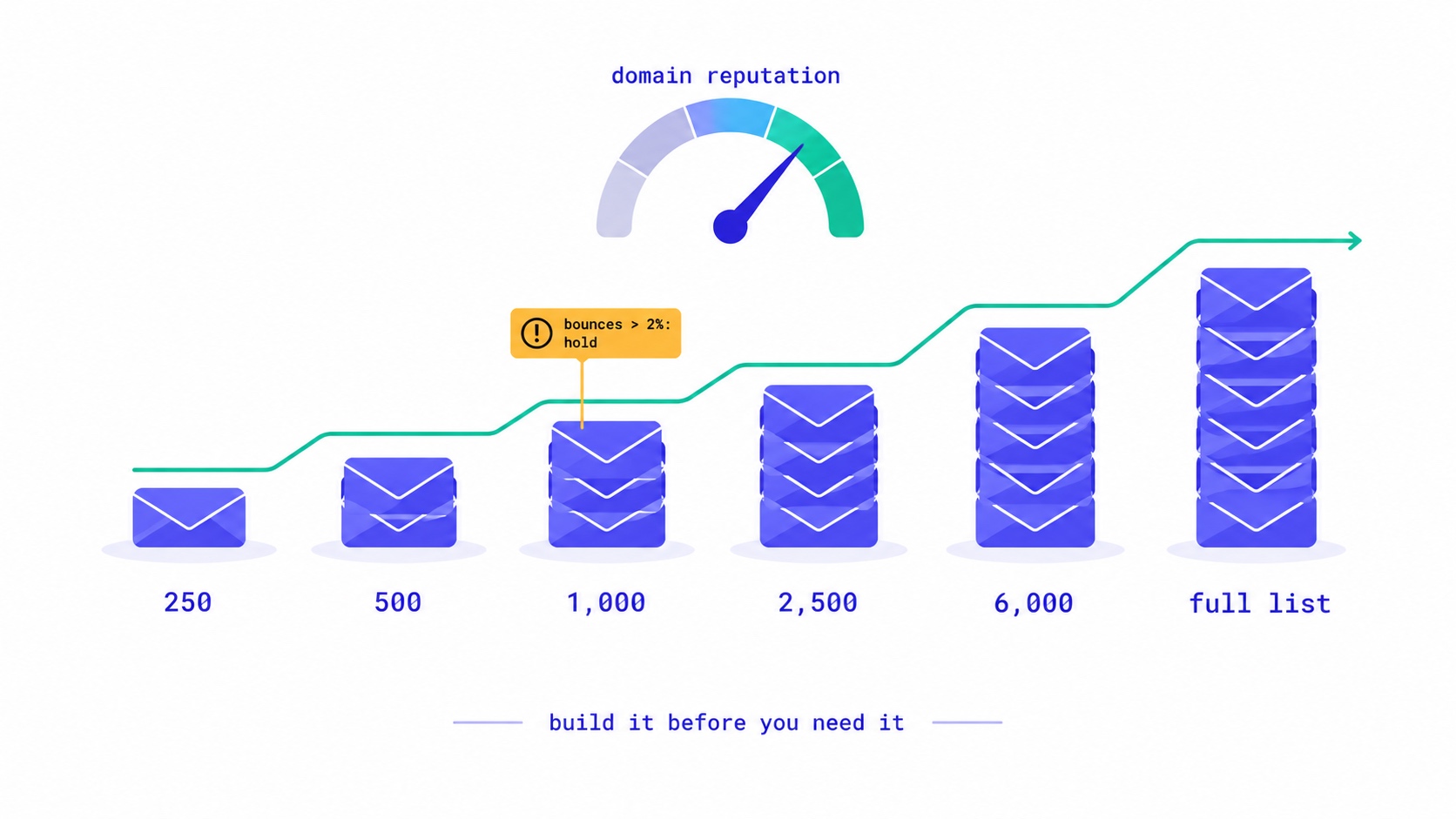
A New Domain Has No Reputation. Here Is How to Build One.
How to warm up a new email domain for a newsletter: authenticate first, send to recent clickers in small batches, and grow only while bounces stay under 2% and complaints under 0.1%. A 20,000-subscriber schedule, the numbers to watch, and what happened when an account skipped it.
Your Readers Can Leave Without Ever Seeing Your Page.
Since 2024, Gmail and Yahoo require one-click unsubscribe. A mail-app button removes the reader instantly, with no page, no options and no reason. Your preference centre now reaches only footer-link leavers, so the 'less, not none' options belong inside the email.
They Unsubscribed, Then Signed Up Again. Now What?
Only the reader can reverse an unsubscribe. A fresh signup is a request, not proof. Why imports, forms and bulk edits quietly resubscribe people, and how to build a confirmation step that a link scanner or a stranger cannot trigger.
Moving Your Newsletter? The List Is the Easy Part.
The CSV moves in five minutes. Sender reputation, unsubscribes, paid subscriptions, automations and old signup forms do not. The order that gets a newsletter to a new platform without losing inbox placement or emailing people who opted out.
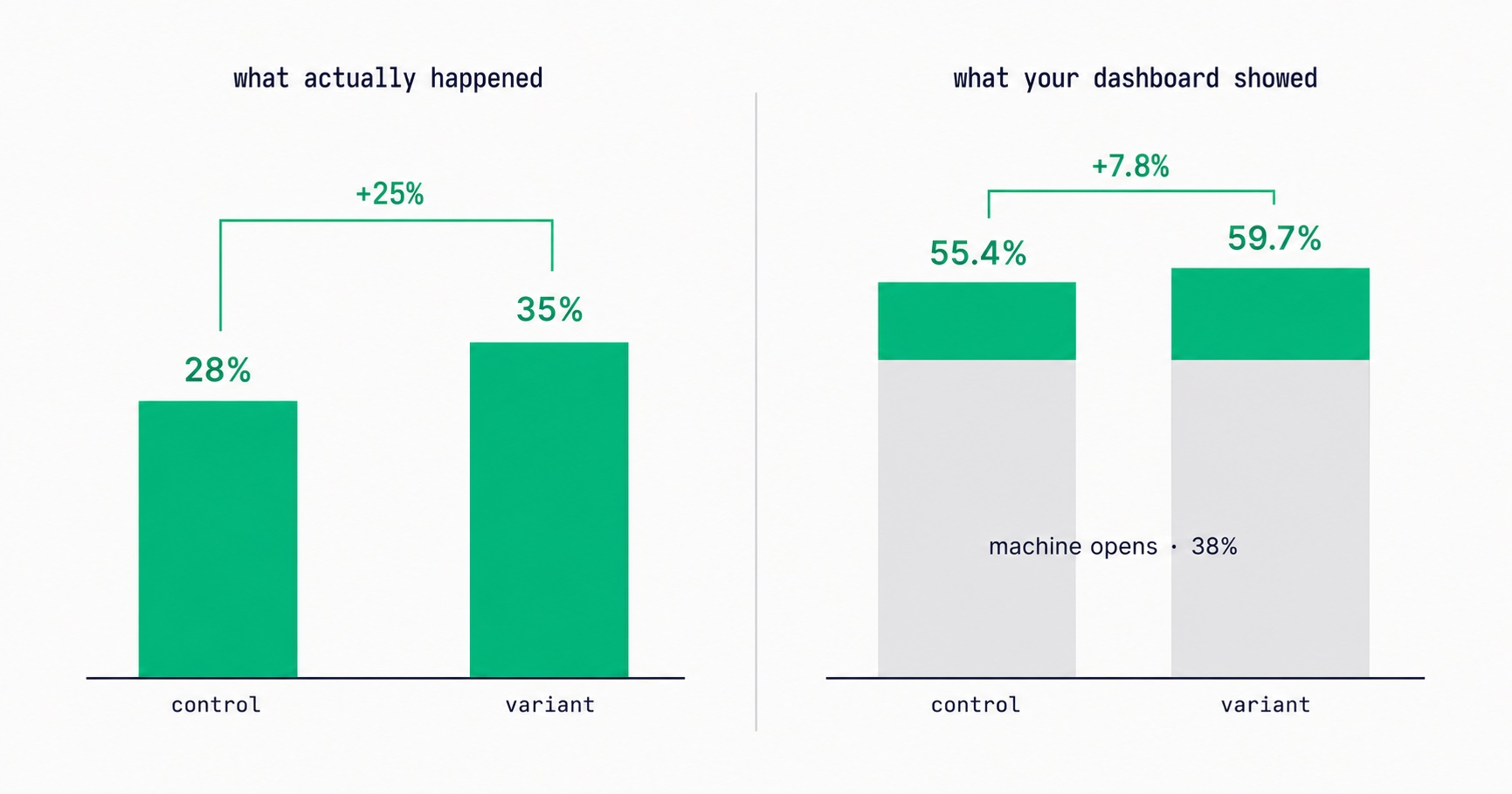
Apple Broke Your Open Rate. And Your Subject Line Tests.
Every article about Apple Mail Privacy Protection says open rates are unreliable. None of them explain the part that actually changes your decisions: MPP doesn't add random noise, it systematically compresses the measured gap between two subject lines by roughly 3x — which is why so many creators ran good tests, saw flat results, and concluded subject lines don't matter.
Newsletter Reactivation: How to Win Back Inactive Subscribers (With Templates)
Every newsletter has inactive subscribers silently dragging down deliverability. A well-designed reactivation campaign recovers 8–20% of them while identifying the truly unrecoverable. The four-part reactivation sequence, subject lines that break through inbox habituation, the list hygiene logic that improves metrics after removal, and the onboarding system that prevents inactivity from accumulating in the first place.
Email Marketing for Online Coaches: Build Your List, Nurture Prospects, Fill Your Program
Coaching has a long sales cycle — clients need weeks of trust-building before they commit. Email is the only marketing channel that matches this cycle structurally. The complete system: how to build a list that attracts your ideal client profile, the 7-email welcome sequence that pre-qualifies prospects, and how to run enrollment conversations through email without feeling salesy.
Newsletter Segmentation for Creators: Send the Right Email to the Right Subscriber
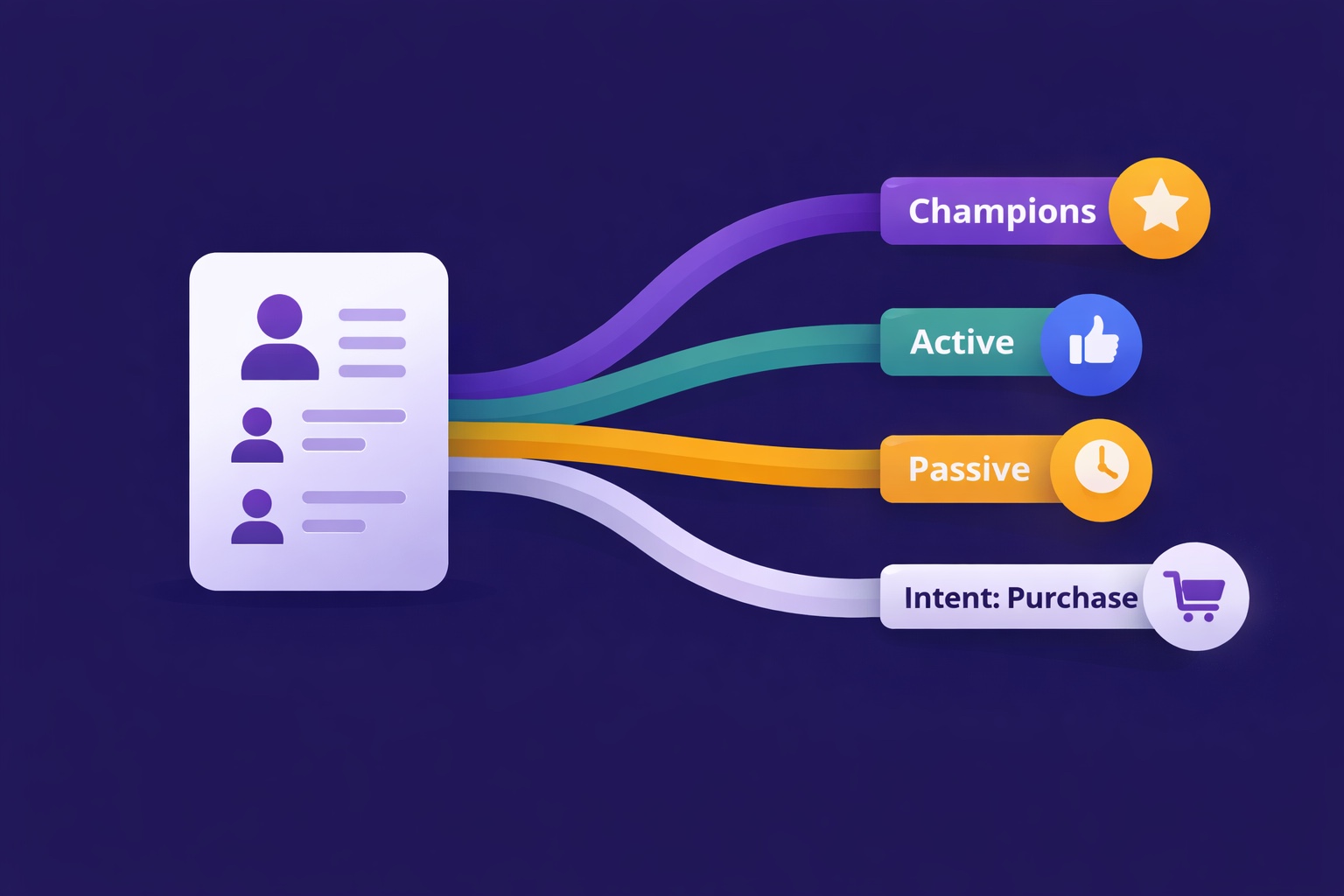
Segmentation is the gap between 25% open rates and 45% open rates — and between 3% paid conversion and 9%. The 5 segmentation types that move the needle, the exact tags to set up from day one, and how to build a behavioral targeting system that runs automatically in InfluencersKit.