Something Clicked Every Link in Your Newsletter in 40 Milliseconds.
Corporate email security scanners click every link at delivery, inflating newsletter click rates. How to recognise them, the two counting bugs we fixed, the problem we have not solved, and what to tell sponsors.
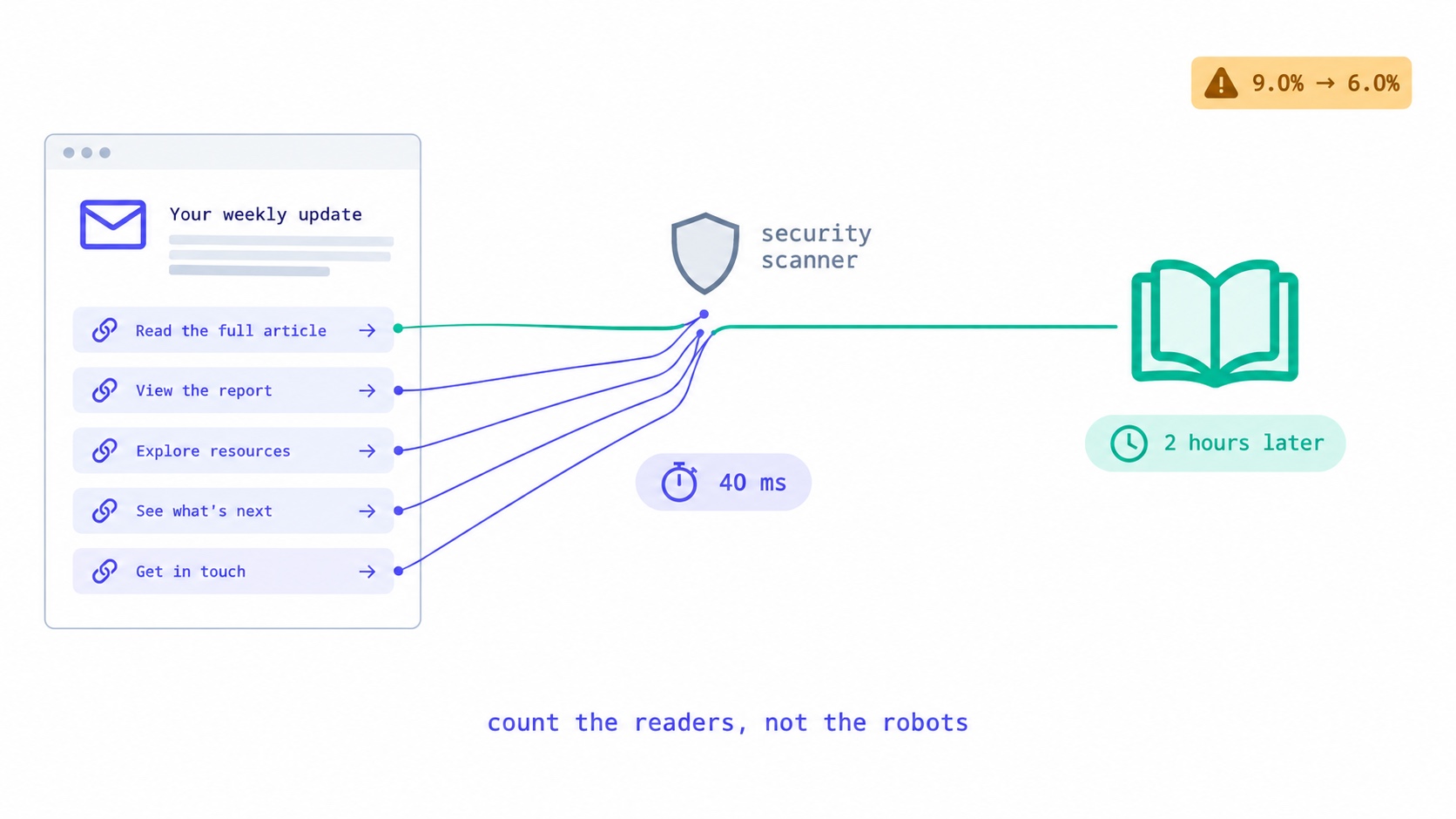
If your newsletter's click rate looks too good, it probably is. Email security systems at companies, schools and some mail providers open incoming email in the background, load its images and check its links, usually within seconds of delivery. Each check can be recorded as an open and a click on every link, from a subscriber who has not read anything yet. You can recognise the pattern: every link clicked, within a minute of the send, often from data-centre addresses, sometimes including the unsubscribe link. Count unique clicks per subscriber rather than total clicks, discount clicks that land in the first minute or two, and judge results by what happens after the click: replies, sign-ups and sales.
We fixed two counting bugs of our own that made this worse, and found a third problem we have not solved yet. This guide explains all three, how to read your numbers honestly, and what to tell a sponsor who asks for your click rate.
Who is clicking your links before your readers do
When you send a newsletter to someone at a company, it rarely goes straight to their inbox. It passes through an email security gateway first. Many of these gateways inspect every link in an incoming message before delivering it, and some visit the links to see where they lead and what they download.
Microsoft's own documentation for Safe Links in Microsoft Defender for Office 365 describes the approach. Links in incoming email are scanned before delivery. They are usually rewritten so that a later click passes through Microsoft's checking service first. And links without a known reputation can be detonated, meaning visited and analysed, in the background. Other security products work along similar lines.
To your email platform, each of those visits looks like a subscriber clicking a link. Some products also load images to scan them, which looks like an open. The subscriber may not open the email for hours, or ever.
This is not a fringe effect. If your list includes many people reading at work, a noticeable share of your clicks can come from machines. The more business-focused your newsletter, the bigger the share.
Why the share varies so much between newsletters
Two newsletters of the same size can have very different scanner shares, and the difference is almost entirely about where their readers get their email.
A newsletter for software engineers, finance professionals or teachers is read heavily on work addresses, most of which sit behind a security gateway. A recipe or parenting newsletter is read mostly on personal Gmail, iCloud and Yahoo addresses. Consumer mailboxes protect readers too, but they are far less likely to visit every link in a newsletter at delivery the way corporate gateways do. So the first newsletter can see a large slice of its clicks come from machines, while the second sees very few.
That is why comparing your click rate with a published benchmark, or with another creator's, tells you little unless you know how business-heavy each list is. A B2B newsletter with an impressive click rate may simply have more scanners, and a consumer newsletter with a modest one may have more real readers clicking. Compare yourself with your own past issues, measured the same way.
What scanner clicks look like in your data
Scanner clicks have a recognisable fingerprint. Look for these signs together; any one alone can be innocent.
| Signal | Scanner | Reader |
|---|---|---|
| Time from delivery to first click | Seconds to a minute or two | Minutes to days |
| Links clicked | Every link, often in order | One or two that interest them |
| Unsubscribe and footer links | Clicked along with the rest | Rarely, and only on purpose |
| Time between clicks | Milliseconds | Seconds or more |
| Network | Cloud and data-centre addresses | Home and mobile networks |
| Recipient domain | Company and school domains | Any, including Gmail and iCloud |
| What happens next | Nothing: no sale, no sign-up, no reply | Sometimes a conversion |
The giveaway is usually the combination of "every link" and "within a minute". No human reads a whole newsletter and clicks each of its twelve links in forty milliseconds.
The same fingerprint helps you judge the size of the problem without any special tools. Export clicks for one send with timestamps, and count how many subscribers clicked three or more links in the first two minutes after delivery. That number is a rough floor on your scanner traffic.
Bug one: the race that turned one scanner into many readers
In September I looked at the results of one of our own onboarding emails and the numbers did not make sense. One email showed seven unique opens and seven unique clicks from what was plainly a smaller group of real people. Elsewhere, one report had reached an open rate of 300%.
The cause was in how we decided whether an open or a click was a subscriber's first. The tracking service asked "has this subscriber already opened this email?" and, if not, recorded an open and counted it as unique. That works when requests arrive one at a time. Scanners do not send requests one at a time. When one fetched the tracking image and every link in an email within about forty milliseconds, several requests asked the question at the same instant, all heard "no", and all counted as unique.
Clicks made it worse, because a click with no earlier open also recorded a first open. You cannot click an email you have not opened. So one scanner could produce a stack of "unique" opens and clicks for a single subscriber.
The fix was to make uniqueness a single step that only one request can win. Every delivered email has one delivery record, and the first open sets a "first opened" time on it only if that time is still empty. However close behind the other requests are, they find it already set and count as repeats. Clicks work the same way. Then we recomputed the counts for every affected email from the delivery records. Every correction went down, and the old values were kept so anyone could see what changed.
Bug two: the click that was a font
The second cause was stranger. To track clicks, an email platform rewrites the links in your email so they pass through its server first. Our rewriter changed every web address it found in the email's code, not only the links a reader can press.
Many email designs load a web font, such as one from Google Fonts, with a line in the email's header that points to a stylesheet. Our rewriter treated that address as a link. So whenever an email app opened the email and loaded the font, it fetched the stylesheet through our tracking address, and we recorded a click. More than a third of the emails on our platform at the time loaded a font this way. Opening any of them counted as a click.
The rewriter now only touches real, clickable links, and font addresses are excluded outright, which also covers emails sent before the fix. If your click numbers ever jump after you change your template's fonts, this is worth checking with your own platform.
The problem we have not solved: telling scanners from readers
Both fixes stopped one scanner visit from being multiplied into many. Neither identifies the scanner. Today a security system that visits every link in your email still counts, on our platform, as one unique click for that subscriber, exactly like a person who clicked once.
Recognising scanners reliably means using the fingerprint above: clicks on every link within a second or two of delivery, from cloud addresses, including links no reader would click. That is not built yet. I would rather say so than imply our click numbers are now pure. Most platforms are in a similar position, and few say it.
Scanners click the dangerous links too
A scanner that visits every link visits all of them, including links that do something when visited. That is a much bigger problem than inflated numbers.
Unsubscribe links. If visiting your unsubscribe link removes the subscriber immediately, a scanner can unsubscribe people who never asked to leave. This is why the one-click unsubscribe standard, RFC 8058, which Gmail and Yahoo now require of bulk senders, uses a deliberate request of a particular kind rather than a simple visit. Visiting the address alone does nothing. The post on one-click unsubscribe explains how it works.
Confirmation links. "Click to confirm your subscription" links in double opt-in emails can be confirmed by a scanner, which defeats their purpose. A confirmation link should open a page with a button, and only pressing the button should confirm. That is how our re-subscribe confirmation works: opening the link shows a page, and nothing changes until the person presses the button. The post on resubscribing after an unsubscribe covers why that matters for consent.
"Click to claim" and one-click actions. Any link in a newsletter that claims a discount, registers for an event, records a vote or reveals a gated download on visit will be triggered by scanners. If the action matters, put it behind a button on the destination page.
How to read your click rate honestly
You cannot remove scanner clicks entirely, but you can stop them distorting your decisions.
Use unique clicks per subscriber, not total clicks. A scanner that clicks twelve links adds twelve to total clicks and one to unique clicks. Our click-through rate definition uses unique clicks for that reason.
Compare clicks per link, not just per email. If your footer links, social icons and unsubscribe link get clicked as often as your main story, the clicks are not coming from readers.
Separate business and personal readers if you can. If your list has a lot of company addresses, look at click rates for personal mail providers separately. The difference is a rough measure of the scanner share.
Watch the first two minutes. Clicks in the first minute or two after a send come disproportionately from machines. A click rate measured from the third minute onwards is closer to what readers did.
Judge by what happens after the click. A reply, a purchase, a sign-up on your site, a referral: none of those can be generated by a scanner. They accumulate more slowly, and they are worth much more. The newsletter metrics guide covers which numbers to track, and the post on Apple Mail Privacy Protection explains why opens are even less reliable than clicks.
Scanner clicks also fire your automations
Inflated reports are the visible cost. The quieter cost is in automations and segments, because they act on clicks automatically.
Click-triggered sequences. If clicking a product link adds a tag that starts a sales sequence, a scanner that clicks every link enrols the subscriber in that sequence, along with every other click-triggered sequence in the email. A reader who never looked at the product starts receiving follow-ups about it. The post on automations that do not behave as expected covers how to audit what your triggers really do.
Engagement segments. Segments such as "clicked in the last 90 days" are the backbone of good list management. Scanner clicks put subscribers into them who have not engaged at all, because a security system clicked on their behalf. The segmentation guide explains how to build segments that rely on clicks after the first few minutes instead.
Clean-up decisions. When you decide which inactive subscribers to re-engage or remove, scanner clicks make some dormant subscribers look active, so they are kept and mailed indefinitely. If the address belongs to someone who left the company, nobody is reading, and the mailbox may eventually start bouncing. The win-back guide covers how to judge activity before re-engaging.
The practical fix is the same in all three cases: where your platform allows it, base triggers and segments on clicks of specific links that a scanner would not single out, and on activity well after delivery, rather than on any click at all.
A worked example
An illustration, not real data from any newsletter. Suppose a newsletter goes to 10,000 subscribers, 3,000 of them at company addresses, and the email has 10 links.
What the platform reports
  Total clicks                         5,100
  Unique clickers                        900   → 9.0% click rate

What is underneath
  Subscribers whose every link was
  clicked in the first 2 minutes         300   (scanners, almost all at
                                               company addresses)
  Clicks from those subscribers        3,000   (10 links each)
  Unique clickers who are probably
  human                                  600   → 6.0% click rate
The reported total of 5,100 clicks is more than half scanner traffic. The unique click rate of 9% overstates human clicking by half. Neither number is false; both describe something real. But only the last one describes your readers, and it is the one to use when you compare issues, test subject lines or talk to sponsors.
Check your own setup with a work address
The quickest way to see scanner behaviour is to watch it happen to your own newsletter. If you, a friend or a family member has an email address at an organisation that uses a security gateway, subscribe it to your list.
Send an issue and do not open it on that address. Then look at the subscriber's activity in your platform. If it shows opens and clicks on links you never touched, timed within a minute or two of delivery, you have seen your scanner fingerprint. Note which links were clicked and how quickly. Then open the email properly a few hours later, click one link, and see how that appears by comparison.
While you are there, hover over a link in the delivered email on that address. If it has been rewritten to point at the security product's checking service, your readers at that organisation will always reach your link through that service first. Your click tracking still works, but every reader click from that organisation now passes through two redirects, which is a good reason to keep your own redirects fast and your tracking domain healthy. The deliverability guide covers why the reputation of your link domains matters, and the guide to warming up a new domain covers how to build it.
What to tell a sponsor
Sponsors increasingly know about scanner clicks, and many measure clicks on their own side. A creator who explains their numbers is more credible than one with a bigger number.
- Report unique clicks, not total clicks, and say so.
- If you know your audience is heavily business readers, say that some early clicks come from corporate security systems.
- Expect the sponsor's analytics to show fewer visits than your click count. Scanners, ad blockers, redirects and people closing the page before it loads all reduce visits. A gap of a third or more is common and not a sign of fraud on either side.
- Offer to report what matters to them: sign-ups, sales or codes redeemed, using their tracking.
- Never guarantee clicks. You do not control the scanners, the sponsor's headline or their landing page. The post on sponsorship contracts covers how to write delivery terms instead.
If you sell sponsorships, the rate card guide and the sponsorship rate calculator help you price on audience rather than on a click rate that may be inflated.
What not to do
Do not hide a trap link. Some advice suggests adding an invisible link that only a machine would click, then excluding anyone who clicks it. It can work, but invisible links are themselves a pattern spam filters look at, and a screen reader may announce a link a sighted reader cannot see. If you try it, make sure the link is genuinely harmless, labelled for screen readers, and not your unsubscribe link.
Do not remove subscribers for scanner clicks. A subscriber whose company scans their mail is still a real subscriber, often a valuable one. Exclude their scanner clicks from your analysis, not them from your list.
Do not use click rates from a single send to judge a subject line. Scanner clicks do not depend on the subject line, so they flatten the difference between two versions, much as automatic opens do. Run the comparison on human-only clicks, or on conversions.
The short version
A click in your dashboard means something fetched a link. Often that something is your reader. Sometimes it is a security system checking the email before your reader ever sees it. Count each subscriber once, look at when and what they clicked, protect any link that does something on its own, and build your decisions on actions that machines cannot take.
InfluencersKit counts unique opens and clicks with the fixes described above. You can read how sending and tracking work on the sending and list management page, see the analytics that sit alongside on the growth tools page, and start a trial to look at your own numbers. If your list has been growing suspiciously fast as well, the post on bot signups covers the other kind of fake activity.
Frequently asked questions
Why is my newsletter click rate so high?
Often because email security systems at companies and schools visit every link in incoming email to check it before delivery, and each visit is recorded as a click. Inflated counting in the platform can add to it. Look at unique clicks per subscriber, check whether every link was clicked within a minute or two of the send, and judge by conversions rather than clicks.
What are bot clicks in email marketing?
Clicks recorded when an automated system, not a person, visits links in an email. The most common source is corporate email security scanning, which checks links for malware before or at delivery. Bot clicks usually hit every link within seconds of delivery, from data-centre addresses.
Does Microsoft Safe Links click links in my newsletter?
Microsoft's documentation says Safe Links scans links in incoming email before delivery, usually rewrites them so later clicks are checked first, and can analyse links without a known reputation in the background. Depending on how a company configures it, those checks can appear in your reports as clicks.
Can scanners unsubscribe my readers?
They can if your unsubscribe link removes people as soon as it is visited. The one-click unsubscribe standard avoids this by requiring a specific kind of request rather than a simple visit. Make sure visiting your footer unsubscribe link opens a page where the reader confirms, or uses the standard mechanism, rather than acting immediately.
Should I remove subscribers who only have bot clicks?
No. A subscriber whose employer scans their email is still a real person who asked for your newsletter. Exclude scanner clicks from your analysis and reports, and judge their engagement by later behaviour, such as clicks well after delivery, replies or purchases.
How do I report clicks to a sponsor honestly?
Report unique clicks rather than total clicks, explain that some early clicks come from corporate security systems if your audience includes business readers, expect the sponsor's own analytics to show fewer visits, and offer to measure what matters to them, such as sign-ups or sales.
Are open rates or click rates more reliable?
Click rates, but neither is fully reliable. Apple Mail opens many emails automatically, inflating opens heavily. Security scanners inflate clicks, mostly on business audiences. Unique clicks measured a few minutes after the send, and actions that follow the click, are the most reliable signals a newsletter has.
Stay Updated
Get the latest insights, strategies, and tips delivered directly to your inbox. Join thousands of creators who are building their email communities with our weekly newsletter.
No spam, unsubscribe at any time. We respect your privacy.
Related Articles
Your Readers Can Leave Without Ever Seeing Your Page.
Since 2024, Gmail and Yahoo require one-click unsubscribe. A mail-app button removes the reader instantly, with no page, no options and no reason. Your preference centre now reaches only footer-link leavers, so the 'less, not none' options belong inside the email.
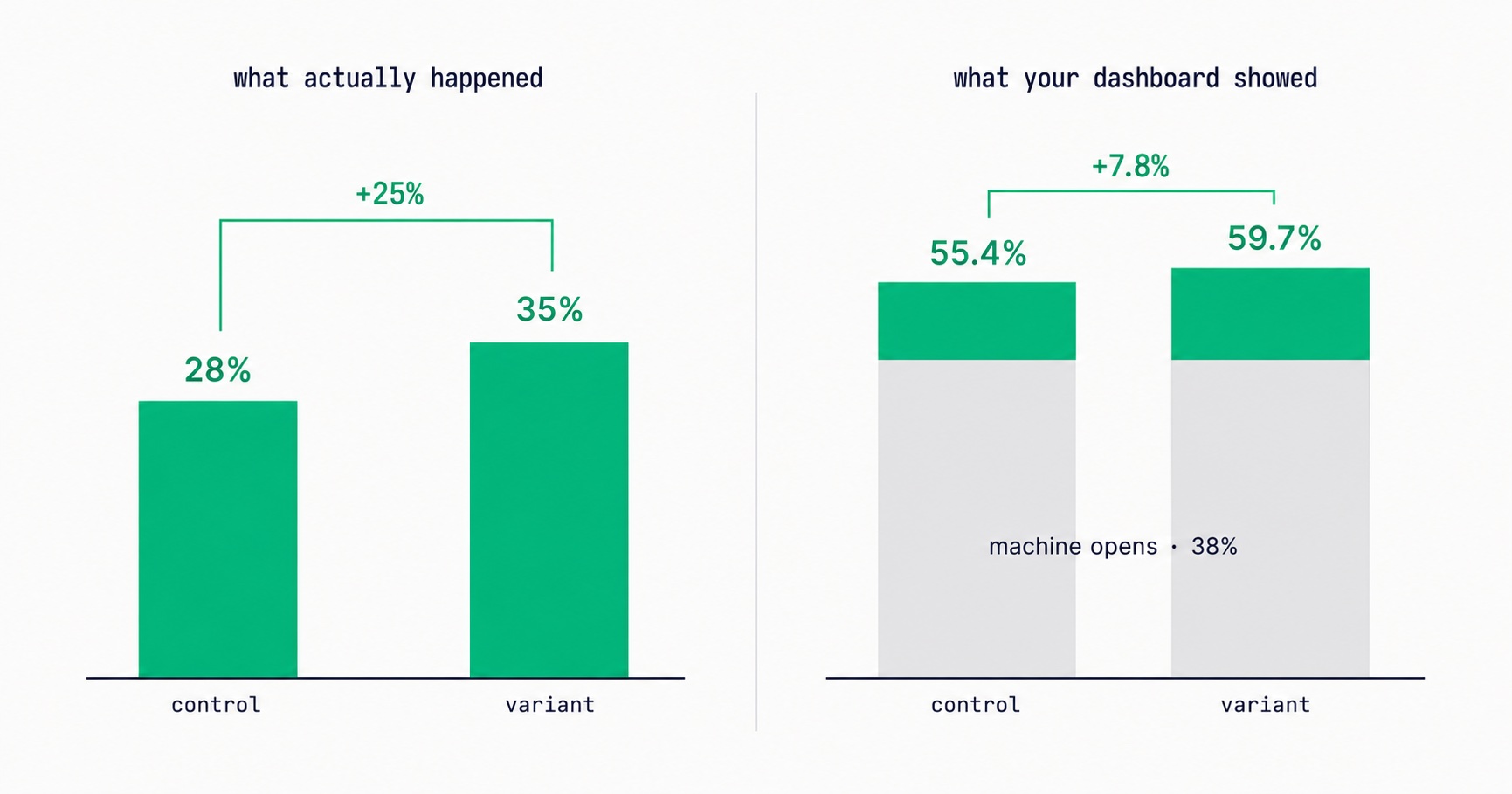
Apple Broke Your Open Rate. And Your Subject Line Tests.
Every article about Apple Mail Privacy Protection says open rates are unreliable. None of them explain the part that actually changes your decisions: MPP doesn't add random noise, it systematically compresses the measured gap between two subject lines by roughly 3x — which is why so many creators ran good tests, saw flat results, and concluded subject lines don't matter.
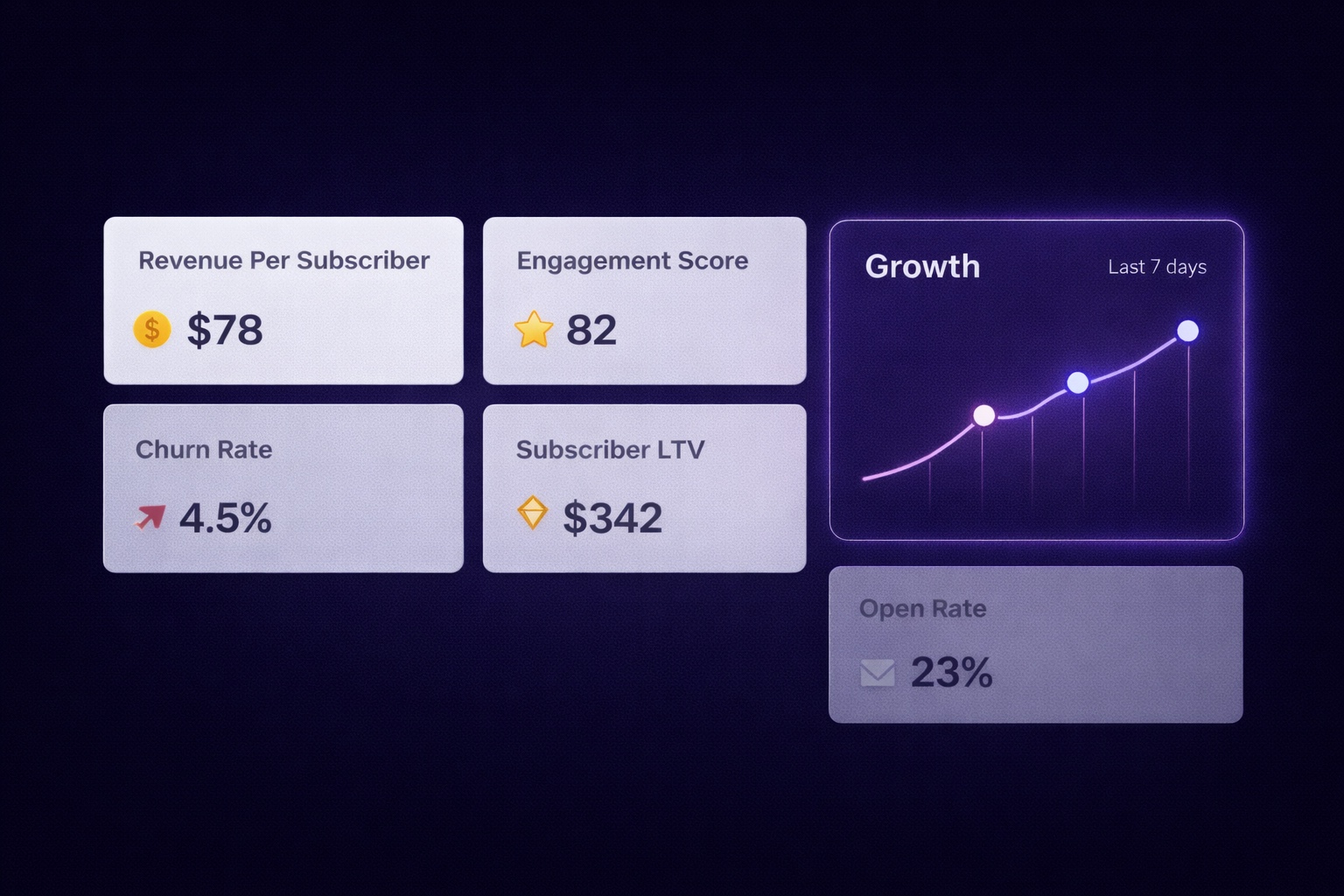
Newsletter Analytics for Creators: The 8 Metrics That Actually Matter (And 5 to Ignore)
A 60% open rate sounds great until you realize it's from 800 people and you're earning $0.08/subscriber. The metrics that actually predict newsletter success — revenue per subscriber, engagement score, churn rate, CPM efficiency, subscriber LTV — and what good looks like at every stage.
They Signed Up Again. Did Your Platform Just Delete Their Tags?
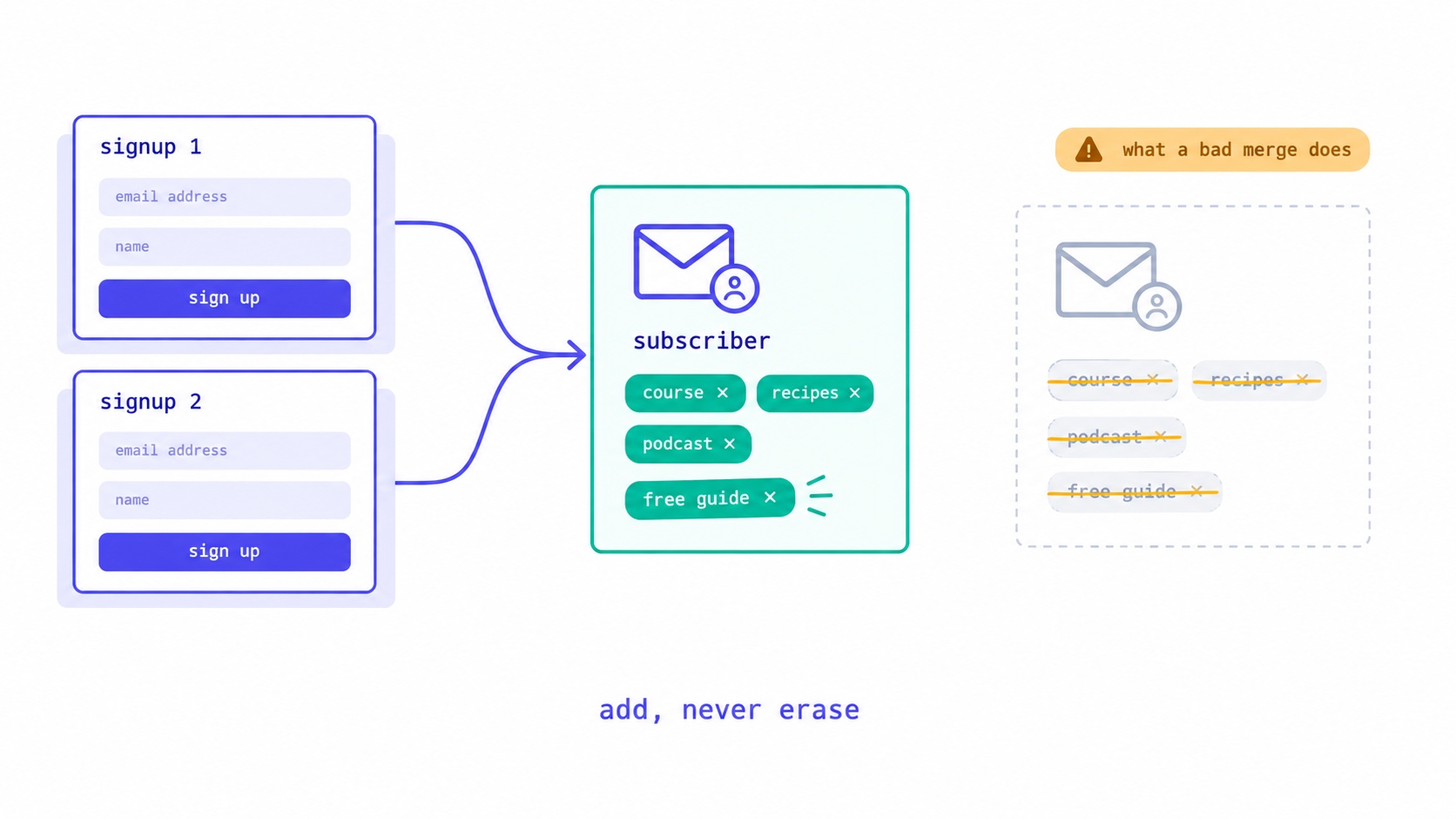
What should happen when a subscriber signs up twice: one record, add but never erase, unsubscribed readers confirm before returning. The form bug that wiped our subscribers' tags, and five tests for your own platform.
Your Automation Says Active. Nobody Has Received It.
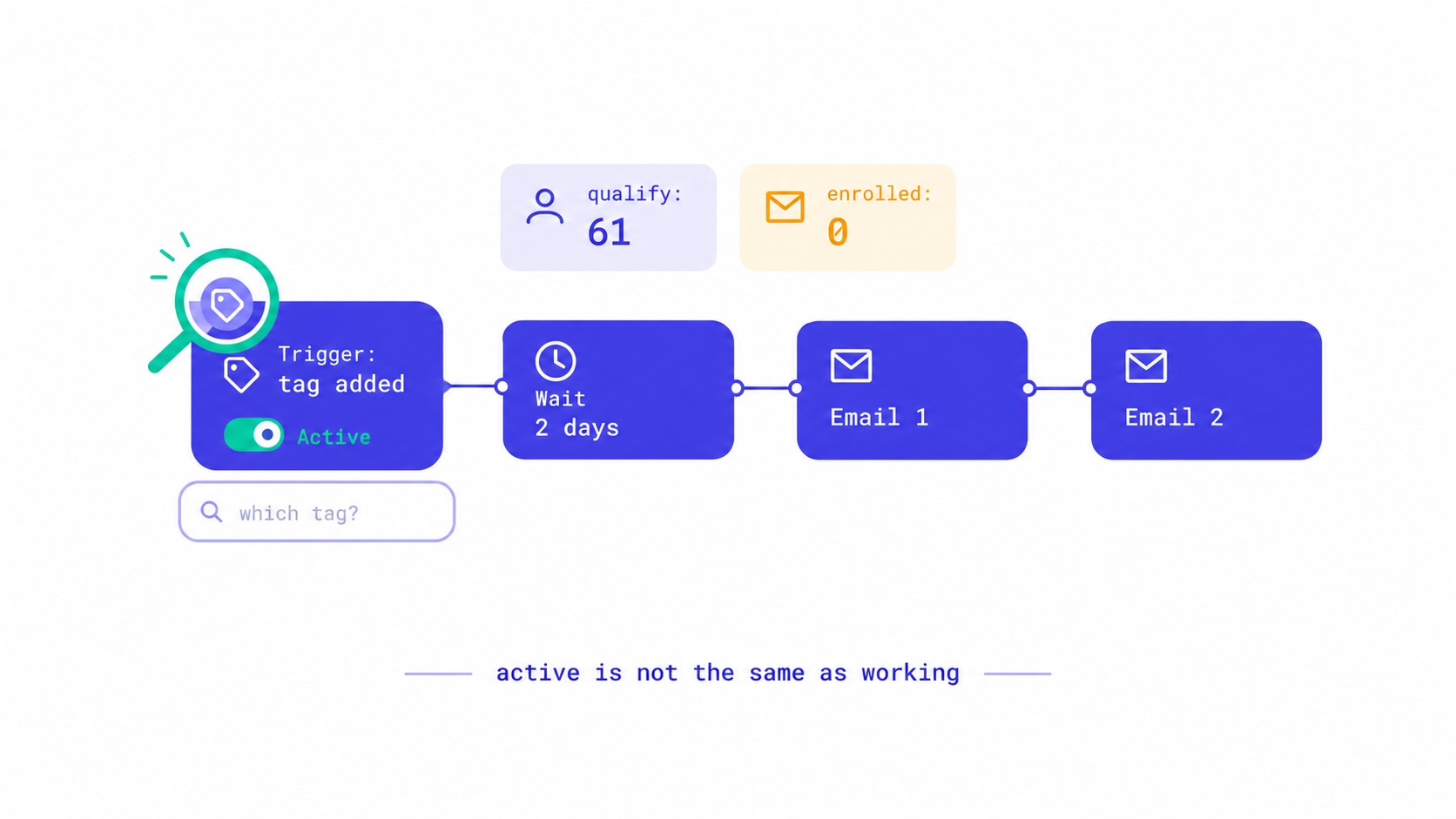
Seven reasons an email automation is switched on but sends nothing, from triggers that ignore existing subscribers to tag triggers with no tag. The qualify-versus-enrolled check that found 28 of our own sequences silent, and a fifteen-minute monthly audit.
A New Domain Has No Reputation. Here Is How to Build One.
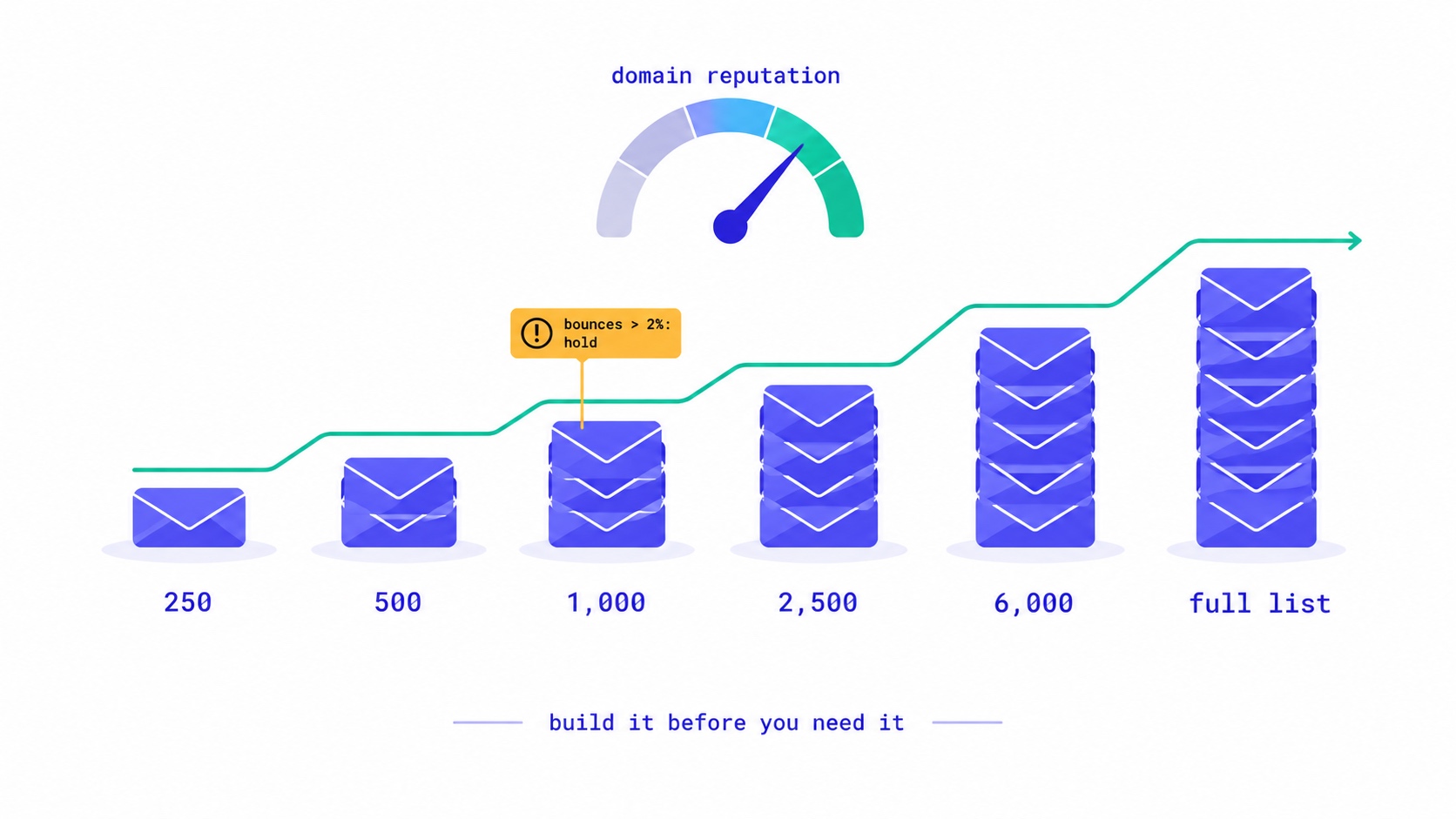
How to warm up a new email domain for a newsletter: authenticate first, send to recent clickers in small batches, and grow only while bounces stay under 2% and complaints under 0.1%. A 20,000-subscriber schedule, the numbers to watch, and what happened when an account skipped it.
They Unsubscribed, Then Signed Up Again. Now What?
Only the reader can reverse an unsubscribe. A fresh signup is a request, not proof. Why imports, forms and bulk edits quietly resubscribe people, and how to build a confirmation step that a link scanner or a stranger cannot trigger.
Your List Grew 1,500 Overnight. None of Them Are Real.
A signup spike with no launch behind it is usually list bombing. Fifteen hundred fake signups can push a welcome stream to six times Gmail's complaint limit and overstate your list by 30% to sponsors. How to spot them, why Apple Mail hides some, and how to clean up without making it worse.
Moving Your Newsletter? The List Is the Easy Part.
The CSV moves in five minutes. Sender reputation, unsubscribes, paid subscriptions, automations and old signup forms do not. The order that gets a newsletter to a new platform without losing inbox placement or emailing people who opted out.
A Subscriber Is Worth $1.25 a Year. Now Price Your Ads.
Two sponsored slots at a $30 CPM with a 40% open rate earn about $1.25 per subscriber per year. Against a defensible CAC near $2 and cost-per-signup commonly $2-5, most paid acquisition is at or past break-even before you account for paid cohorts converting worse than organic ones.
Your Free-to-Paid Rate Is Two Numbers Pretending to Be One
Long-tenured subscribers convert three to five times better than new ones, and later cohorts are acquired more broadly than early ones. Both effects correlate with join date, so they cancel inside your blended conversion rate — and the two situations they describe call for completely opposite responses. The same-tenure comparison that separates them.
Your Newsletter Has a Growth Ceiling. Here's the Formula.
Your list has a maximum size you can calculate today: monthly new subscribers divided by monthly churn rate. At 500 signups a month and 2% churn, you will approach 25,000 and stop — no matter how long you keep publishing. The math behind the plateau, why halving churn beats doubling acquisition, and the one term that removes the ceiling entirely.