Someone Downloaded Your Course, Then Called Their Bank.
What a chargeback on a digital product really costs, the seven changes that prevent most disputes, a refund policy you can copy, the evidence that wins for downloads, and when to accept.
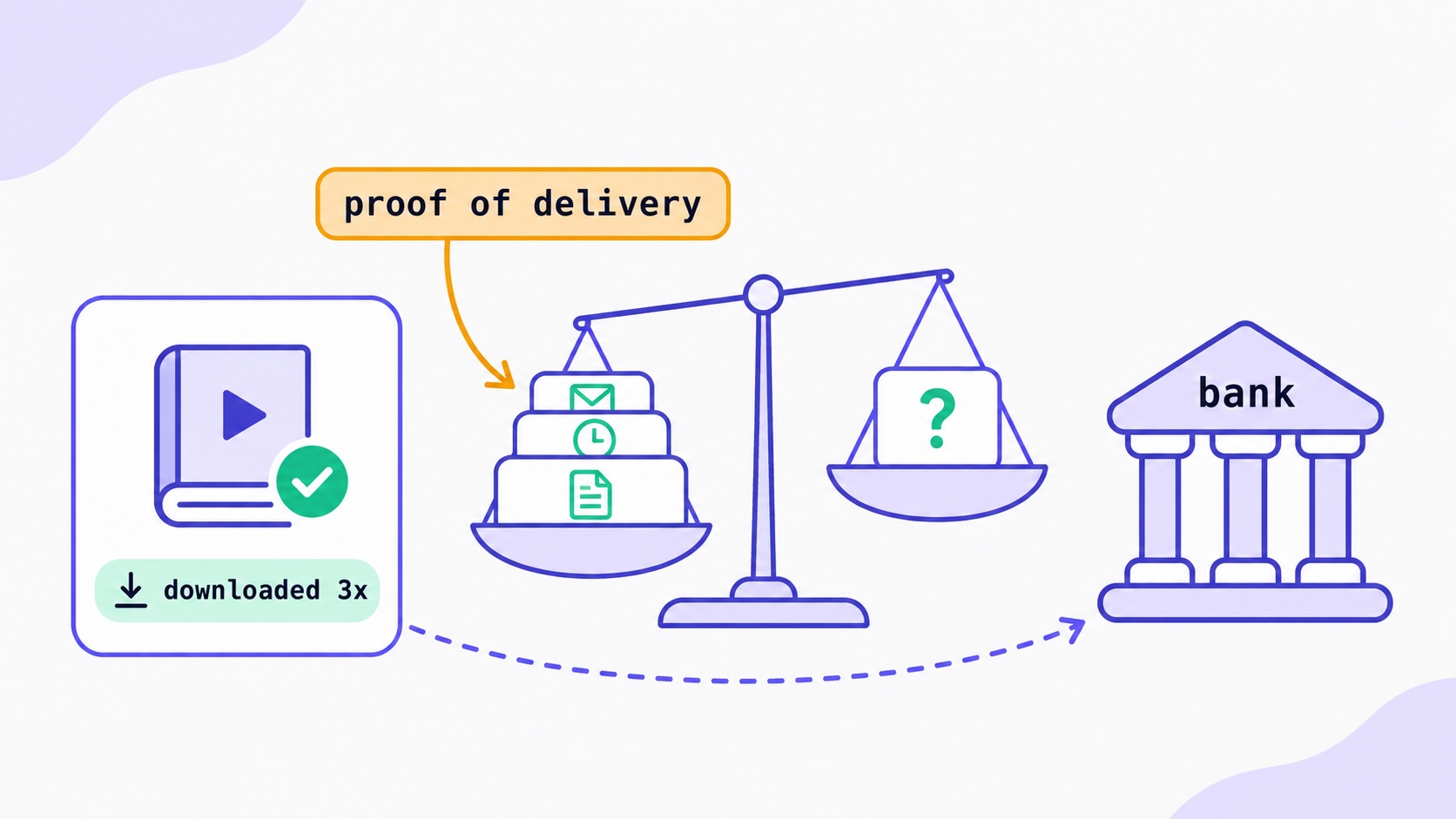
A chargeback on a digital product costs more than the sale. When a buyer disputes a card payment, Stripe takes the money back from your balance straight away and adds a dispute fee, $15 in the US, £20 in the UK, €20 in the euro area and ₹1,000 in India, which you do not get back even if you win. Countering the dispute adds a second fee of the same size, returned only if you win. You can prevent most disputes before they start: a bank statement name buyers recognise, a delivery email that lands in the inbox, a refund policy shown at checkout, and an easy way to ask for a refund. When a dispute does arrive, you have roughly one to three weeks to answer, and for downloads the evidence that wins is proof the buyer received and used what they paid for. Sometimes the right answer is to accept and move on.
This guide covers how disputes work, why creators get them, what to put in a refund policy, how to respond with evidence, and when to accept a dispute. It is written for creators selling ebooks, templates, courses, presets and coaching through their own Stripe account, as on InfluencersKit. It is practical guidance, not legal advice.
Refund, dispute, chargeback: what each one is
These words get used interchangeably, but they are different events with different costs.
Event                 Who starts it        What it costs you
────────────────────  ───────────────────  ─────────────────────────────────
Refund                You                  The sale. Card fees are usually
                                           not returned. No dispute fee.
Early fraud warning   The card issuer      Nothing yet. A signal that a fraud
                      (Visa, Mastercard)   dispute may follow.
Inquiry               The issuer (mostly   Nothing if you answer it or refund
                      Amex, Discover)      in full. Ignored, it can escalate.
Dispute (chargeback)  The buyer, via their The sale, held from your balance,
                      bank                 plus a non-refundable dispute fee.
                                           Countering adds a second fee.
A refund is a decision you make. A chargeback is a decision the buyer’s bank makes, after the buyer asks it to reverse the payment. Stripe’s guide to how disputes work explains the whole lifecycle; the short version is below.
How a dispute runs, with the dates
- The buyer contacts their bank. Card networks typically allow this within 120 days of the payment, and longer in some cases.
- The money leaves your balance. Stripe debits the disputed amount plus the dispute fee as soon as the dispute opens. While it is open, you cannot refund that payment outside the dispute process.
- You respond, or you do not. You usually have 7 to 21 days, depending on the card network. Stripe shows the exact deadline.
- The bank decides. If you submit evidence, the issuer usually takes 60 to 75 days. The whole thing commonly takes two to three months.
- The outcome is final. If you win, the money comes back to you, along with the counter fee. If you lose, nothing further moves; the buyer already has the money.
Stripe does not decide the outcome. The buyer’s bank does. Stripe’s role is to pass your evidence on in the format the network requires, and since 17 June 2025 it charges the counter fee when you challenge a dispute. The current fees for each country are on Stripe’s dispute pricing page.
Why creators get disputes
Every dispute carries a reason, and Stripe groups the hundreds of network codes into a handful of categories. These are the ones digital sellers meet most:
- Fraudulent. The cardholder says they did not make the purchase. Sometimes a stolen card was used. Sometimes the cardholder did buy it and does not remember, or a family member bought it, or they want their money back. The last is often called friendly fraud.
- Product not received. The buyer says nothing arrived. For a download, that usually means the delivery email went to spam, the link expired, or they never found it.
- Product unacceptable. It arrived, but the buyer says it was not as described: a ten-page “guide”, a template that does not work in their software, a course that is mostly recycled free content.
- Subscription cancelled. The buyer says they cancelled a recurring payment and were charged anyway, or could not find how to cancel.
- Unrecognised. The buyer does not recognise the charge on their statement. Often the statement name is a legal company name they have never heard of.
- Credit not processed. The buyer says you agreed to a refund and never issued it.
Look at that list again and notice how many are communication failures rather than fraud. A buyer who could not find the download, did not recognise the charge, or could not work out how to cancel would usually have emailed you instead, if emailing you had been easier than calling the bank.
Prevent them: seven changes worth making today
- Fix your statement descriptor. The name on the buyer’s statement should be your creator or product name, the one they know you by. Set it in your Stripe public business details. This one change addresses the unrecognised category almost entirely.
- Make sure the delivery email arrives. A download link that lands in spam turns into a “not received” dispute weeks later. Send from your own authenticated sending domain (the glossary entry on email authentication explains SPF, DKIM and DMARC), and check that your receipts are actually delivered. The deliverability guide and the post on warming up a sending domain cover how.
- Describe the product honestly. Page count, file format, software it works with, what a course contains, how long coaching sessions last. A buyer who gets exactly what the page said has no “not as described” claim. The post on selling digital products by email covers how to pitch without overselling.
- Show the refund policy before payment. On the product page, and linked from the checkout. A policy the buyer saw is evidence; a policy buried in your terms is not much of one.
- Make asking for a refund easier than calling the bank. Put a reply-to address on every receipt, and answer within a day. A $29 refund costs you $29. A $29 dispute costs you $29 plus a $15 fee, and possibly another $15 to fight it.
- Make cancelling a membership obvious. If a member cannot find how to stop paying, the bank becomes their cancel button. Link a cancel or manage-subscription page in every renewal and receipt email. The post on failed membership payments covers the renewal emails Stripe can send for you.
- Let fraud tools work. Stripe Radar screens payments for fraud, and payments authenticated with 3D Secure can shift liability for fraud disputes away from you. You do not need to force authentication on every sale, but do not turn the checks off to reduce friction.
One habit ties several of these together: a short follow-up a day or two after purchase. Ask whether the download worked, remind the buyer where to find it, and say how to reach you if anything is wrong. It catches the “I never got it” buyer while they still remember buying, it puts your name in their inbox next to the charge, and it gives anyone unhappy a route that is not their bank. The welcome sequence guide covers how to write follow-ups people actually read.
Early fraud warnings: when to refund first
Sometimes, before any dispute, Stripe shows an early fraud warning on a payment: a report from the card issuer that it suspects fraud. Stripe says that, if you do nothing, about 40% of Visa and Mastercard warnings become fraud disputes.
Stripe’s own guidance on whether to refund is useful because it is about money, not fear. Refunding makes sense on payments roughly equal to or smaller than your dispute fee, because a dispute would cost you more than the sale. It is usually not worth refunding warnings on payments more than about 35% above your dispute fee, because many of them never become disputes.
US seller, dispute fee $15

$12 template with an early fraud warning   -> refund it
$19 ebook with a warning                   -> borderline: refund if the
                                              buyer looks unfamiliar
$149 course with a warning                 -> do not refund automatically;
                                              check the buyer and wait
Refunding a flagged payment does not remove the fraud report itself, so it is a cost decision, not a way to clear your record.
The European and UK withdrawal right
Buyers in the EU and the UK normally have 14 days to withdraw from an online purchase. For digital content supplied as a download, that right can end once delivery starts, but only if the buyer gave express consent to immediate delivery and acknowledged that they lose the right to withdraw. In the EU this comes from Article 16(m) of the Consumer Rights Directive, which courts read strictly, and the UK has an equivalent rule.
In practice that means a line at checkout the buyer has to agree to, such as “I want immediate access and understand I lose my 14-day right to cancel once the download starts”, and a confirmation email afterwards that repeats it. Without both, a European buyer may be entitled to a refund within 14 days whether or not they downloaded the file. Courses delivered over time and memberships can be treated differently from one-off downloads, so take advice if most of your buyers are in Europe.
A refund policy you can adapt
A clear policy prevents disputes and becomes evidence when one happens. Here is a short one for digital products. Adjust it to your products and the law where your buyers are.
Refunds

Downloads (ebooks, templates, presets): if the file doesn't work as
described, or you bought the wrong thing, email [address] within 14
days and I'll fix it or refund you. Once a file has been downloaded,
I don't refund simply for a change of mind.

Courses: full refund within 14 days of purchase if you've completed
less than a quarter of the lessons.

Memberships: cancel any time from the link in your receipt. You keep
access until the end of the period you've paid for. I don't refund
part-months.

Coaching: reschedule or cancel up to 24 hours before a session for a
full refund.

Questions about a charge? Email me first. I answer within one
working day.
Two details matter more than the wording. The policy must be visible before payment, and the last line is there for a reason: every buyer who emails you instead of their bank is a dispute avoided.
Respond with evidence that fits the reason
When a dispute arrives, read the reason first and answer that claim, not every claim. A fraud dispute and a not-received dispute need different evidence. Stripe’s guide to dispute categories lists what each one needs; for digital products it says to focus on evidence of usage, login or download, since there is no shipping record.
For a download or course, the strongest evidence usually includes:
- The buyer’s name and email, and that they match the cardholder where you can show it.
- The IP address at purchase, if your checkout records it.
- Proof of delivery: the receipt or download email, its delivery status and the time it was sent.
- Proof of use: download or access records after payment, ideally with times and IP addresses.
- The product description and the refund policy as the buyer saw them, with the date.
- Any messages with the buyer, especially ones where they mention using the product.
Write a short cover note that connects them: “The buyer purchased the Lightroom preset pack on 3 March. The download email was delivered at 14:02. The download link was used three times between 14:05 and 14:20. The product page states the file format and compatible software. Our refund policy, shown at checkout, offers a refund on request within 14 days; the buyer did not contact us.”
For repeat buyers and members there is an extra route on Visa fraud disputes. Under Visa’s Compelling Evidence 3.0 rules, if the same card was used for at least two earlier payments, between 120 and 364 days before the disputed one, that were not disputed, and those payments match the disputed one on enough details, such as purchase IP, device, email address or account ID, you can submit that history as evidence. Stripe’s CE 3.0 guide explains the matching rules, and Stripe tries to fill it in for you when a dispute qualifies. It is one more reason to keep good records of who buys what.
Coaching and memberships: the special cases
Downloads are the simple case. Two other things creators sell need slightly different preparation.
Coaching sessions. A buyer who disputes a coaching payment usually says the service was not provided or not as described. Your evidence is the booking confirmation, the calendar invitation with the meeting link, any messages arranging the time, and a short record of the session afterwards: date, length and what you covered. If a client did not turn up, your rescheduling policy, shown at booking, matters most. Keep a note the same day; three months later, when the bank asks, you will not remember. The coaching help article covers how bookings and refunds are recorded.
Memberships. The common claim is “I cancelled and was still charged”. Your best defence is a cancellation route that is easy to find and a record of when the member actually cancelled, which Stripe keeps on the subscription. Also check your Stripe billing settings: depending on them, Stripe can cancel a subscription automatically when one of its payments is disputed, so a disputed member does not keep being charged. The posts on membership pricing and launching a paid newsletter cover the setup, and the memberships help article explains what InfluencersKit records.
The first hour after a dispute arrives
A dispute email is unpleasant, and the instinct is either to ignore it or to fire back an angry response. Neither helps. A calm routine does:
- Note the reason and the deadline. Both are on the dispute in Stripe. Put the deadline in your calendar with two days’ margin.
- Search your inbox for the buyer. Did they ask for a refund and get no reply? Did you already refund them? A dispute on a payment you have refunded in part needs a different answer from one you have never heard about.
- Check for a pattern. Several disputes on the same product in a month point at the product page, the delivery email or a stolen-card spree, not at individual buyers.
- Gather the evidence for this reason only. Delivery and use for “not received”; the product page and policy for “not as described”; purchase details and history for fraud.
- Decide: accept or counter. Use the arithmetic below. If you counter, submit everything at once; you normally get one response.
Contacting the buyer is fine, and some disputes are genuine mistakes a buyer will withdraw. But Stripe notes that even when a buyer says they have withdrawn a dispute, you still need to respond with evidence for it to close in your favour. Do not let a friendly email make you miss the deadline.
When to accept a dispute
Challenging a dispute is not always worth it. Since June 2025 it costs a second fee if you lose, so the arithmetic has changed:
US seller. Received fee $15 (never returned), counter fee $15
(returned if you win).

Accept a $12 dispute:   you lose $12 + $15            = $27
Counter and lose:       you lose $12 + $15 + $15      = $42
Counter and win:        you lose $15 (received fee)   = $15
On a small sale with weak evidence, accepting is usually cheaper. Counter when the amount is large enough to matter and your evidence answers the specific claim. Either way, respond before the deadline: an ignored dispute is a lost one, and an unanswered inquiry can escalate into a dispute you can no longer win.
Also keep an eye on your dispute rate, the share of payments that become disputes. Card networks monitor merchants with high rates, and a high rate can bring extra scrutiny from your payment provider. Prevention is the only real fix for that number.
How this works on InfluencersKit
Here is exactly what InfluencersKit does and does not do, so you know which parts are yours.
Sales go straight into your own Stripe account, with a 0% platform fee. Refunds and disputes therefore happen in Stripe, not in InfluencersKit. There is no refund button in the dashboard; when you refund in Stripe, the webhook tells InfluencersKit, and a full refund marks the sale refunded and stops the buyer’s download link, while a partial refund records the amount and leaves the link working. The fees, payouts and refunds article has the full table, including courses, memberships and coaching.
Disputes are not recorded in InfluencersKit. A dispute opened or lost in Stripe does not change the sale or the download link in your dashboard. That is one reason to set a download limit and an expiry on each product, which the digital products article explains: access then does not stay open indefinitely, whatever happens to the payment.
For evidence, the Digital Goods sales table shows, for each sale, how many times the buyer’s download link has been used against its limit, and whether the receipt email was delivered. Screenshot that row along with the Stripe payment. InfluencersKit does not keep a log of each download with IP addresses, so if a product is expensive enough that you expect to fight disputes over it, consider delivering it through a tool that records logins. We would rather tell you that now than have you find out with a deadline running.
One more practical point: the download email buyers get from your store is a receipt, not a tax invoice, and InfluencersKit adds no sales tax, VAT or GST to checkouts. If a buyer needs a proper invoice, it comes from your Stripe settings.
A checklist for digital sellers
- Set your Stripe statement descriptor to the name buyers know you by.
- Send receipts from your own authenticated domain and check they arrive.
- Describe each product precisely: format, length, compatibility.
- Show a refund policy on the product page and at checkout.
- For European buyers, add the express consent and acknowledgement line at checkout, and repeat it in the confirmation email.
- Put a reply-to address on every receipt and answer refund requests within a day.
- Link a manage-subscription page in every membership email.
- Set download limits and expiry dates on products.
- Refund early fraud warnings on payments at or below your dispute fee.
- Answer every dispute before the deadline, and accept the small ones you cannot win.
If you are building a product line, the guides for course creators and coaches cover selling through your list, and the sponsorship contract post covers getting paid on the other side of the business. If something worse than a dispute happens, the guides to a hacked account and a banned account are worth bookmarking. The Monetize page shows what InfluencersKit sells for you, pricing lists the plans, and you can start free.
Frequently asked questions
How much does a chargeback cost on Stripe?
The disputed amount is taken from your balance, plus a dispute fee: $15 in the US, £20 in the UK, €20 in euro countries and ₹1,000 in India. That fee is not returned even if you win. Since 17 June 2025, countering a dispute adds a second fee of the same amount, which is returned if you win.
Can you win a chargeback on a digital product?
Yes, when your evidence answers the buyer’s specific claim. For downloads that usually means proof of delivery and use, such as the delivered receipt email and download records after payment, plus the product description and refund policy the buyer saw. Weak evidence on a small sale is often not worth fighting.
How long does a buyer have to file a chargeback?
Card networks typically allow 120 days from the payment, and longer in some situations. Once a dispute is opened, the seller usually has 7 to 21 days to respond, and the bank’s decision can take another two to three months.
Do I have to give refunds on digital products?
Not always, but rules vary by country. In the EU and UK, buyers normally have a 14-day right to withdraw, which ends for downloads only if they expressly consented to immediate delivery and acknowledged losing that right. Whatever your policy, show it clearly before payment.
Should I refund a payment with an early fraud warning?
Stripe’s guidance is to refund warnings on payments roughly equal to or below your dispute fee, and generally not on payments more than about 35% above it. About 40% of Visa and Mastercard warnings become fraud disputes if nothing is done.
What is friendly fraud?
Friendly fraud is a dispute claiming a purchase was unauthorised when the cardholder, or someone in their household, actually made it. Clear statement names, delivery proof, an easy refund route and, on Visa, evidence of earlier undisputed purchases by the same buyer all help against it.
Stay Updated
Get the latest insights, strategies, and tips delivered directly to your inbox. Join thousands of creators who are building their email communities with our weekly newsletter.
No spam, unsubscribe at any time. We respect your privacy.
Related Articles
Newsletter Upsell Strategies: How to Sell Digital Products to Your Email Subscribers
Email converts digital product sales at 40x the rate of social media — yet most newsletter creators undermonetize because they upsell incorrectly. The complete architecture: the 7-email post-subscribe sequence that warms subscribers before the pitch, the four mid-issue CTA formats ranked by conversion rate, dedicated launch issue structure, product-type positioning for courses/templates/ebooks/coaching, segmentation-based upselling, and the non-buyer re-engagement approach that reaches subscribers on their own timeline.
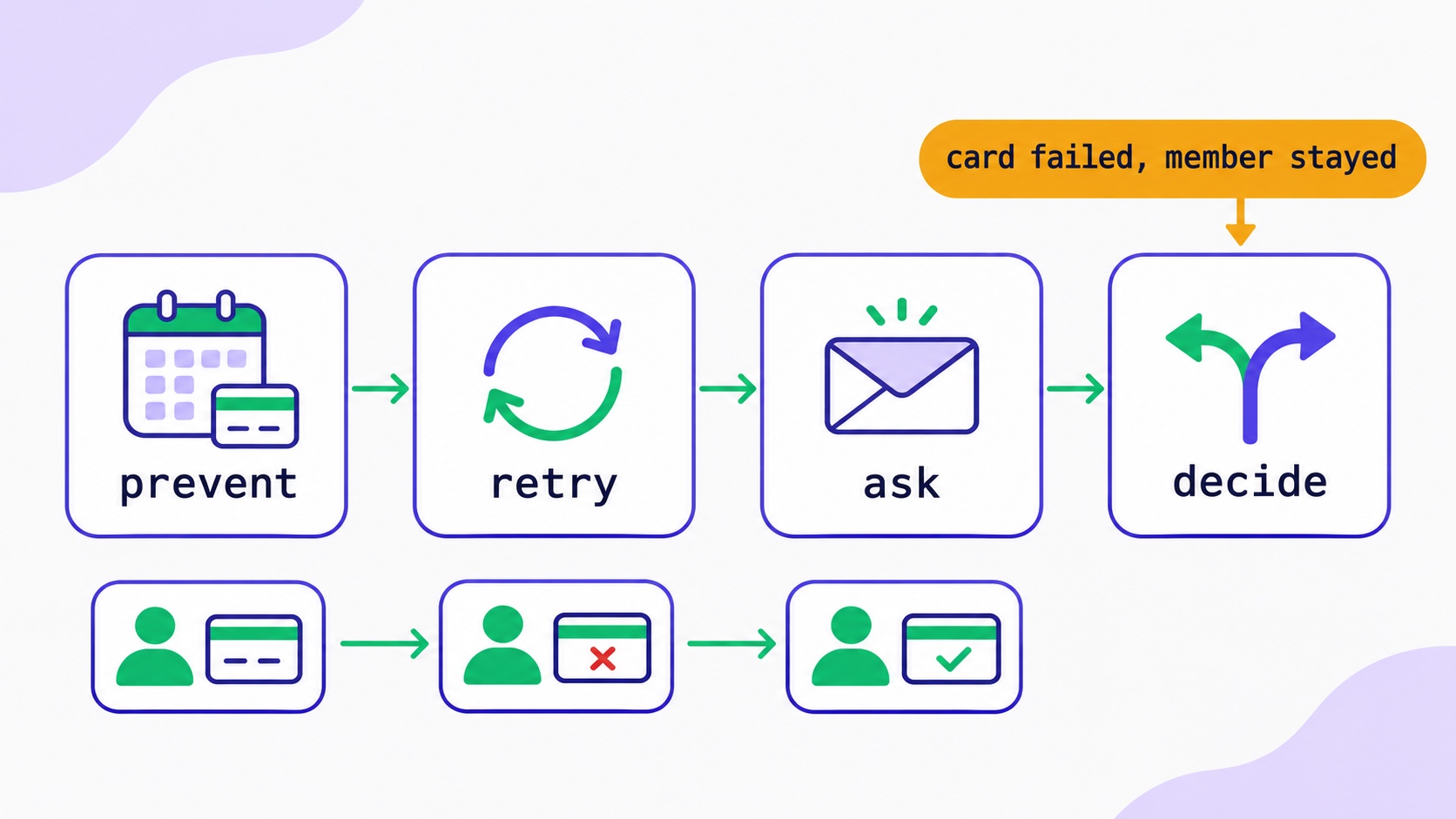
Your Members Didn't Cancel. Their Cards Did.
Failed renewals are the cheapest churn to fix. Four layers to recover them: prevent, retry, ask and decide, with Stripe settings, a dunning sequence to copy and the rules for Indian cards.
How to Create a Paid Membership Newsletter: Tiers, Pricing, and Content Strategy
Paid newsletters generate revenue that compounds with every subscriber and is immune to algorithm changes. The complete framework: pricing that reflects actual content value, the free-to-paid content split that converts without giving everything away, founding member launch mechanics, retention systems that reduce churn, and the platform fee math that decides how much you actually keep.
Affiliate Marketing for Newsletter Creators: Building a Recurring Commission Base in 2026
The gap between $200/month and $4,000/month in affiliate income usually isn't audience size — it's programme selection (recurring vs. one-time commissions), recommendation quality, and placement architecture. The complete system: which programmes compound, how to integrate recommendations without damaging editorial trust, and the month-by-month build to a passive recurring base.
How to Price Newsletter Sponsorships: The Complete Rate Card Guide for 2026
Most newsletter creators undercharge because they don't understand how newsletter advertising is actually priced. CPM benchmarks by niche, the variables that justify rates above the benchmark, how to price small-list sponsorships without CPM, placement tiers, package structures, and how to build a media kit that gets the conversation to yes.
How to Launch a Paid Newsletter: Complete Step-by-Step Guide for 2026
The paid newsletter market is $2B+ and growing. But most creators launch wrong — wrong pricing, wrong timing, wrong content split. This is the definitive playbook: when you're actually ready, how to price it, the 14-day pre-launch sequence, and why 0% platform fees matter enormously at scale.

Creator Email Marketing: Complete Strategy Guide from 0 to $10K/Month
Step-by-step roadmap to build a profitable newsletter from zero subscribers to $10,000 monthly revenue. Tactical strategies, growth timelines, and monetization milestones for content creators.
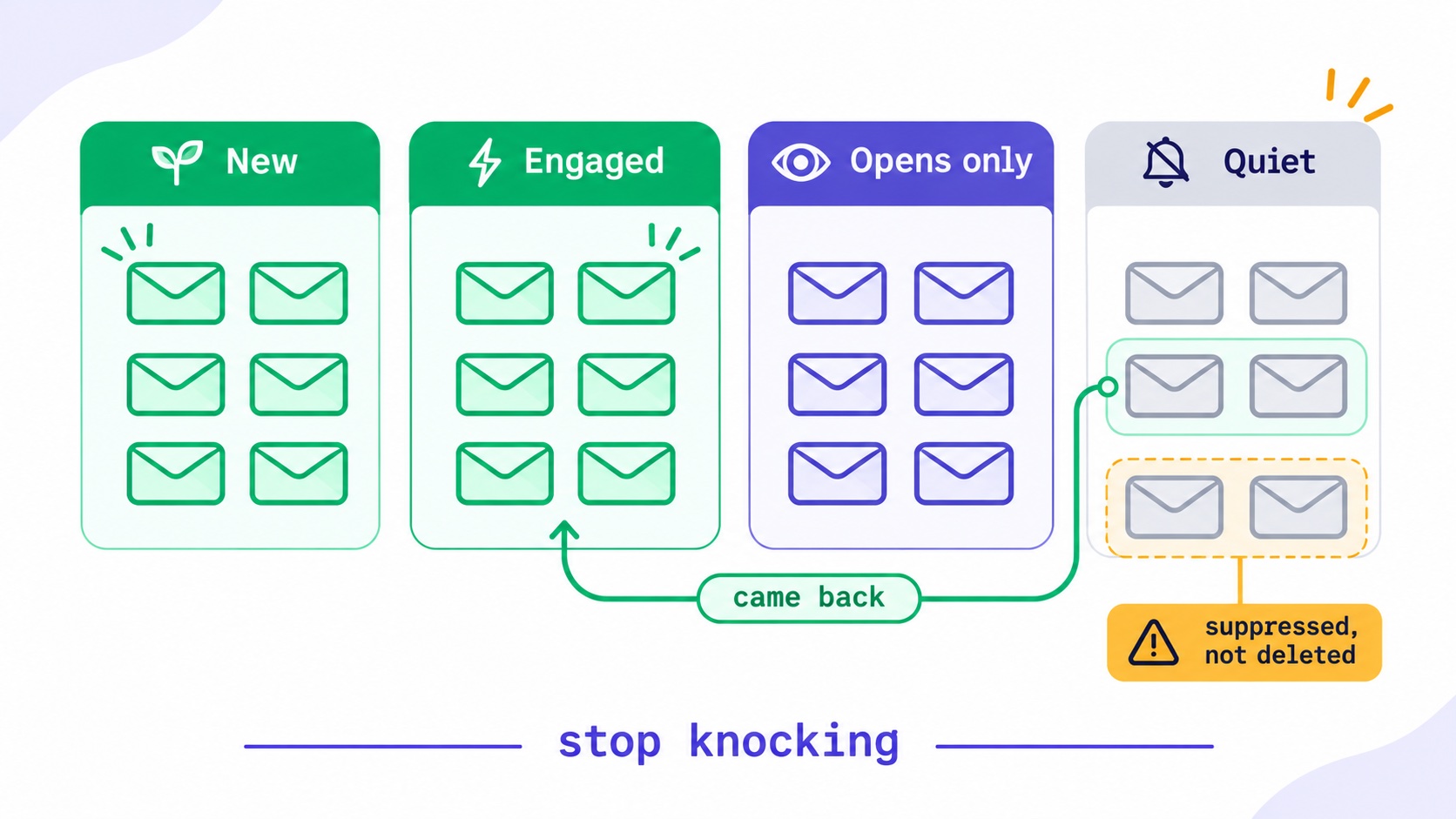
The Kindest Thing You Can Do for Your List Is Make It Smaller.
When to remove inactive subscribers, as a six-step worksheet: define engagement beyond opens, pick a window, ask the quiet group, then suppress rather than delete. With re-engagement emails you can copy.
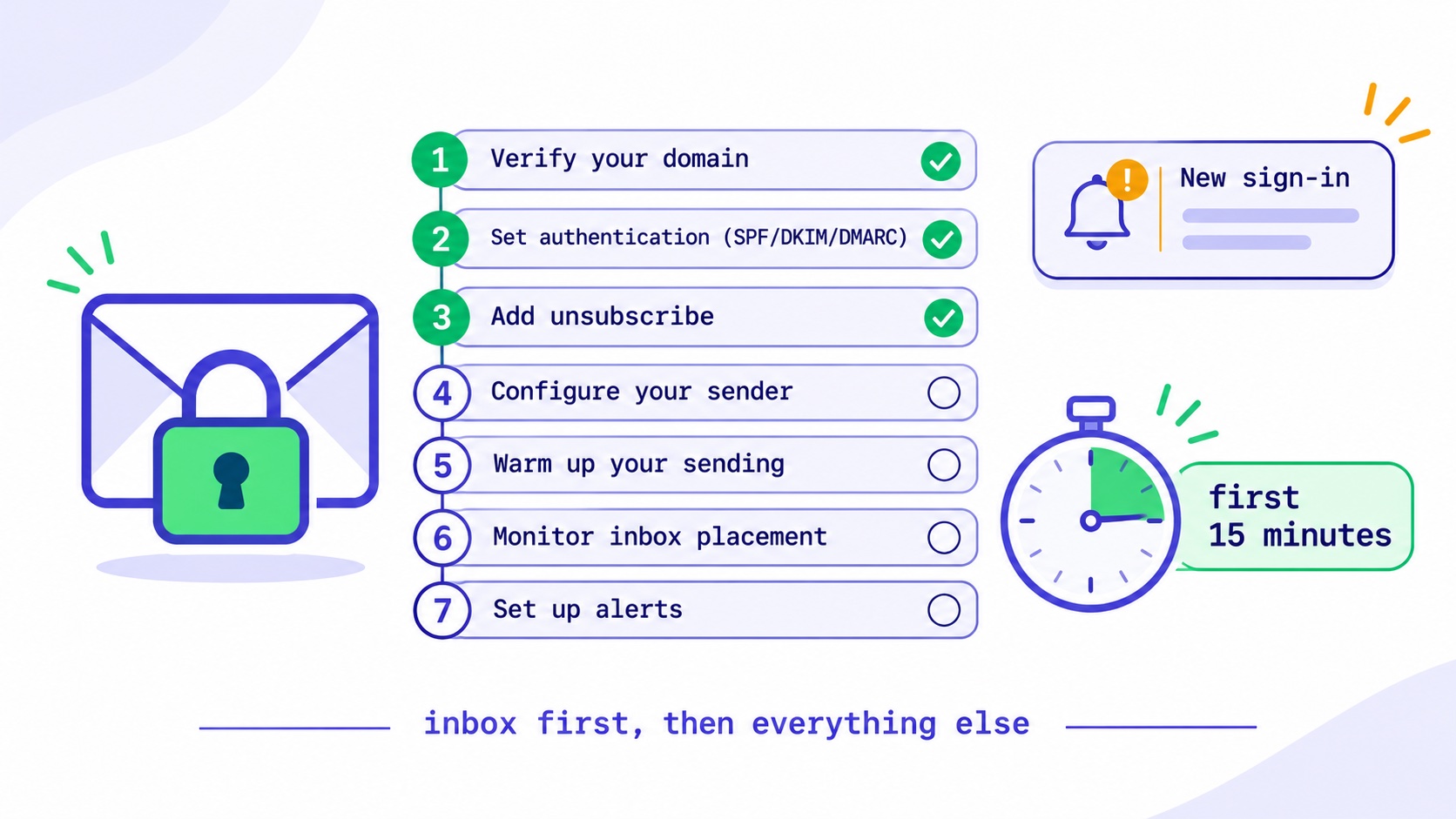
Your Newsletter Account Was Hacked. Do These Things in This Order.
An attacker with your newsletter account holds your list and your sender reputation. What to do in the first 15 minutes, what to check in the first hour, how to tell readers, and when you must report it.
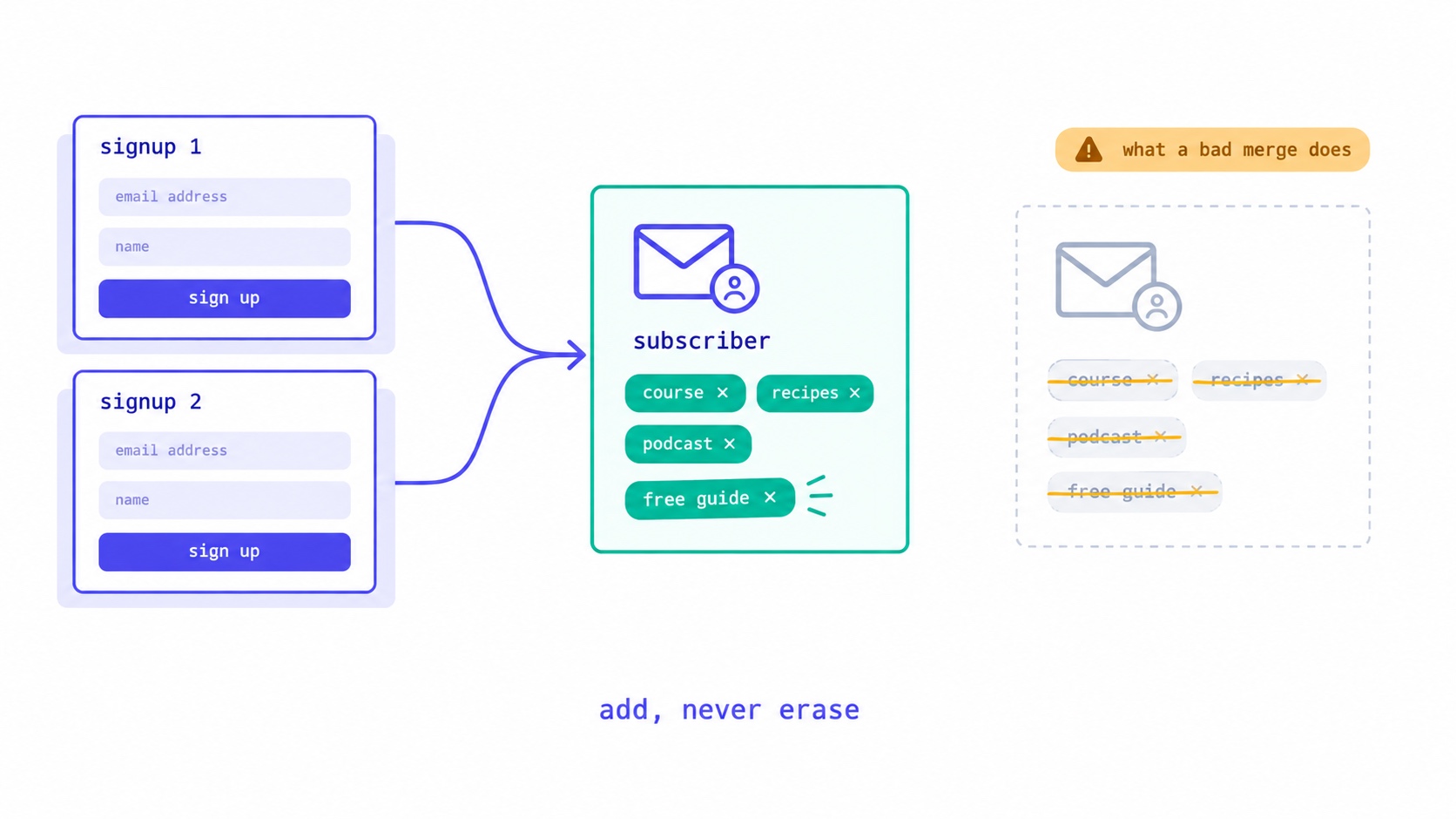
They Signed Up Again. Did Your Platform Just Delete Their Tags?
What should happen when a subscriber signs up twice: one record, add but never erase, unsubscribed readers confirm before returning. The form bug that wiped our subscribers' tags, and five tests for your own platform.
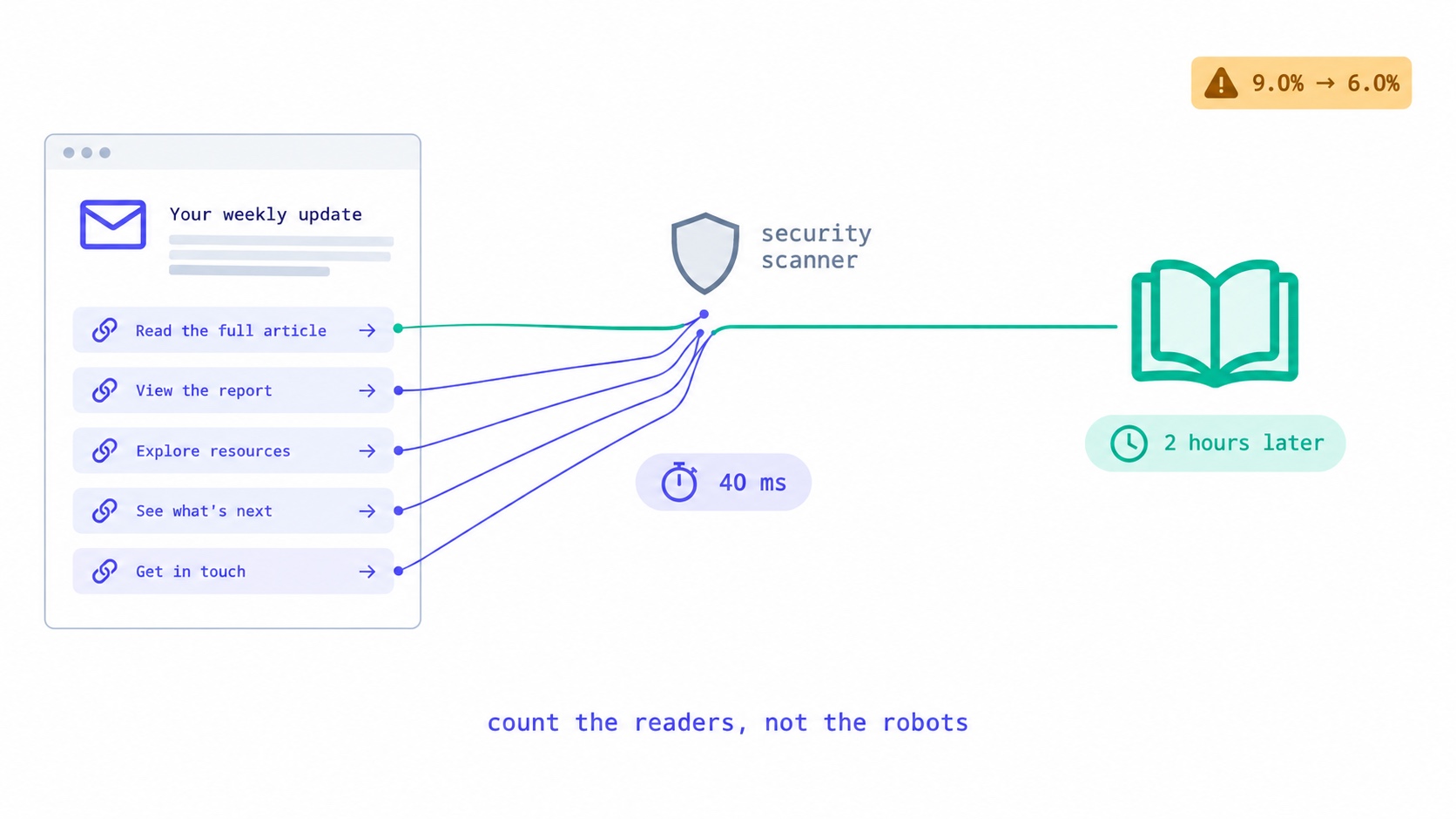
Something Clicked Every Link in Your Newsletter in 40 Milliseconds.
Corporate email security scanners click every link at delivery, inflating newsletter click rates. How to recognise them, the two counting bugs we fixed, the problem we have not solved, and what to tell sponsors.
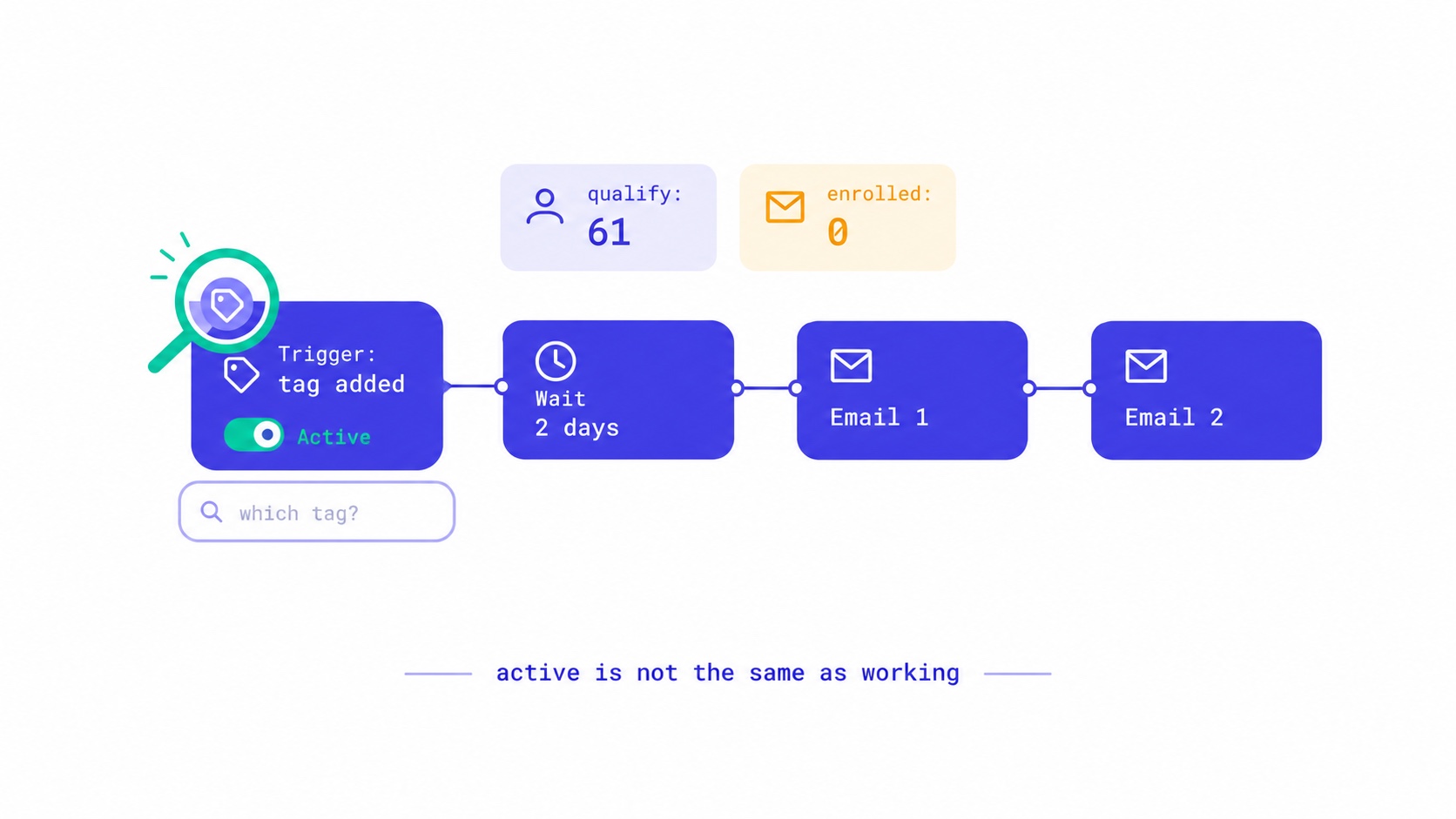
Your Automation Says Active. Nobody Has Received It.
Seven reasons an email automation is switched on but sends nothing, from triggers that ignore existing subscribers to tag triggers with no tag. The qualify-versus-enrolled check that found 28 of our own sequences silent, and a fifteen-minute monthly audit.