Bloggers & Writers: How to Turn Your Blog Into a $5,000+/Month Newsletter Business
Bloggers already have the hardest parts: proven content demand, warm traffic, and writing discipline. The step-by-step system to convert that foundation into a newsletter business — content upgrades that convert at 15-35%, migrating from Substack or Ghost, the SEO + newsletter flywheel, and 6 revenue streams that replace display ad income.
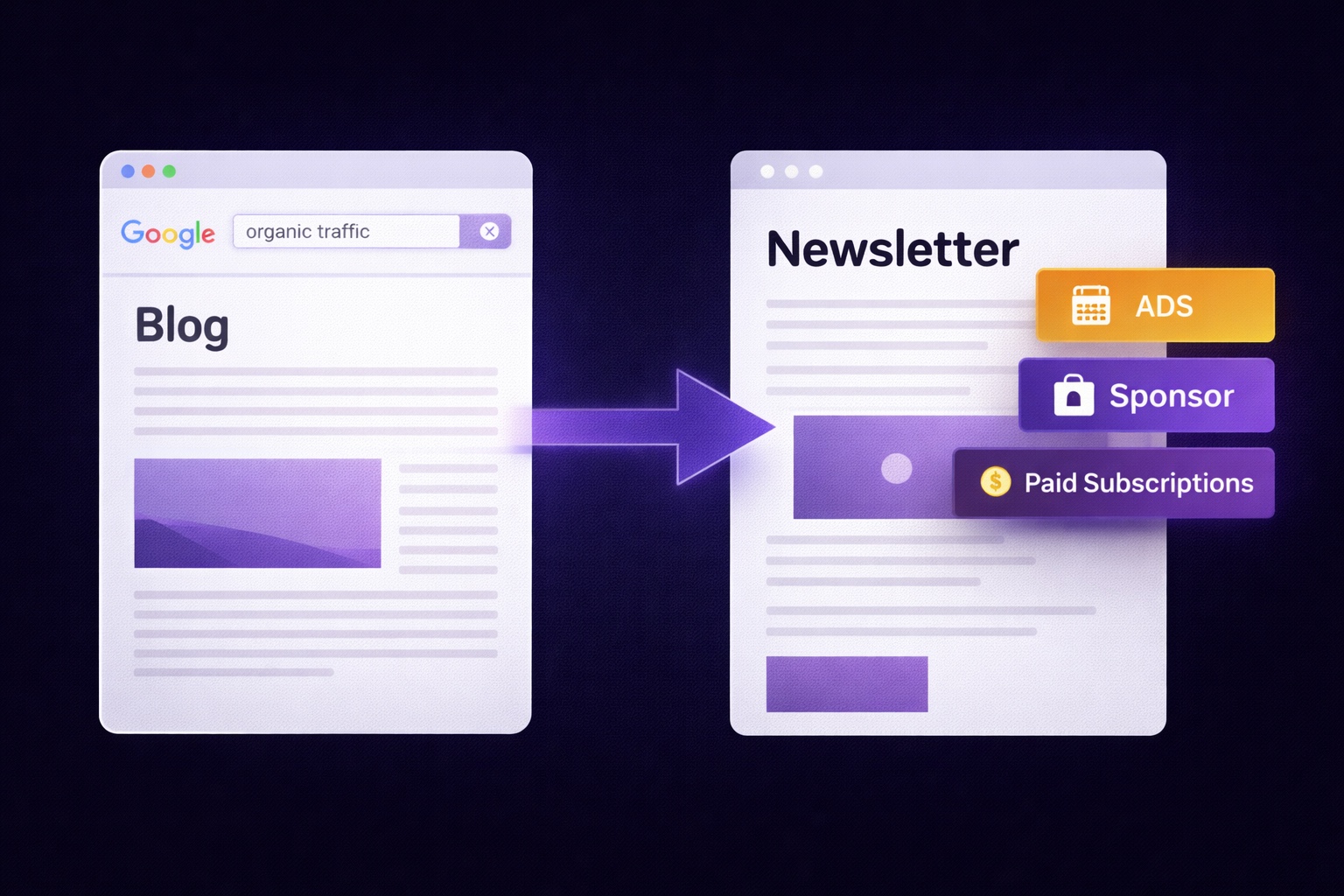
If you're a blogger or writer, you're sitting on one of the most valuable assets in the creator economy — and most people in your position don't realize it.
You've already done the hardest part. You figured out a niche. You learned how to write content people actually want to read. You built an audience — even if it's modest — that trusts what you say enough to keep coming back. You probably have SEO working for you, bringing in new readers every month from search. You have archives of content proving you know your subject.
What most bloggers do with that foundation: monetize with display ads (declining CPMs, terrible UX) or affiliate marketing (commission income that drops whenever a platform changes its terms). Both revenue models are getting harder and paying less.
What the bloggers building $5,000-15,000/month businesses are doing differently: they're converting their blog traffic into an email list and monetizing that list through a newsletter business that doesn't depend on Google rankings, affiliate program terms, or display ad networks. They're keeping readers they used to lose, reaching them directly instead of waiting for them to return, and generating revenue from the same audience they were already building — at 5-10x higher rates per reader.
This guide shows you exactly how to make that transition: the blog-to-newsletter conversion system, content upgrades that outperform generic opt-in forms by a factor of three, why Substack isn't the right home for a blogger serious about monetization, and the SEO + newsletter flywheel that compounds both traffic and revenue simultaneously.
Why Bloggers Have the Unfair Advantage in the Newsletter Economy
Most newsletter creators start from scratch: zero audience, no content library, no SEO footprint, no social proof. They're building everything simultaneously. Bloggers have built several of those foundations already — the content library, the SEO, often the social presence — and just need to add the owned channel layer.
What bloggers already have that newsletter creators have to earn:
- Proven content demand: Your top-performing blog posts show exactly what your audience cares about most. You don't need to guess what newsletter topics will work — Google Analytics already told you.
- Warm traffic: Readers who come back to your blog more than once have already decided they like your writing and trust your perspective. That warm audience converts to email subscribers at dramatically higher rates than cold traffic from ads or social media.
- SEO compound growth: Your existing SEO rankings are an ongoing source of new potential subscribers — people who find your content via search and can be converted to newsletter subscribers with the right capture mechanism.
- Content repurposing library: Every blog post you've written is potential newsletter content. You don't start with a blank slate — you start with hundreds of pieces of content that can be updated, expanded, riffed on, and repurposed into newsletter issues.
- Writing discipline: The hardest part of running a newsletter isn't the platform or the monetization — it's consistently producing good content on a schedule. Bloggers who already have a publishing habit have the most valuable skill.
The Blog-to-Newsletter Conversion System
Converting blog readers to email subscribers requires meeting them where they are and at the moment they're most engaged. Most blog-based email capture strategies fail because they ask for the subscription too generically, too early, or with an opt-in offer that doesn't connect to why that reader is on that specific page.
The 5-Point Blog Capture System:
Point 1: Content Upgrades (Highest converting — more below)
A content upgrade is a piece of additional, related content offered specifically on a blog post — available only in exchange for an email address. A blog post about social media scheduling becomes the entry point for "the 30-day social media calendar template." Conversion rates: 15-35% on targeted visitors.
Point 2: Mid-Post Inline Form
An email capture form embedded partway through your most-read blog posts — after you've delivered enough value that the reader is convinced you know what you're talking about, but before they've finished and moved on. Tied to the newsletter's specific promise: "Want more like this every week?" Conversion rates: 3-7% of readers who pass the form.
Point 3: Exit-Intent Popup
Triggers when a user's mouse moves toward the browser tab or close button — the signal they're about to leave. Not the intrusive hello-popup that fires on arrival, but a goodbye-popup that catches readers on the way out. Offers a specific lead magnet or newsletter value proposition. Conversion rates: 2-5% of exiting visitors. Low friction because it only appears for readers already leaving.
Point 4: Sidebar Opt-In (Always-On)
A persistent newsletter sign-up form in the blog sidebar with a specific, benefit-focused headline — not just your newsletter name and a subscribe button. "Get one actionable [topic] strategy every Tuesday — used by 8,000+ creators." Lower converting than content upgrades but always visible across all pages. Conversion rates: 0.5-2% of all page visitors.
Point 5: Post-Article CTA
A dedicated CTA section at the end of every blog post, immediately following the conclusion. Readers who made it to the end of your post are your most engaged visitors — they read everything. A relevant, specific CTA here converts far better than a generic "subscribe to my newsletter." Tie it to what they just read: "If you found this useful, my newsletter covers this topic every week with more depth. Join 12,000 readers here." Conversion rates: 3-8% of readers who finish the post.
Content Upgrades: Your Most Powerful Email Capture Tool
A content upgrade is the single most effective email capture tool for bloggers. Generic email capture (sidebar opt-in, generic newsletter promotion) converts at 1-3% of blog visitors. Post-specific content upgrades convert at 15-35% on the same visitors.
The reason is specificity. A reader on your post about Instagram growth strategies isn't thinking about your newsletter broadly — they're thinking about their specific Instagram problem right now. Offering them "the Instagram content calendar template referenced in this post" solves the problem they arrived with. Offering them "subscribe to my marketing newsletter" asks them to make an abstract commitment about future value.
How to create content upgrades efficiently (without building 50 lead magnets):
Step 1 — Identify your top 10 posts:
Sort your blog by traffic (Google Analytics → Pages). Your top 10 posts by unique visitors are where content upgrades have the highest impact. Start there — don't try to create upgrades for every post simultaneously.
Step 2 — Identify the natural upgrade for each post:
Ask: "What would make this post dramatically more useful?" A how-to post → a checklist of the steps. A strategy post → a template implementing the strategy. A data/research post → the spreadsheet with the raw data. A comparison post → a decision framework for making the choice. An interview/case study post → the key frameworks from the guest, distilled into a one-pager.
Step 3 — Create the upgrade (2-4 hours per upgrade):
These don't need to be elaborate. A one-page PDF, a simple Google Sheets template, a Notion document, or a 5-day email mini-course. The quality standard is "useful to someone who read this post," not "polished enough for sale."
Step 4 — Add the inline CTA to the blog post:
Early in the post (within the first 20%) and at the end: "Download the [specific upgrade name] — the [template/checklist/tool] that makes this post immediately actionable: [link]." The link goes to a simple opt-in landing page for this specific upgrade.
The result:
10 blog posts with content upgrades, each converting at 20% of targeted visitors, can add hundreds to thousands of new subscribers per month from traffic you already have — without any new content creation, SEO work, or paid acquisition.
Migrating from WordPress Email Plugins, Substack, or Ghost
Many bloggers already have some form of email list — either from a WordPress plugin (Mailchimp, MailPoet, ConvertKit) or a writing platform (Substack, Ghost). The question isn't whether to migrate, but when and to what.
Migrating from WordPress email plugins:
WordPress email plugins (like MailPoet) or integrated platforms (like Mailchimp connected to WordPress) are list management tools, not newsletter businesses. They handle basic broadcast emails but lack the monetization features — programmatic ads, paid subscriptions, referral programs, sponsorship tracking — that turn an email list into a revenue-generating asset.
- Migration: Export subscriber list from your plugin/platform as a CSV. Import to InfluencersKit. The entire migration takes under 2 hours including testing.
- Keep your WordPress blog: The blog and the newsletter don't compete. Keep your blog for SEO and content depth. Use your newsletter for direct reader relationships and monetization. They're complementary channels.
Migrating from Substack:
Substack's appeal for bloggers is understandable — clean interface, zero setup, built-in paid subscription support. The problem: Substack's 10% cut on paid subscriptions is steep for a writer who already has an audience and doesn't need the discovery network. At $3,000/month in paid subscriber revenue, Substack takes $300/month — $3,600/year — for a discovery feature that probably isn't driving most of your paid subscribers anyway.
- Migration: Export your full subscriber list from Substack Settings. Paid subscribers need to re-subscribe on the new platform — offset the friction by offering founding member pricing and a personal migration email. Full migration guide: Substack vs. InfluencersKit.
Migrating from Ghost:
Ghost is a genuinely good platform for writers who want a full publishing platform with newsletter. The limitation: Ghost is not built for multi-stream monetization. No programmatic ads, no referral programs, no sponsorship tools. It's excellent for paid memberships, but leaves revenue on the table for writers who want ads or sponsorships alongside subscriptions.
- Migration: Ghost provides a full member export. Import to InfluencersKit. You can keep your Ghost site as your blog and writing platform while moving newsletter delivery and monetization to InfluencersKit — they can run simultaneously without conflict. Check the full comparison: Ghost vs. Substack vs. email marketing platforms.
Monetizing Your Blog Audience Through Email: 6 Methods
The revenue gap between "blogger with email list" and "newsletter business using a blog for distribution" is the difference in which monetization methods you have access to.
- Programmatic newsletter ads: Available from day one in InfluencersKit. Every issue generates programmatic ad revenue without minimum subscriber requirements. A blogger with 2,000 email subscribers in a niche like personal finance, marketing, or technology can generate $80-200/month in passive ad revenue immediately — revenue that simply doesn't exist in blog display ads at this list size.
- Direct newsletter sponsorships: As your list grows, direct sponsorships provide dramatically higher CPMs than programmatic ads. A sponsored newsletter mention typically commands $30-100 CPM depending on niche and engagement. At 5,000 subscribers with one sponsorship per week: $750-2,500/month from sponsorships. Our guide to finding and pricing newsletter sponsorships covers this in full.
- Paid subscription tier: Bloggers who have built genuine expertise and audience trust see 5-10% paid conversion rates on their email list. At 5,000 subscribers, that's 250-500 paid subscribers at $8-15/month: $2,000-7,500/month in recurring subscription revenue. No Substack fees, no percentage cut — you keep everything except Stripe's standard processing fee.
- Affiliate marketing via newsletter: Email-based affiliate promotions convert at 3-8x higher rates than blog sidebar affiliate links, because the recommendation is personal rather than contextual. A product you genuinely use and recommend in a newsletter to 5,000 engaged readers can generate more affiliate revenue from one email than a year of sidebar placements.
- Digital products: Your blog content library is evidence of expertise. Package that expertise into a course, template, guide, or coaching program and promote it to your newsletter audience. Email converts digital product sales at 5-15% of recipients in a well-crafted launch sequence — versus 0.5-2% of blog visitors who see a product link.
- Consulting and service leads: Writers and bloggers who position themselves as experts in a specific niche use their newsletter as the top of a consulting or service funnel. The newsletter builds credibility over time; the subscriber base creates a warm pool of potential clients. Many newsletter creators generate their highest-value revenue through this channel even at modest list sizes.
The SEO + Newsletter Flywheel (Double Your Traffic and Revenue)
The most underused advantage bloggers have in the newsletter space is the ability to run both channels in a flywheel rather than choosing between them. Blog SEO drives traffic. Newsletter converts traffic to subscribers. Newsletter subscribers deepen engagement and monetization. Engaged subscribers share content — back to traffic. Each channel amplifies the other.
The flywheel in practice:
- Blog post ranks on Google for high-intent keyword → brings new readers
- Content upgrade on that post converts 15-25% of readers to email subscribers
- Welcome sequence delivers concentrated value → builds trust and engagement
- Regular newsletter issues keep subscribers engaged → some share with peers → new blog readers
- Newsletter subscribers who become paid subscribers provide stable income to fund more content creation
- Better content → stronger SEO → more traffic → more subscribers → more revenue → back to step 1
The specific tactics that accelerate the flywheel:
- Newsletter exclusives that drive SEO traffic: Occasionally publish newsletter content publicly on your blog with an upgrade offer. The newsletter audience shares it (built-in distribution). It ranks on Google (SEO benefit). New readers find it and convert to subscribers.
- Email-exclusive data that earns backlinks: If you survey your newsletter audience and publish the results, you create unique data that other bloggers and journalists reference — which builds backlinks that strengthen your SEO rankings.
- Newsletter roundups that get shared: A well-curated "best posts on [topic] this week" newsletter gets forwarded and shared, bringing new traffic to both your blog and your newsletter signup page.
Writer-Specific Newsletter Content Formats That Keep Readers Coming Back
The 4 formats that work best for writer-turned-newsletter-creator audiences:
Format 1: The Expanded Draft
Your newsletter goes deeper than your blog. The blog post covers the topic at SEO-friendly length. The newsletter issue takes one idea from that post and explores it at the depth that didn't fit in the public article. Blog readers who are also newsletter subscribers get the full picture — a genuine reason to be on both channels.
Format 2: Behind the Writing
Writers have a built-in audience angle that few other creator types can access: the craft itself. How you research, how you structure arguments, how you edit, where your ideas come from, what failed before you found what worked — readers who love your writing want to understand how you do it. This format is genuinely exclusive content that can't be found in your public articles.
Format 3: The Annotation
Take a piece of content from your niche (an article, a book chapter, an industry report) and publish your annotation — sentence-by-sentence or section-by-section commentary on what it gets right, wrong, and what it means. This format positions you as an authority, requires minimal original research, and creates a genuinely unique piece of content each time.
Format 4: The Week's Best Reading
A curated selection of the most interesting things you read this week, with your commentary on each. Low creation effort, high value to readers who don't have time to read everything but trust your editorial judgment. Works especially well for writers in information-dense niches (finance, technology, marketing, health).
Case Study: From 50,000 Monthly Blog Readers to $8,000/Month Newsletter Revenue
The scenario:
A personal finance blogger with 50,000 monthly readers, monetized through display ads ($800-1,200/month) and affiliate marketing ($400-600/month). Total: approximately $1,200-1,800/month.
The transition (6 months):
- Month 1: Added content upgrades to top 8 blog posts. Email list grew from 340 to 1,100 subscribers in 30 days from existing traffic.
- Month 2: Published weekly newsletter. Enabled programmatic ads. First month ad revenue: $85. Landed first direct sponsor: $300 for two sponsored mentions.
- Month 3: List grew to 2,800 subscribers via content upgrades + referral program. Monthly ad + sponsorship revenue: $650.
- Month 4: Launched paid subscription tier at $9/month. First month: 87 paid subscribers ($783/month recurring).
- Month 6: 6,200 free subscribers. 310 paid subscribers ($2,790/month). Monthly sponsorships: $1,800. Programmatic ads: $1,100. Affiliate via newsletter: $800. Total: $6,490/month. Blog display ads still running ($900/month). Combined: $7,390/month — up from $1,500/month before the newsletter.
This is a composite example based on real creator transitions, not a single case study. Results vary by niche, audience quality, and execution. The economics are directionally accurate for a blogger in a monetizable niche who executes the transition systematically.
The full email monetization strategy for writers and bloggers works best as a layered system — each revenue stream stacked on the previous one over time. Start with programmatic ads (passive, immediate), add direct sponsorships once your list and engagement are established, then launch a paid tier once your audience trusts you enough to pay. The paid newsletter launch guide covers exactly when and how to do that last step.
Your Blog Audience Is Worth 10x More Than Display Ads Are Paying You
InfluencersKit is built for exactly this transition — giving bloggers and writers the tools to convert their traffic into an owned email audience and monetize it through programmatic ads, sponsorships, and paid subscriptions. Everything in one platform. No patchwork of tools. Migrate from Substack, Ghost, or WordPress in under two hours.
Start your free trial — build your first content upgrade and landing page today, and start converting your existing traffic into email subscribers this week.
Stay Updated
Get the latest insights, strategies, and tips delivered directly to your inbox. Join thousands of creators who are building their email communities with our weekly newsletter.
No spam, unsubscribe at any time. We respect your privacy.
Related Articles

Newsletter Upsell Strategies: How to Sell Digital Products to Your Email Subscribers
Email converts digital product sales at 40x the rate of social media — yet most newsletter creators undermonetize because they upsell incorrectly. The complete architecture: the 7-email post-subscribe sequence that warms subscribers before the pitch, the four mid-issue CTA formats ranked by conversion rate, dedicated launch issue structure, product-type positioning for courses/templates/ebooks/coaching, segmentation-based upselling, and the non-buyer re-engagement approach that reaches subscribers on their own timeline.

Flodesk vs InfluencersKit: Which Email Platform Is Right for Your Creator Business?
Flodesk was built for beautiful emails. InfluencersKit was built for creator revenue. That design philosophy drives every product decision — and determines which platform is right for your business model. Honest comparison across pricing (including the flat-rate illusion), automation, monetization (where the gap is decisive), analytics, growth tools, and a three-year opportunity cost calculation that most platform reviews never run.

How to Create a Paid Membership Newsletter: Tiers, Pricing, and Content Strategy
Paid newsletters generate revenue that compounds with every subscriber and is immune to algorithm changes. The complete framework: pricing that reflects actual content value, the free-to-paid content split that converts without giving everything away, founding member launch mechanics, retention systems that reduce churn, and the platform fee math that decides how much you actually keep.

How to Build an Email List as a Fitness Creator: From Followers to Owned Audience
A fitness creator with 80,000 Instagram followers generates $800–$2,400/month from brand deals. The same creator with 4,000 email subscribers generates $3,000–$8,000/month — from one-twentieth the audience size. Lead magnets that convert fitness followers, platform-specific tactics for Instagram, TikTok and YouTube, newsletter content strategy, and the full monetization stack for fitness email lists.

Newsletter Strategy for Course Creators: Build Your List, Warm Your Audience, Fill Your Program
Course sales require the deepest trust of any creator product. Email is the only channel that builds that trust systematically. The complete system: lead magnets that pre-qualify students, a 10-email welcome sequence designed for enrollment, inter-launch content strategy, launch sequence framework, post-launch re-engagement, and evergreen enrollment system.

Affiliate Marketing for Newsletter Creators: Building a Recurring Commission Base in 2026
The gap between $200/month and $4,000/month in affiliate income usually isn't audience size — it's programme selection (recurring vs. one-time commissions), recommendation quality, and placement architecture. The complete system: which programmes compound, how to integrate recommendations without damaging editorial trust, and the month-by-month build to a passive recurring base.

How to Price Newsletter Sponsorships: The Complete Rate Card Guide for 2026
Most newsletter creators undercharge because they don't understand how newsletter advertising is actually priced. CPM benchmarks by niche, the variables that justify rates above the benchmark, how to price small-list sponsorships without CPM, placement tiers, package structures, and how to build a media kit that gets the conversation to yes.

How to Monetize a Small Newsletter: Making Real Money with Under 1,000 Subscribers
The 10,000-subscriber threshold is a myth. Creators are making $1,000-$3,000/month with under 500 subscribers — using the right monetization model matched to their audience depth. The 5 models that work at small scale, what fails before you have volume, and a realistic revenue stack for under-1,000-subscriber creators.
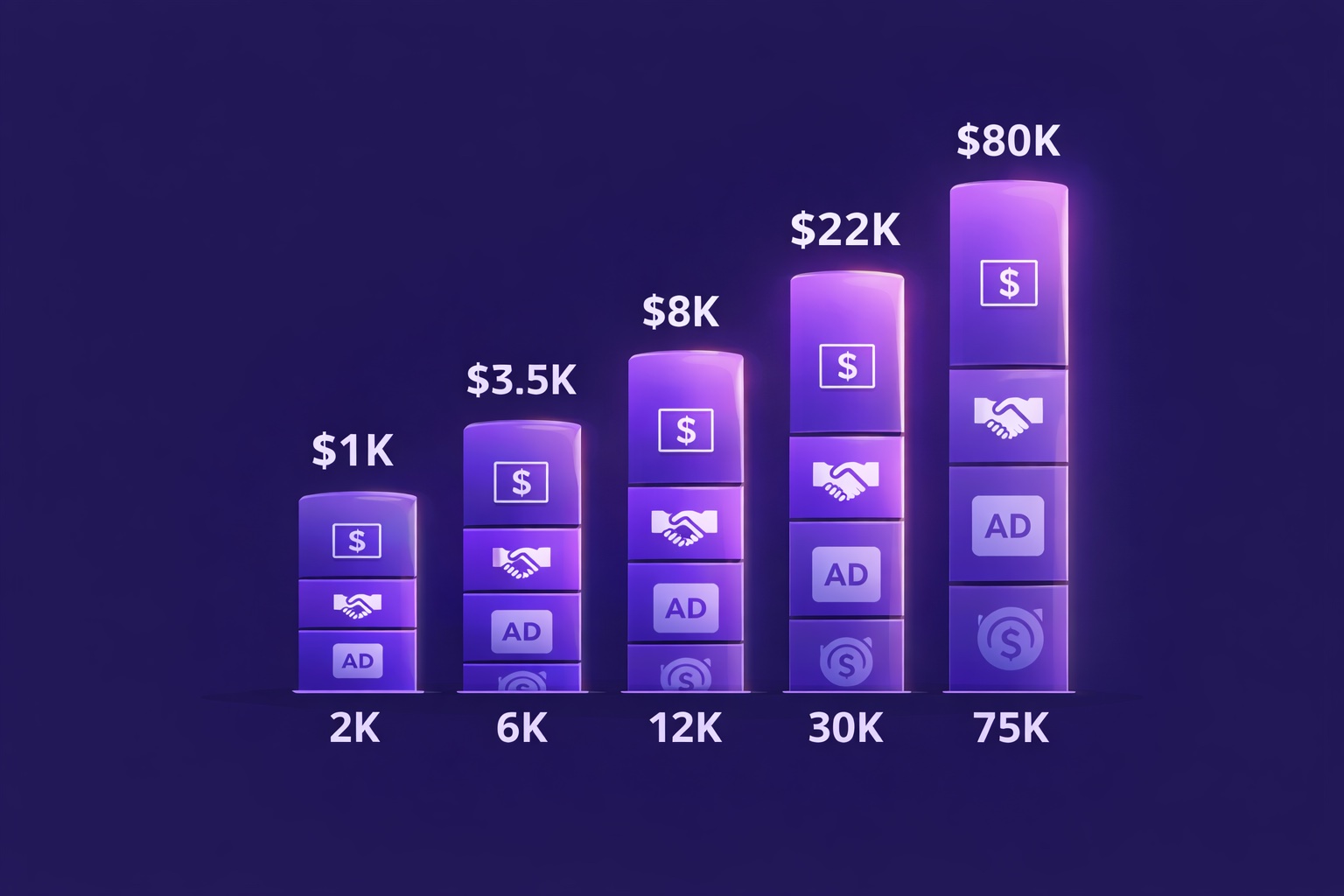
Real Newsletter Income Reports: How Creators Make $1K to $100K/Month (Actual Numbers)
The real data that creators search for but can't find. 5 detailed income profiles at different subscriber tiers — from $1,000/month at 2,000 subscribers to $80,000/month at 75,000 — with full revenue breakdowns by source, time invested, platform used, and the one decision that mattered most at each stage.
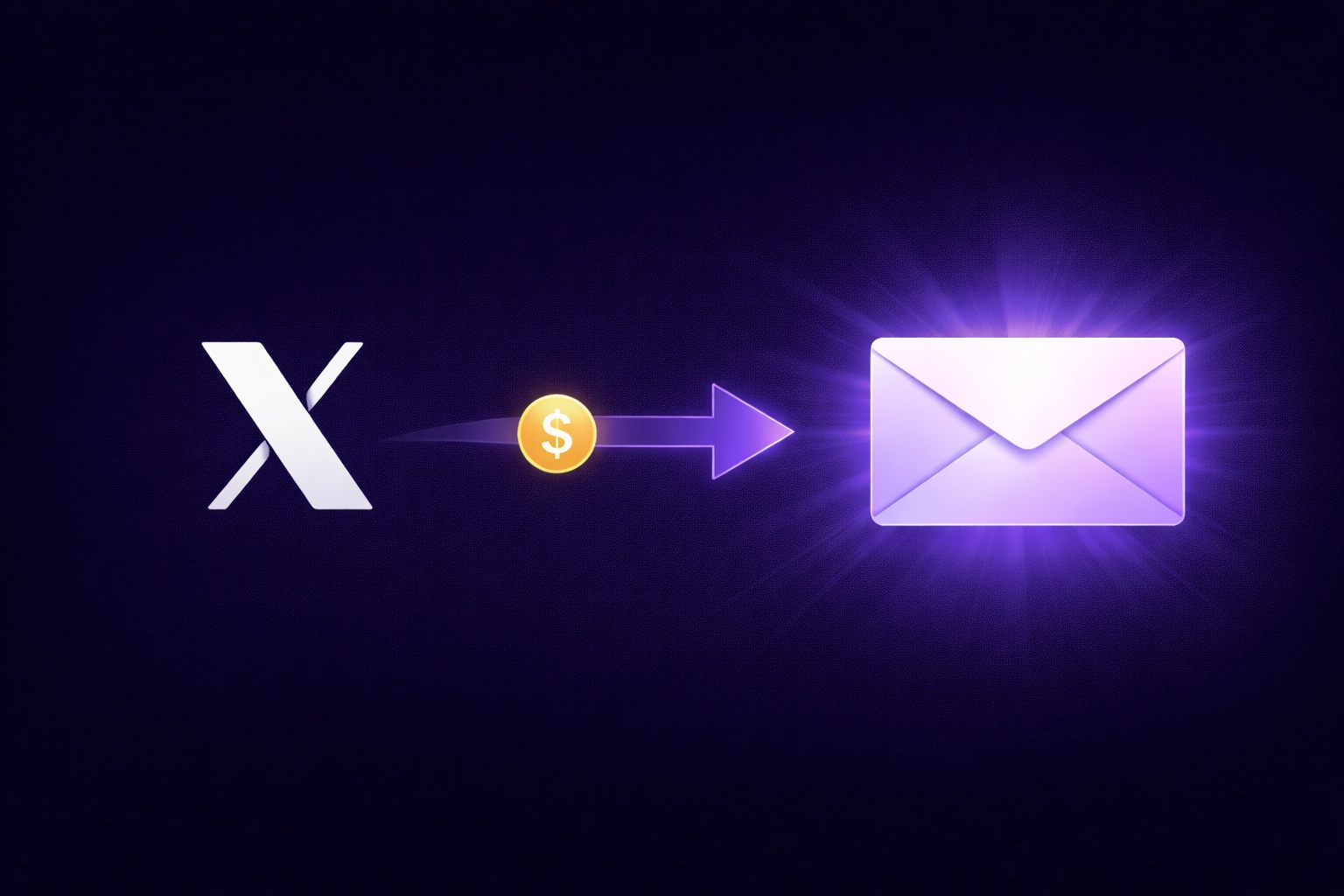
Twitter/X Creators: How to Convert Your Following into an Email List That Actually Pays
X Premium pays $0.003 per 1,000 views. A newsletter with 2,000 subscribers generates $1,000–1,500/month from ads, sponsorships, and a paid tier. The complete X-to-email flywheel — 6 conversion tactics, pinned post optimization, thread strategy, and the full revenue stack.
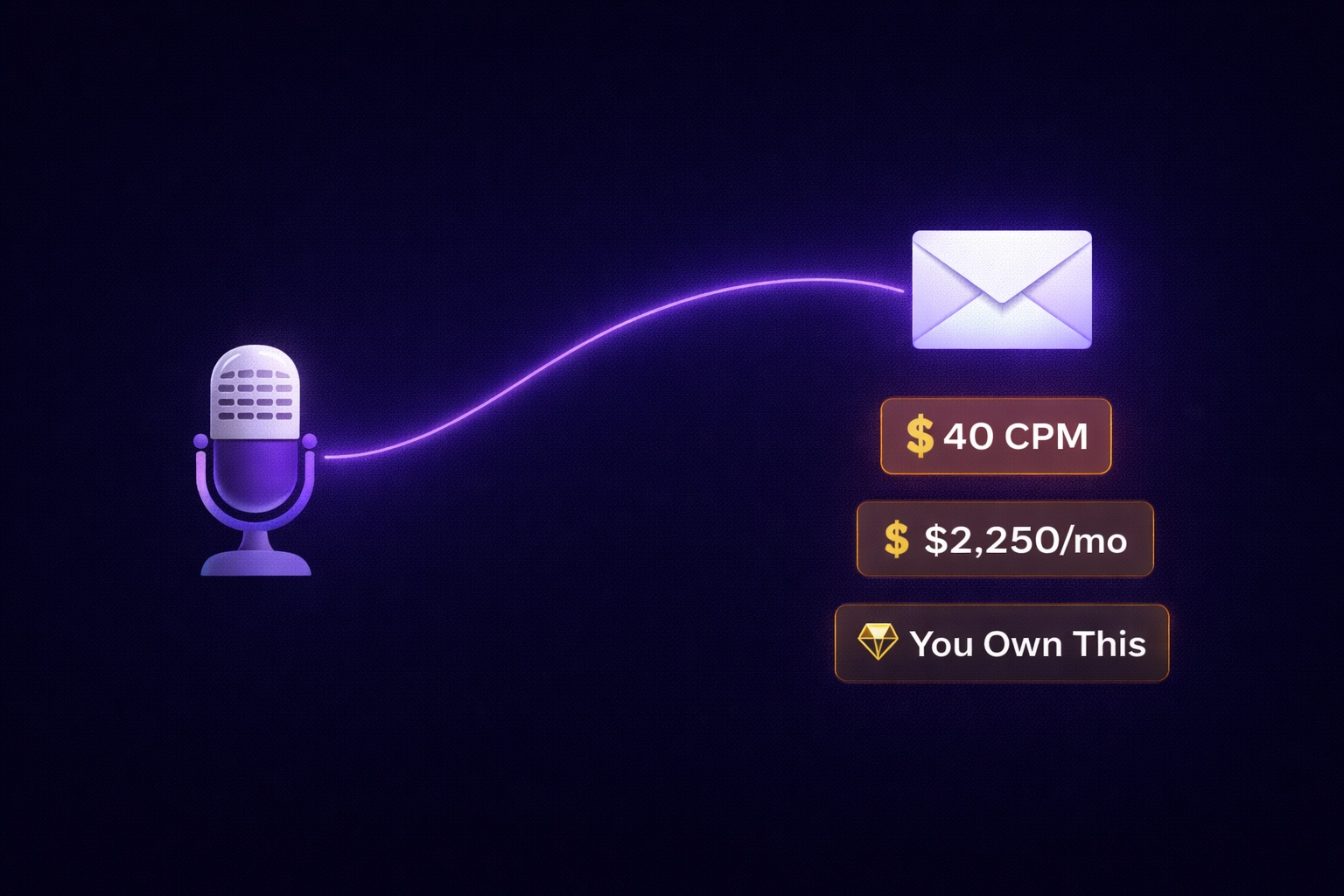
Podcast Creators: How to Build an Email List and Turn Listeners into Revenue
Podcast listeners give you hours of their attention — the warmest audience in the creator economy. Yet 90% of podcasters let that relationship die when the episode ends. The complete podcast-to-email funnel: 5 conversion entry points, show notes strategy, lead magnets that work for audio audiences, and what 5,000 podcast email subscribers is actually worth.
Newsletter Subject Lines: 85 Proven Templates That Get 40%+ Open Rates
Your subject line is the entire game in email. 85 tested templates across 7 categories — curiosity gaps, number-led, personal, contrarian, and more — with the psychology behind why each works and what to avoid.